
Hello Alex, your appointment is confirmed for tomorrow at 10 AM.
← All integrations
ZOHO CRM + SMSMOBILEAPI
Your Zoho CRM records.Connected to your real mobile number.
Send an SMS from a Contact or Lead through your own connected mobile. New replies and mobile call activity return to the matching Zoho CRM record, so your team keeps the conversation beside the customer context.
YOUR MOBILE NUMBERSMS sent by your connected phone
TWO-WAY CRM CONTEXTNew replies synchronized as Notes
CALL VISIBILITYMissed, incoming and outgoing calls
AM
ContactAlex Morgan+1 202 555 0147
SMS and Call activityTimelineNotesCallsRelated
Perfect, thank you. See you tomorrow!
MISSED MOBILE CALL
Call activity synchronized with this contact.
CRM activity synchronizedReply + call context → matching record
YOUR PHONE REMAINS THE COMMUNICATION BRIDGE
A CRM connection built around your real mobile.
SMSMobileAPI does not replace your mobile number with a virtual sender. It securely turns the Android phone and SIM you already use into the communication bridge for Zoho CRM. Customers see the number they recognize and can reply to it normally.
- Keep the mobile number already used by your customers.
- Send from Contacts and Leads without copying phone numbers.
- Choose which connected mobile sends each SMS.
- Keep eligible replies and call activity beside the CRM record.
Zoho CRMContact or Lead
Secure OAuth connection
SMSMobileAPIAuthenticated routing
Encrypted mobile command
Your connected mobileYour SIM · your number
SMS→Customer→Reply
ONE CONNECTION, THREE PRACTICAL FLOWS
Use your mobile conversations where customer work already happens.
Send from Zoho CRM, receive the response on your real mobile and keep eligible communication context with the right record.
Write from a Contact or Lead
Open the SMSMobileAPI widget, select an available connected mobile and send to the international phone number stored in Zoho CRM.
Bring new replies into CRM Notes
When the customer replies to your mobile, SMSMobileAPI matches the exact international number and adds the new message to the corresponding record.
Keep useful mobile call context
Eligible missed, incoming and outgoing calls can be synchronized with their direction, time and available details. No call audio is recorded.
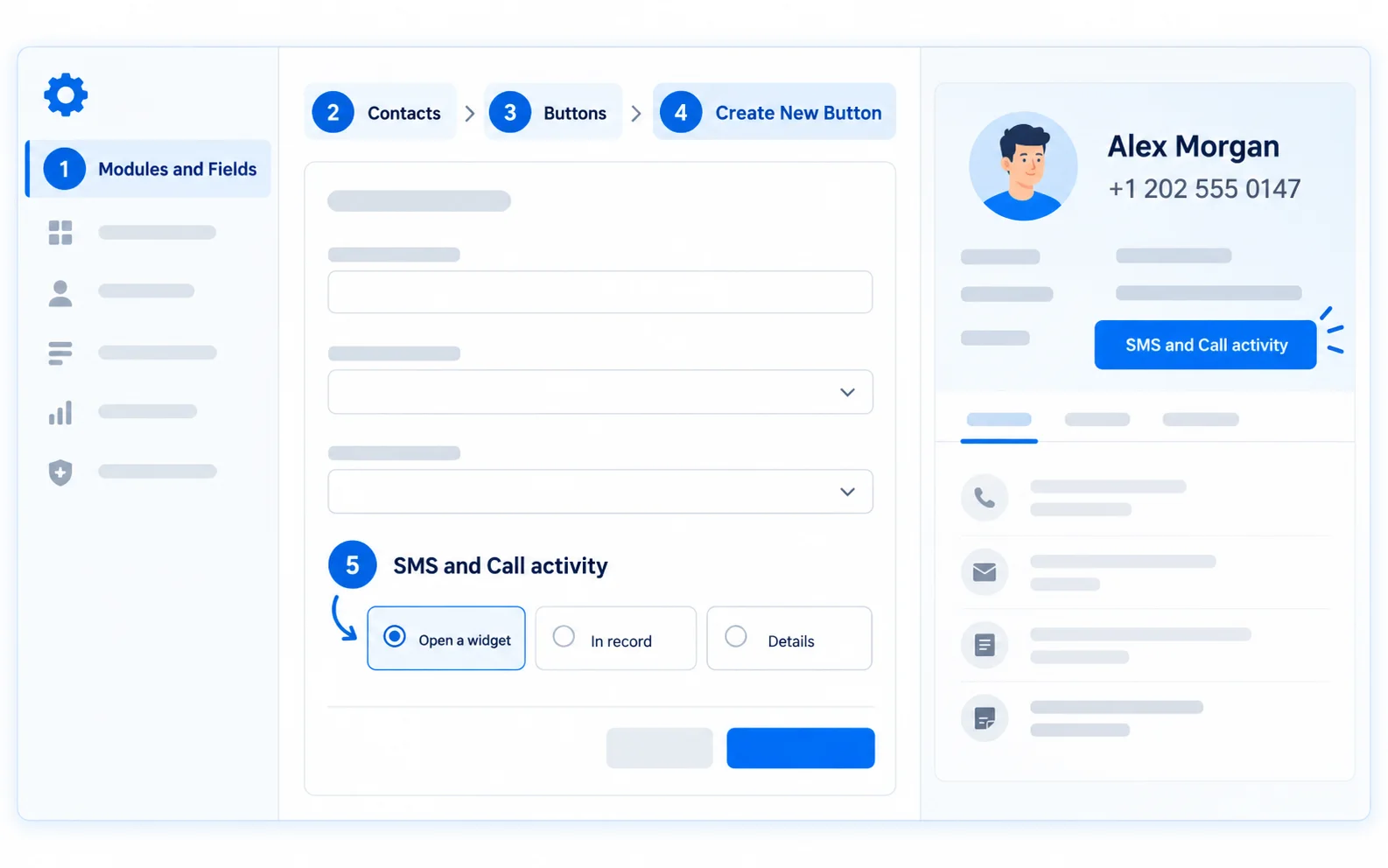
PRECISE CRM MATCHING
Exact phone matching keeps each event with the right person.
SMSMobileAPI normalizes the international number, searches the enabled Zoho CRM modules and synchronizes only when one clear Contact or Lead can be identified. Ambiguous or missing matches remain visible in the synchronization log instead of being attached to the wrong record.
CONTACTS
Use existing customer records and their international phone or mobile number.
LEADS
Include prospects when lead communication must be visible before conversion.
EXACT MATCH
A unique international number, such as +1 202 555 0147, identifies the record.
SAFE EXCEPTIONS
Missing or ambiguous matches are logged for review and are never guessed.
Incoming SMS received on your connected mobile
Perfect, thank you. See you tomorrow!
+1 202 555 0147 · just nowMissed mobile call
Call context linked to the matching CRM record.
+1 202 555 0147 · 11:42Outgoing mobile call
Follow-up call visible to the authorized team.
+1 202 555 0147 · 11:48VISIBLE BESIDE THE CUSTOMER RECORD
A clearer history for the next person who follows up.
New eligible messages and calls become structured CRM context. Sales and support can understand the latest mobile interaction without searching another inbox or asking who used the phone.
No call recording.Only call-history information is synchronized. SMSMobileAPI does not record or transfer call audio.
FROM AUTHORIZATION TO FIRST VERIFIED CONVERSATION
Five controlled steps to connect Zoho CRM.
Begin with one test Contact or Lead and a phone you control. Validate the complete loop before enabling synchronization for a wider team.
- 01
Connect your mobile
Install the official SMSMobileAPI app, pair the Android phone with your account and grant the SMS and call permissions required by the features you enable.
- 02
Authorize Zoho CRM
Open Zoho CRM in the SMSMobileAPI dashboard and approve secure OAuth access to the intended organization.
- 03
Choose what to synchronize
Enable Contacts, Leads, incoming SMS, mobile-sent SMS and the call directions your team genuinely needs.
- 04
Install and connect the widget
Add the SMSMobileAPI widget in Zoho CRM and enter its private connection key once. Keep this key confidential.
- 05
Test the complete loop
Use a controlled record to send one SMS, receive a reply and place a test call. Confirm every event appears on the correct record.
FROM SALES TO CUSTOMER CARE
Put real mobile communication inside the CRM process.
Sales follow-up
Send a personal SMS from a Contact or Lead while keeping the customer reply inside the CRM history.
Appointment coordination
Confirm a meeting from your own number and make the incoming response visible to the responsible team.
Missed-call recovery
Surface missed mobile calls so sales or support can follow up from the right customer record.
Shared customer context
Give authorized colleagues useful SMS and call context without asking who last checked the phone.
SECURITY AND OPERATIONAL CONTROL
Connected securely. Configured precisely. Observable from end to end.
The SMSMobileAPI dashboard centralizes OAuth status, enabled modules, event switches, sending-mobile selection and the synchronization log. Durable processing, retries and idempotency protect the integration when an external service is briefly unavailable.
Configure the integration →- Encrypted Zoho OAuth credentials
- Private widget connection key
- Contacts and Leads selection
- Per-event synchronization switches
- Connected-mobile routing
- Durable queue, retries and detailed logs
BEFORE YOU CONNECT
Practical answers for a reliable setup.
Keep the SMSMobileAPI app connected and updated. Enable only the modules and event types your Zoho CRM process genuinely needs.
Is a virtual SMS number required?
No. SMS are sent by an Android mobile connected to your SMSMobileAPI account, using that phone’s SIM and mobile number.
Where do incoming SMS appear in Zoho CRM?
Eligible new incoming messages are attached to the matching Contact or Lead as CRM context. Exact international phone matching must identify one clear record.
Which call events can be synchronized?
The integration can process missed, incoming and outgoing mobile call activity. It synchronizes call-history context only and never records or transfers call audio.
Will old SMS and call history be imported?
No. Synchronization processes eligible new activity after the connection and selected options are active. It does not import the complete historical phone log.
What happens if two records use the same number?
The event is treated as ambiguous and is not attached automatically. Review the synchronization log and keep one unique international number per person.
Can I choose which mobile sends an SMS?
Yes. If several mobiles are connected to the account, the widget can offer an available mobile or use the routing configured for the integration.
What is the private widget connection key?
It securely links the Zoho CRM widget to the correct SMSMobileAPI account. Enter it only in the official widget and never share it in email, screenshots or support messages.
ZOHO CRM + YOUR MOBILE NUMBER
Make every useful mobile interaction part of the customer record.
Send from Zoho CRM through your connected mobile. Bring new replies and call context back to the Contact or Lead your team already follows.
