
Your number stays yours
Customers receive your SMS from the number of your connected mobile, not an unfamiliar replacement number.
PIPEDRIVE SMS INTEGRATION
Send SMS from Pipedrive through your own connected mobile. Your contacts reply to that same number, and their incoming SMS appear in Pipedrive. Keep the personal connection of your phone, with the context of your CRM.
New to SMSMobileAPI? Create your account
Your own mobile. Your own SIM. Two-way SMS.

Your own mobile. Your own SIM. Two-way SMS.
Customers receive your SMS from the number of your connected mobile, not an unfamiliar replacement number.
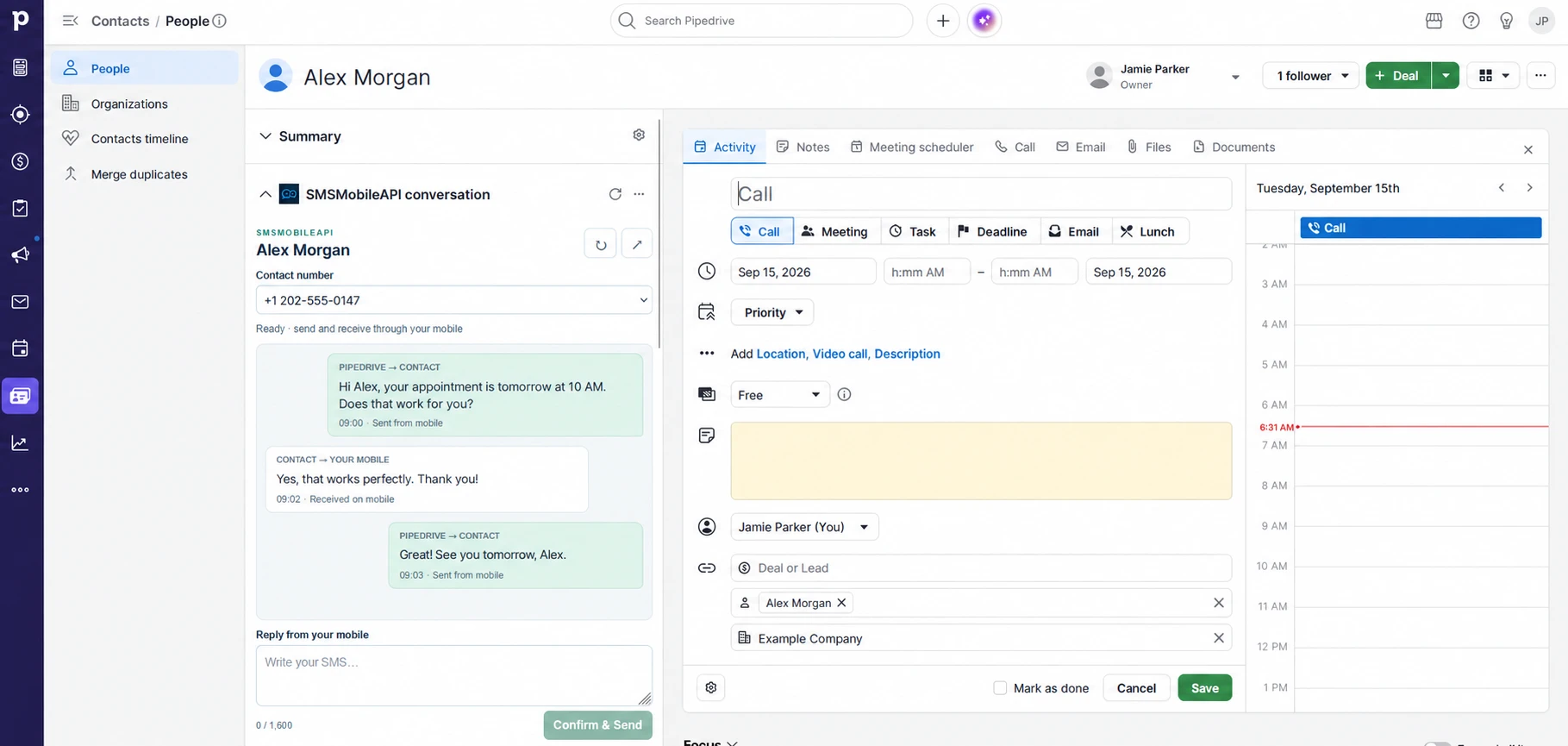
Incoming replies reach your mobile and synchronize to the matching Pipedrive contact.
Read and respond from the SMSMobileAPI panel or open the conversation in a larger window inside Pipedrive.
A REAL CONVERSATION, IN YOUR CRM
Open a person contact, read the synchronized SMS history and select their number. Write your message and click Confirm & Send. When the contact replies, continue the exchange from the same panel.
YOUR MOBILE IS THE CONNECTION

Pipedrive → SMSMobileAPI → your connected mobile → your contact. Your phone sends the SMS using its SIM and mobile number.
Your contact → your mobile → SMSMobileAPI → the matching Pipedrive contact. The reply arrives as a normal SMS on your mobile and is then synchronized to the CRM.
Keep the mobile online with the SMSMobileAPI app running and the required permissions enabled. Synchronization is automatic, but depends on the phone, network and background processing.
MORE THAN A SEND BUTTON
Send from the contact panel, the expanded conversation or the dedicated send action. You can also compose from the SMSMobileAPI dashboard.
Choose whether to synchronize incoming SMS and SMS sent directly from the mobile. Eligible new activity is associated with contacts by international phone number.
Enable SMS rules for a newly created contact, a newly created deal or a won deal. Personalize templates with the contact name and deal title.
Review queued, accepted, completed, blocked or uncertain jobs in the dashboard. Sending from the mobile is distinct from confirmed delivery to the recipient.
ADD THE CONTEXT OF A CALL
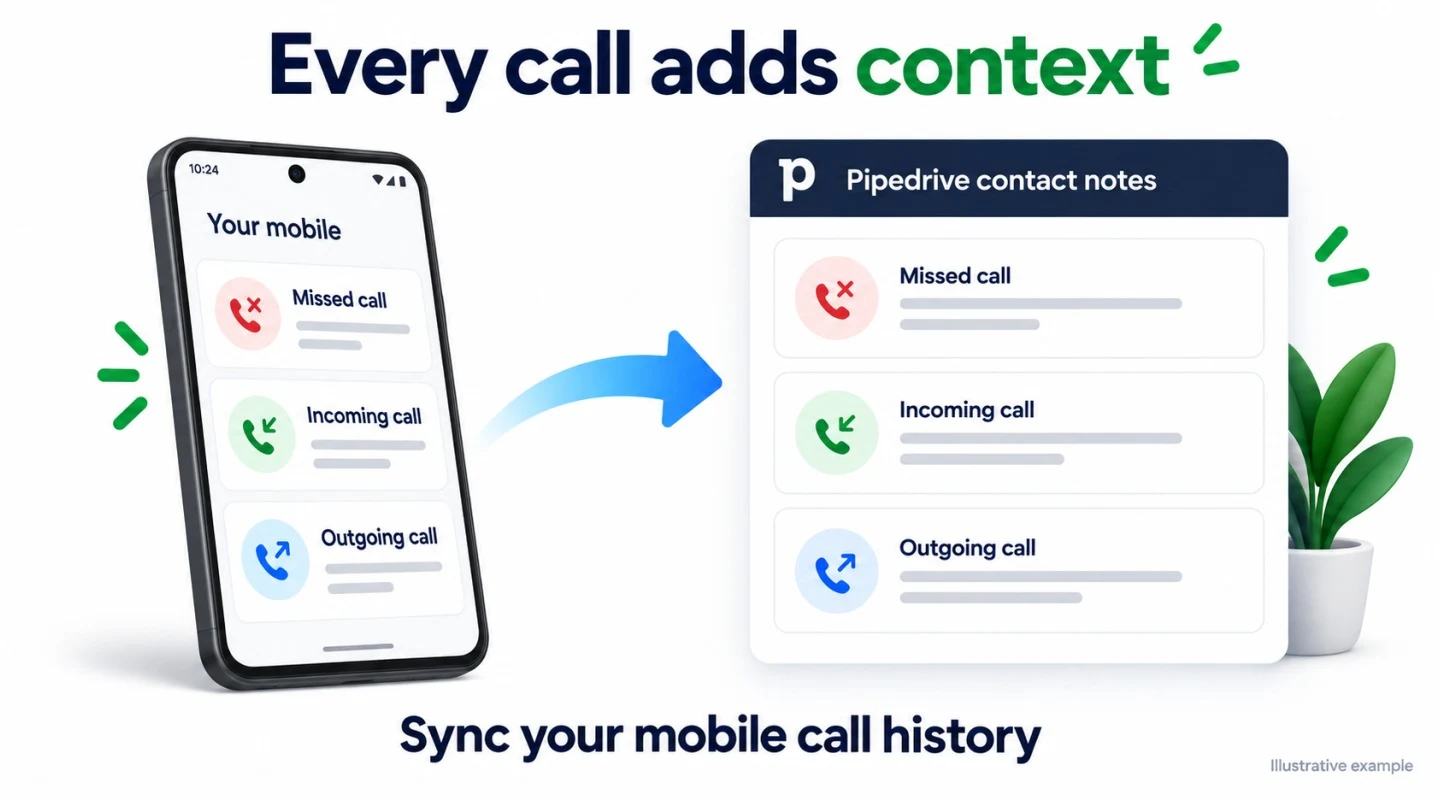
Bring missed, incoming and outgoing mobile call activity into the matching contact’s Pipedrive notes. Find the direction, time and available call details alongside your customer record, even when the exchange happened on your mobile.
This synchronizes call history. It does not place calls from Pipedrive or transfer call audio.
A new person is created in Pipedrive. An enabled rule sends a personalized introduction from your mobile, so the lead can reply directly.
Send the time and meeting details from the contact conversation. Read the confirmation or last-minute question without leaving Pipedrive.
Use a deal-won rule for a thank-you or next-step message. Your contact keeps the same number for the rest of the relationship.
GET CONNECTED
The app must be installed for the Pipedrive user who opens the panel. No developer configuration is required for everyday use of an already configured SMSMobileAPI integration.
 Connect my Pipedrive account
Create or open your SMSMobileAPI account. Install the app on a compatible mobile, connect it to your account and check that it can send and receive a normal SMS.
In the SMSMobileAPI dashboard, open Pipedrive and choose Connect securely with Pipedrive. Sign in to the intended Pipedrive account and approve the requested access.
Enable incoming SMS and, if useful, mobile-sent SMS and call history. Select the sending mobile and the timezone of your received SMS logs. Save your settings.
Open a person in Pipedrive with a unique international phone number. Send a short SMS, reply from the recipient’s phone and check that both messages appear. Then enable any automation rules you need.
The mobile number of the phone selected to send your SMS. The message is sent through that mobile and its SIM. Replies return to that number.
No. It is the SMSMobileAPI conversation panel and expanded window inside the Pipedrive contact interface. Synchronized activity can also be recorded in contact notes.
The integration works with eligible activity synchronized after connection. It does not automatically import the entire phone history or recover messages from periods when synchronization was disabled.
Use international phone numbers and avoid duplicates. Missing or ambiguous matches are reported in the synchronization log rather than silently attaching a message to the wrong person.
A connected compatible mobile with an active SIM, network access, the SMSMobileAPI app and required permissions, plus your connected Pipedrive account. Your mobile plan and operator limits still apply. Check SMSMobileAPI pricing for the service subscription.
Yes. Create, edit, enable or disable your rules in the dashboard. Automatic messages only start when a rule is enabled. Contact-created, deal-created and deal-won triggers are supported.
Give your contacts a direct line to your mobile, while you manage the exchange from the CRM you already use.

Tell us who we are speaking with. Your details stay attached to this private support conversation.