
Product Tour — Landing Templates & Enriched SMS
A simple visual guide to understand the main screens: template creation, instances tracking, sending SMS, and results analytics.
Templates Manager (Overview)
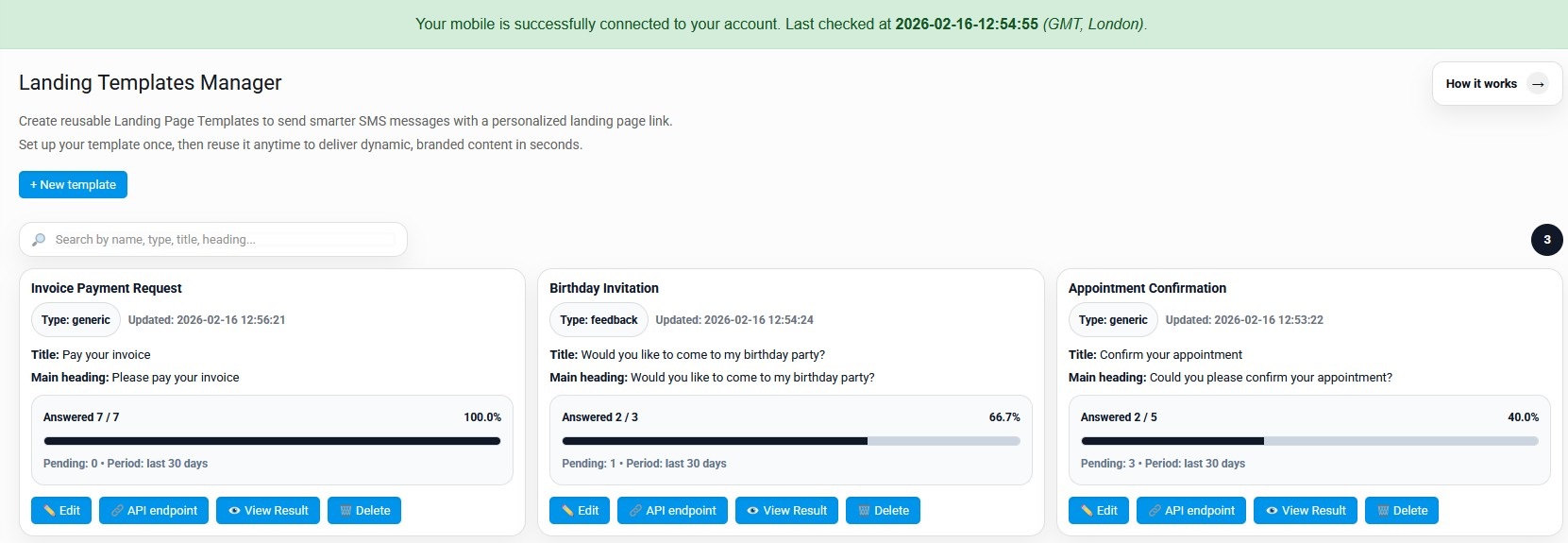
This screen lists all your Landing Page Templates. Each card shows key fields and performance stats (answered / pending).
Main purpose
Manage your templates and quickly see which ones perform best.
- Search templates by name/type/title.
- See answer rate and recent activity.
- Access actions: Edit, API endpoint, View Result, Delete.
Typical use cases
- Invoice payment requests (YES/NO, Pay now, etc.)
- Appointment confirmations
- Event invitations (RSVP)
- Support confirmations / incident acknowledgements
Edit Template
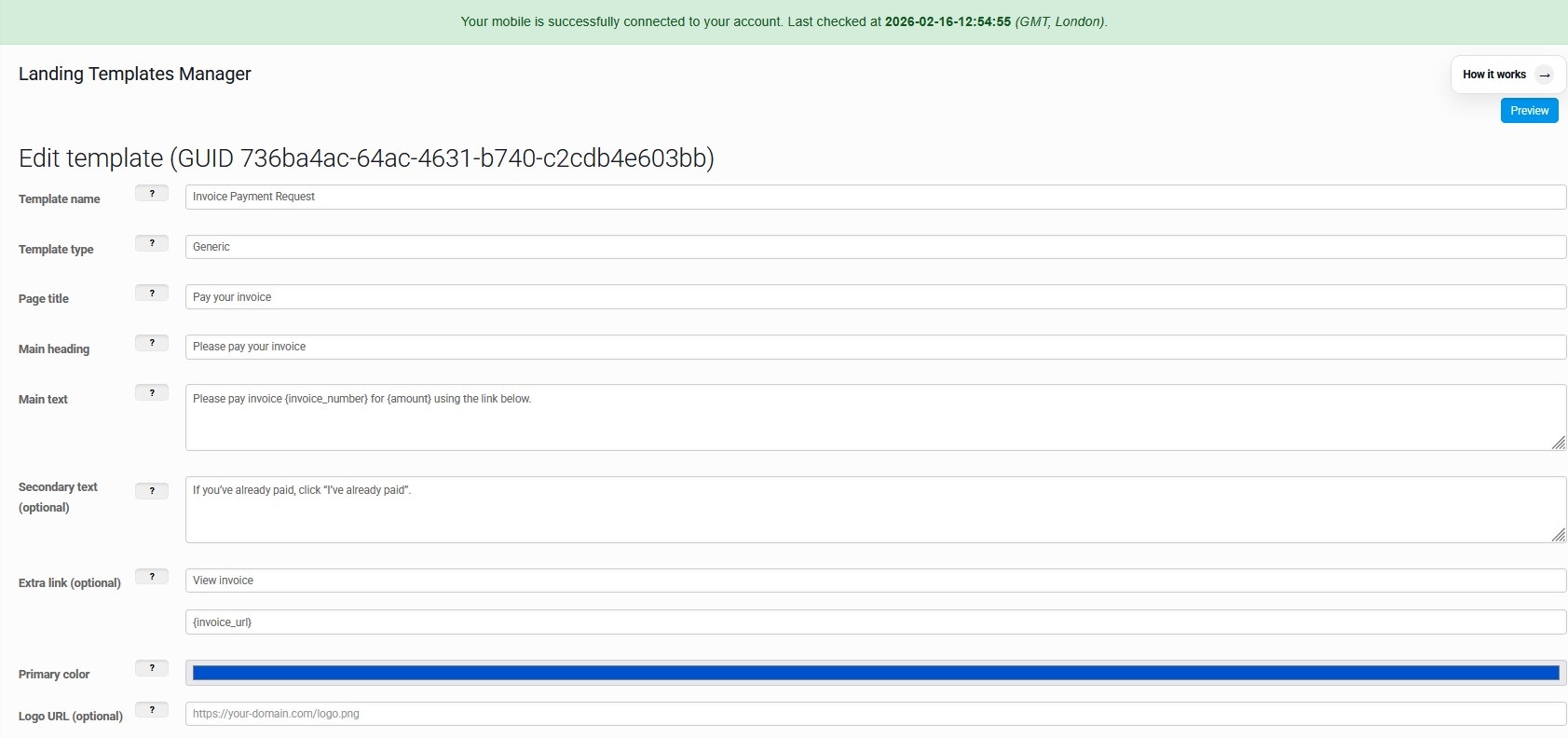
Configure the content shown on the landing page: titles, text, placeholders (dynamic fields), and the branding color.
Content fields
- Template name + type (e.g. generic / feedback).
- Landing page title, main heading, main text.
- Optional secondary text (extra context).
- Optional extra link (example: “View invoice”).
Dynamic placeholders
Use placeholders like {invoice_number} or {amount} in your text.
- At send time, values are injected via placeholders_json.
- This produces a unique landing page per recipient (instance).
- Branding: choose the primary color for buttons and accents.
Landing Page Instances
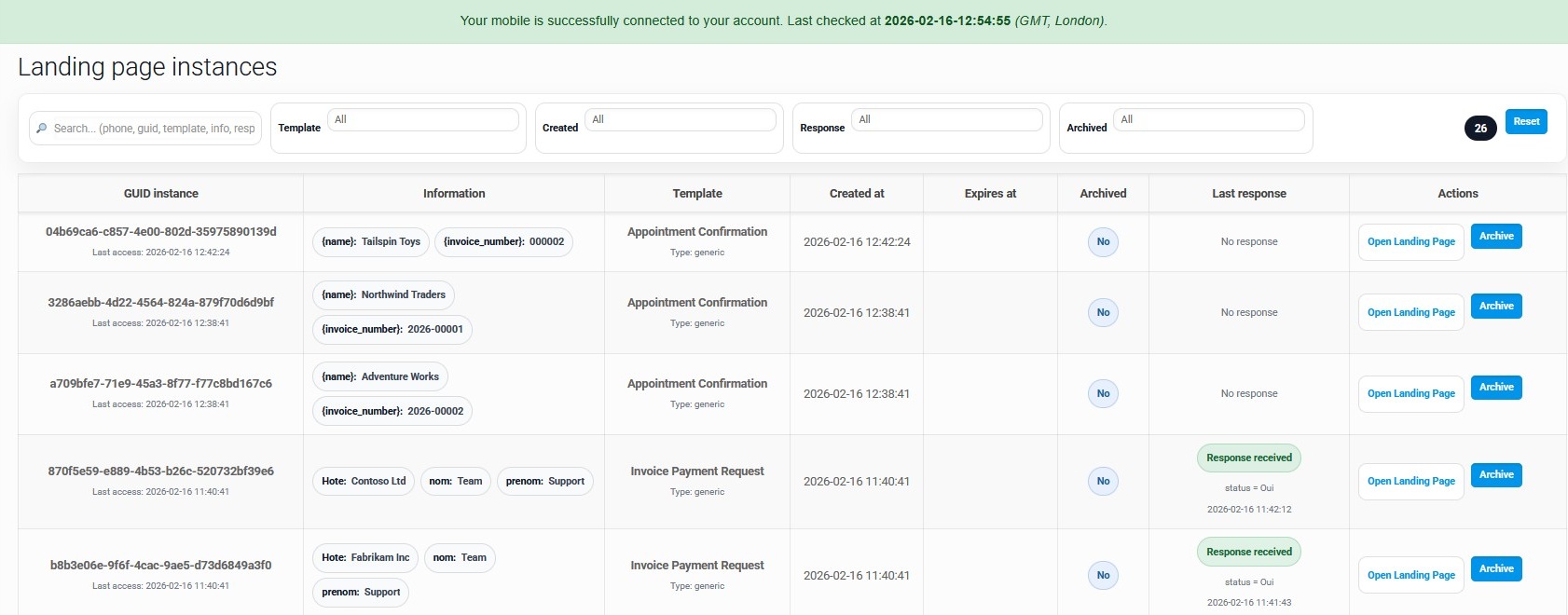
Every SMS creates a unique landing page instance with its own GUID. This screen helps you track access and responses.
What you see
- GUID instance + last access timestamp.
- Injected values preview (chips with placeholder values).
- Template name, created date, expiry, archived status.
- Response status: “No response” / “Response received”.
What you can do
- Open Landing Page to view the exact page the user sees.
- Archive old instances to keep the list clean.
- Filter by template, created date, response, archived.
- Search by phone / guid / template / info.
Send SMS using a Landing Template
Choose a template, fill dynamic fields, generate the landing URL, then send the SMS (single or bulk).
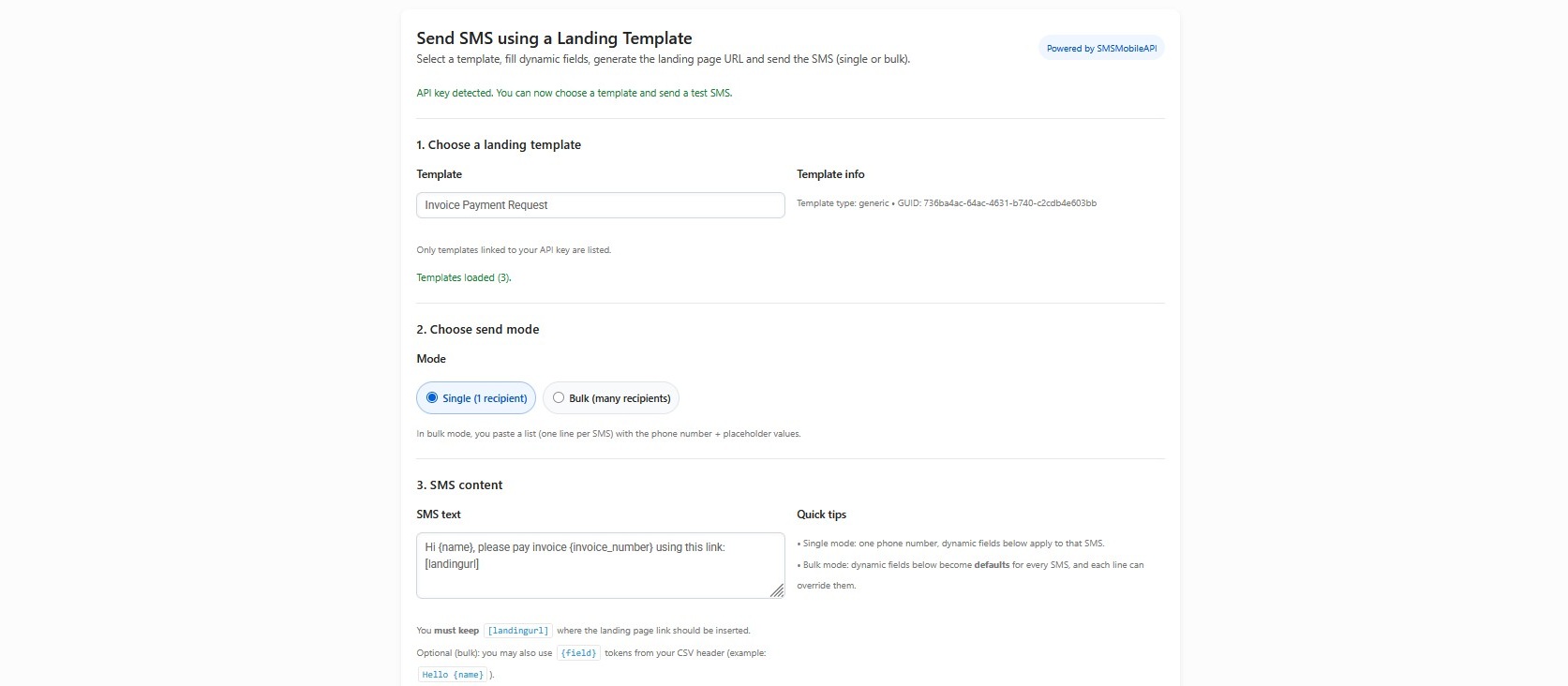
Single mode
- Pick one template.
- Enter 1 phone number.
- Fill placeholders once (applies to that SMS).
- Send immediately.
Bulk mode
- Paste multiple lines (one recipient per line).
- Each line can override placeholder values.
- Keep [landingurl] inside SMS text for auto-injection.
- Ideal for invoices, reminders, notifications.
View Result (Template Analytics)
A clear dashboard to see performance: total instances, answered, pending, and the latest responses.
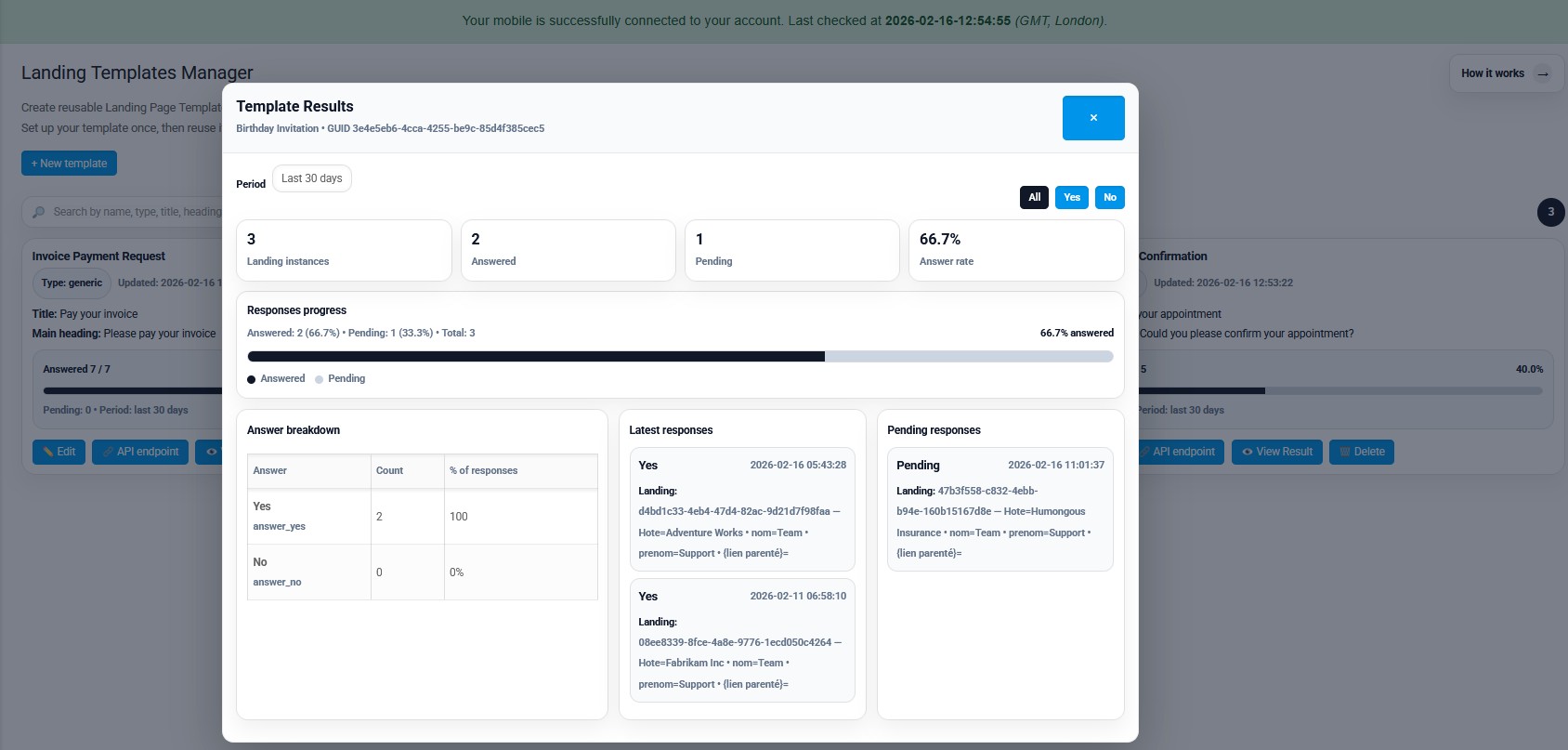
KPIs & progress
- Total landing instances created.
- Answered vs pending count.
- Answer rate percentage.
- Progress bar by period (e.g. last 30 days).
Deep details
- Answer breakdown (YES/NO) with count and %.
- Latest responses (with values + timestamps).
- Pending list to know who didn’t answer.
- Filters (All / Yes / No) for quick reading.

Official mobile application
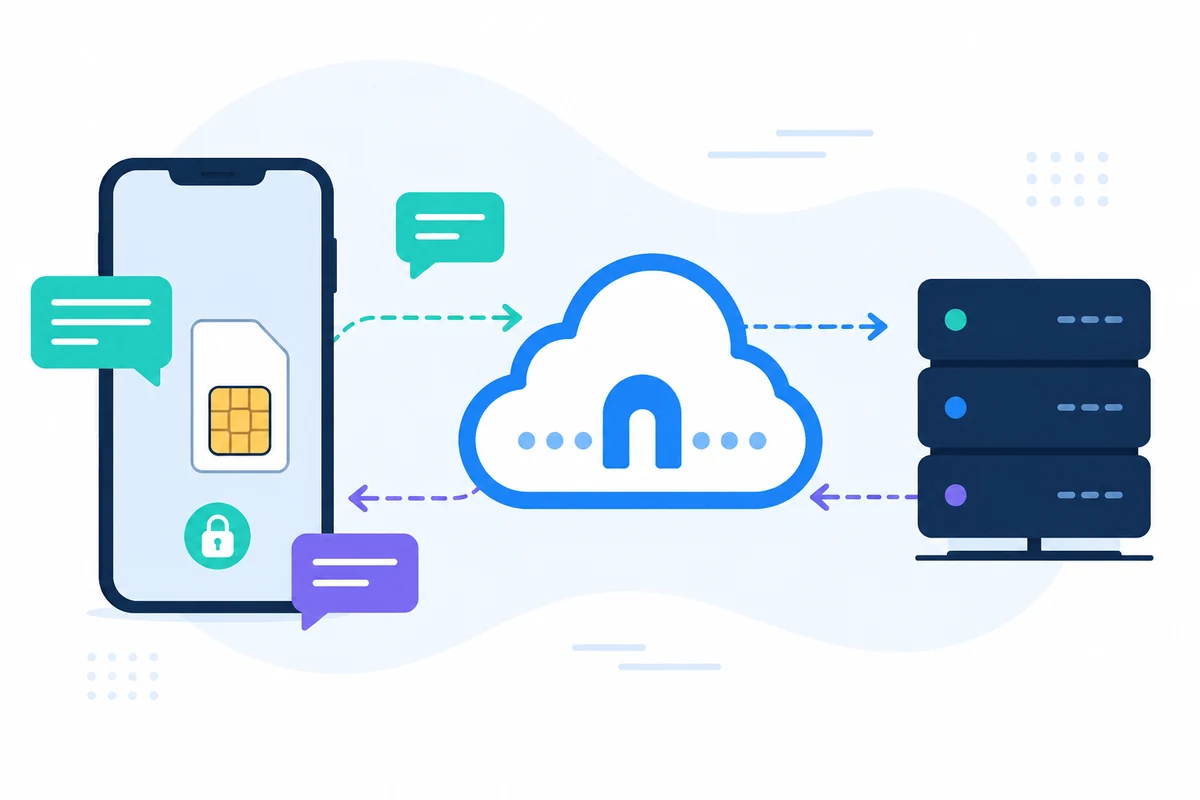
The secure bridge between your phone, dashboard and API.
SMS and call operations pass through the official SMSMobileAPI app installed on your connected phone. The app securely pairs the device with your account, synchronizes authorized events and links the mobile network to the dashboard and REST API.
- Signed releases distributed through the official Google Play and Apple App Store listings
- Google and Apple platform review, signing and distribution controls
- Secure device pairing, HTTPS transport and authenticated API access
- Only the permissions required for the mobile features you enable