

如何启用 SMS Mobile API 的完整短信发送访问权限(主动模式和后台模式)
为了保证 SMS Mobile API 短信发送不间断,您的 Android 设备必须正确配置,以允许该应用在活动模式和后台运行。本指南介绍了授予完全访问权限的必要设置,以确保即使应用未打开也能持续发送短信。通过允许后台运行并禁用应用的电池优化,您可以确保 SMS Mobile API 始终保持活动状态并可靠运行。步骤 1:打开 SMS 移动 API 设置
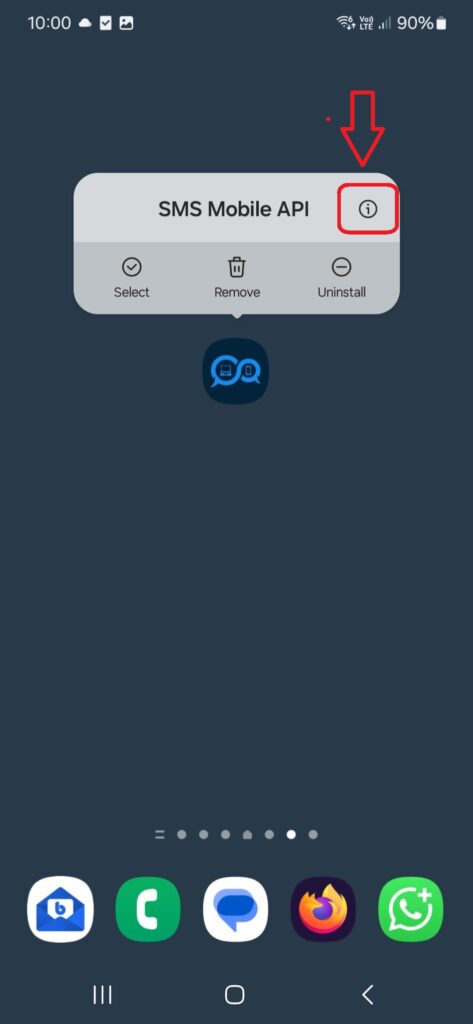
在您的 Android 设备上,**按住 SMS Mobile API 应用图标**几秒钟,直到其上方出现菜单。然后,**点击弹出窗口右上角的“i”图标**。这将直接带您进入**SMS Mobile API**的系统设置页面,您可以在其中调整权限、电池使用情况和后台行为。
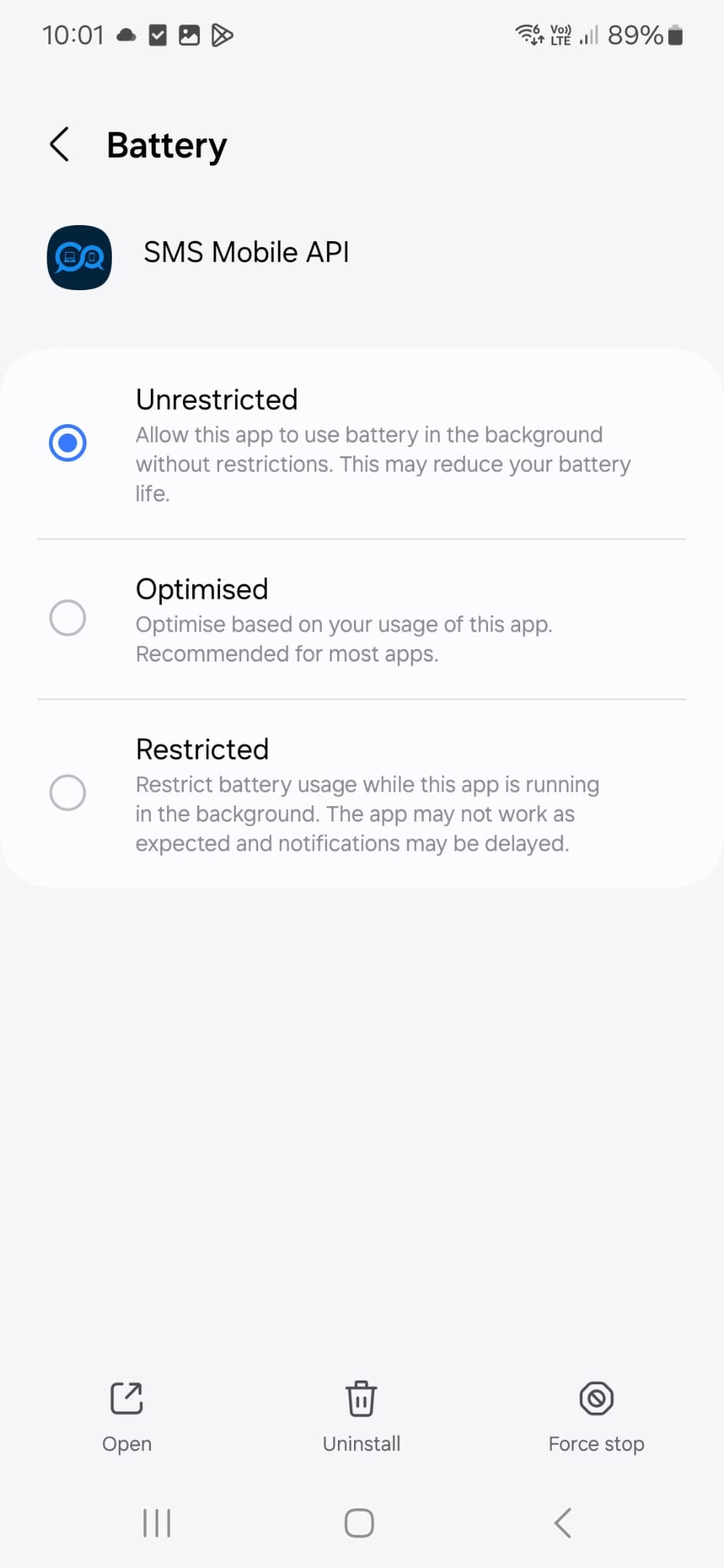
现在,请前往手机设置,验证屏幕上显示的配置是否与您当前的设置相符。此配置由我们的技术支持团队亲自使用和推荐,以确保短信可靠发送——即使 SMS Mobile API 应用在后台运行。
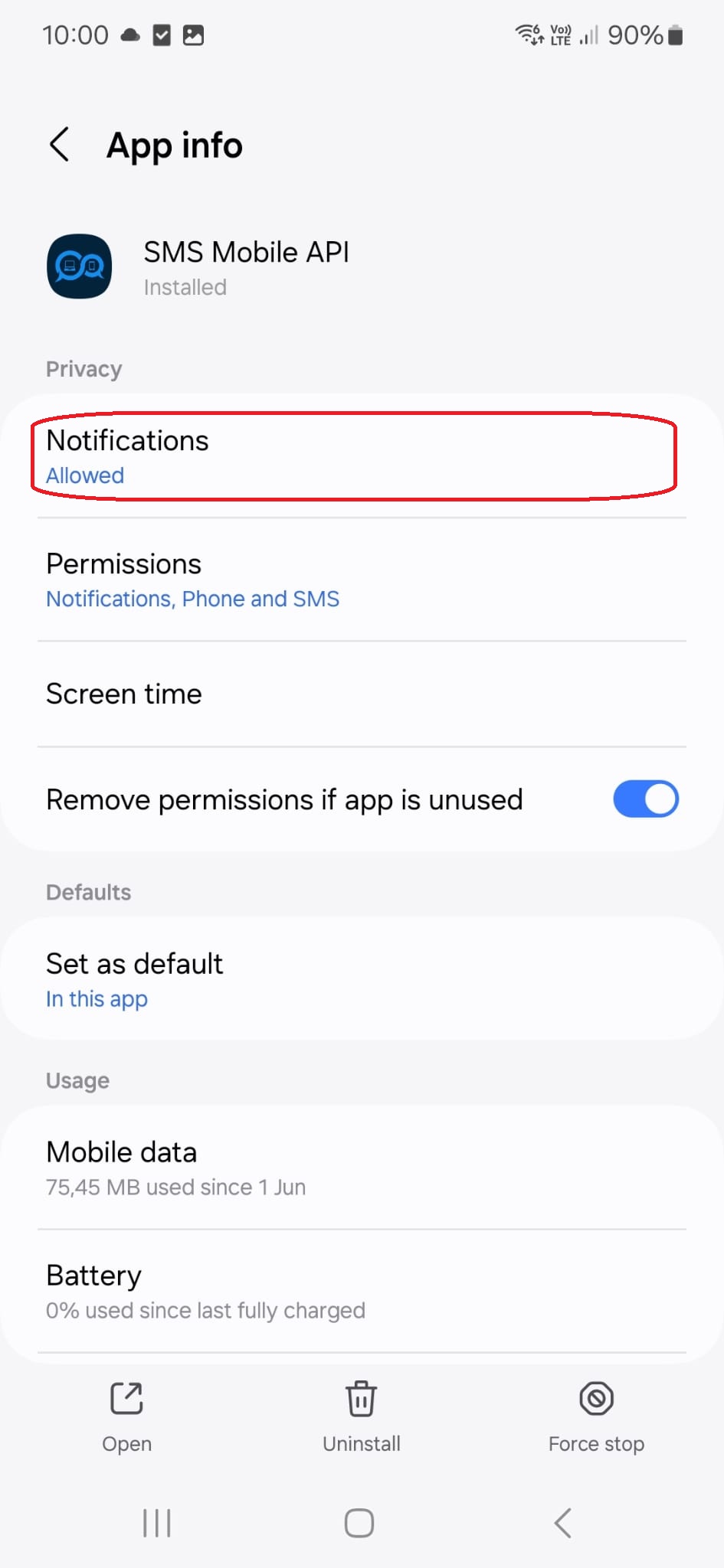
点击此菜单标题,您将进入以下配置页面:
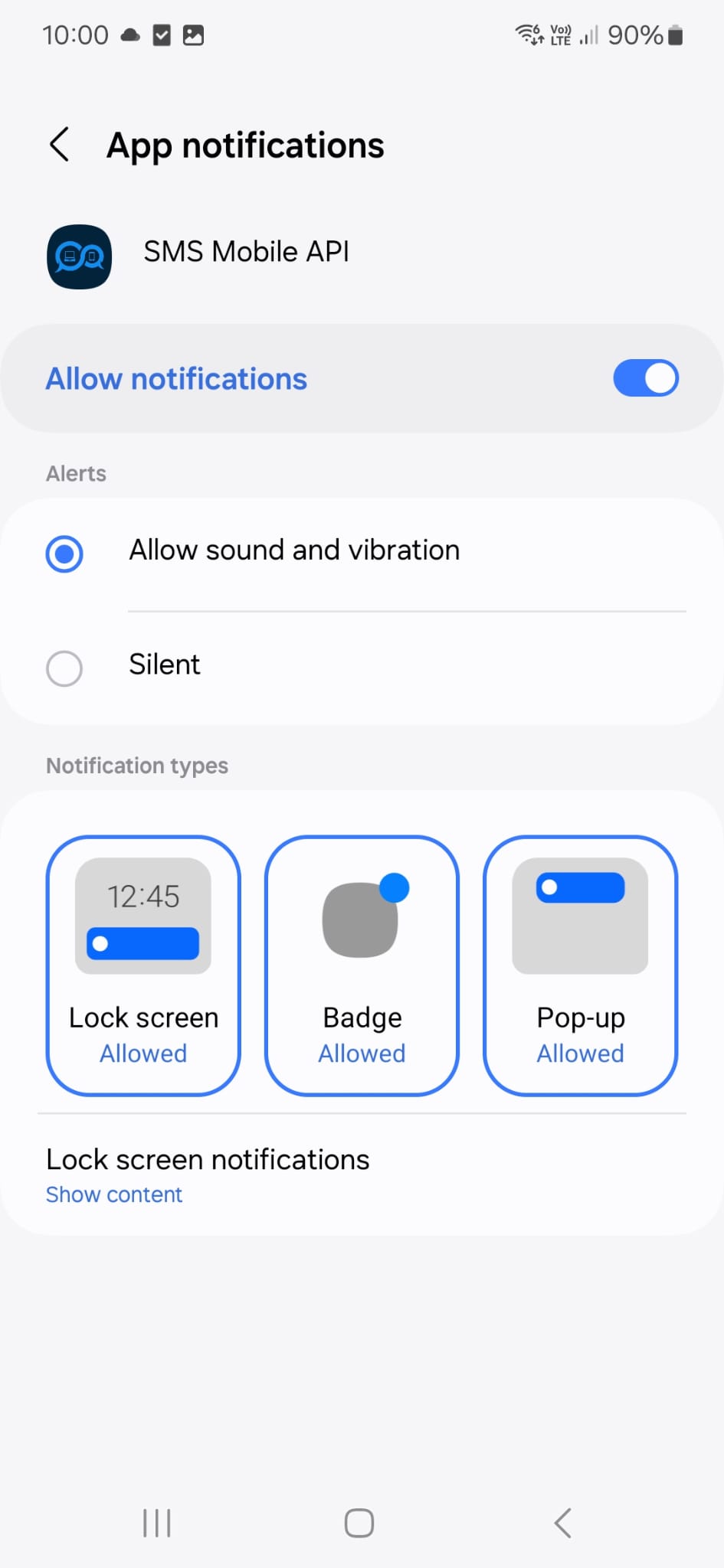
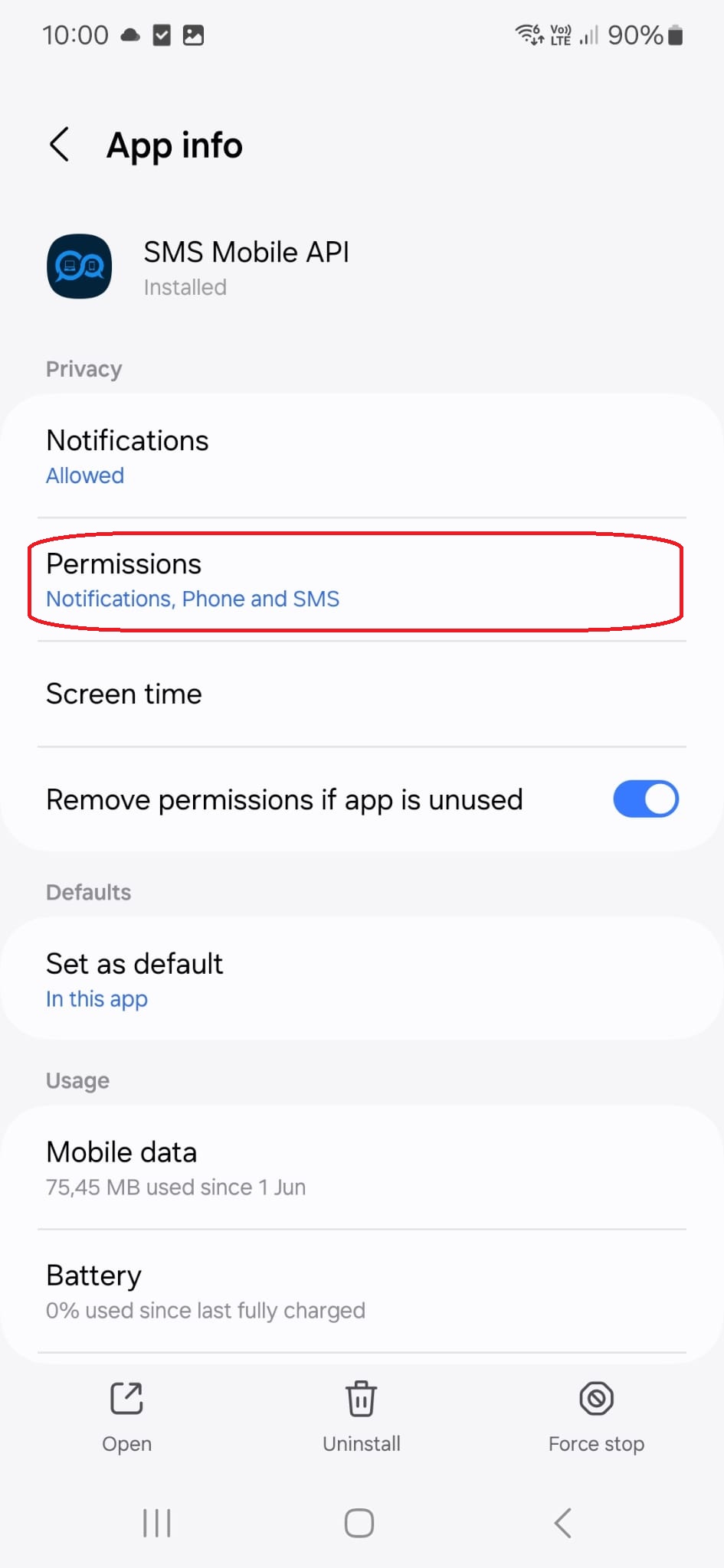
点击此菜单标题,您将进入以下配置页面:
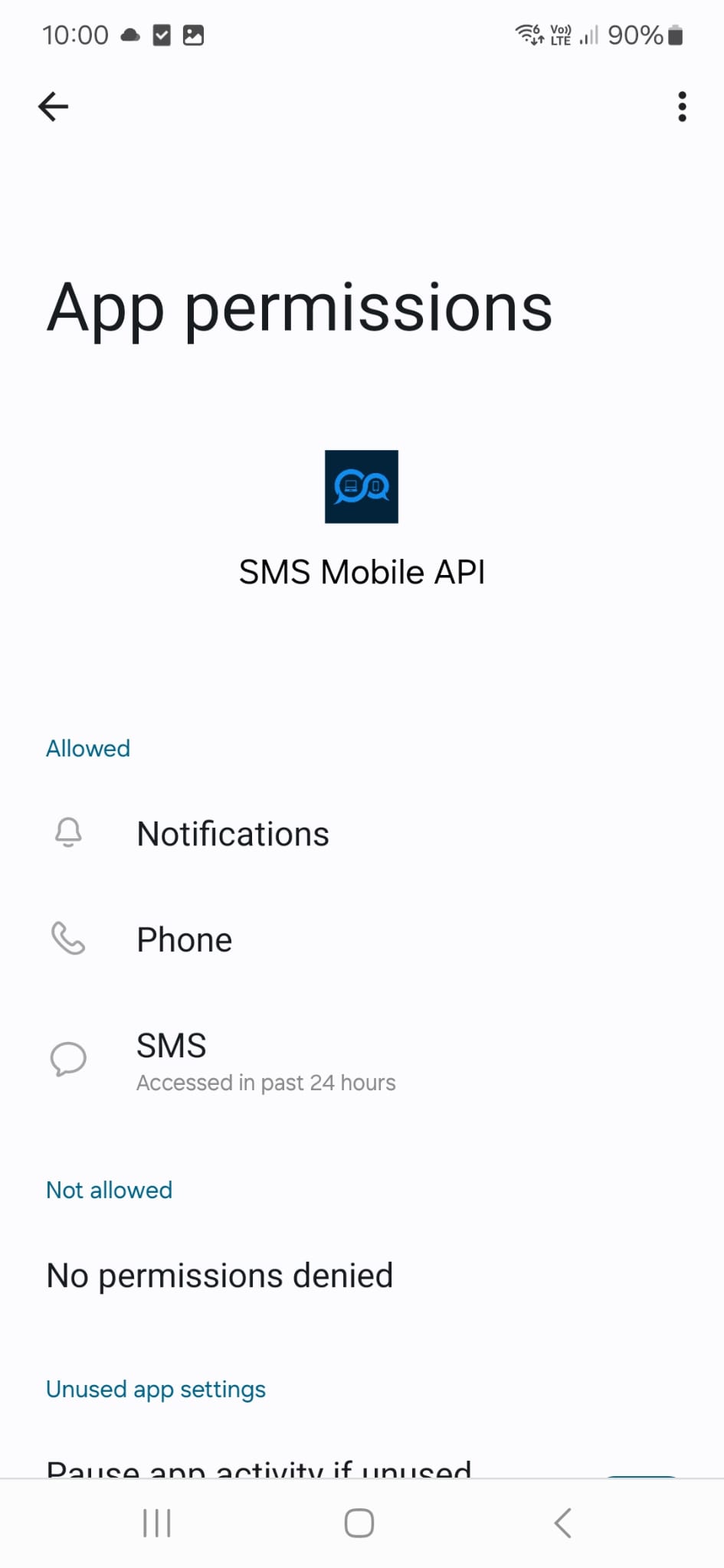
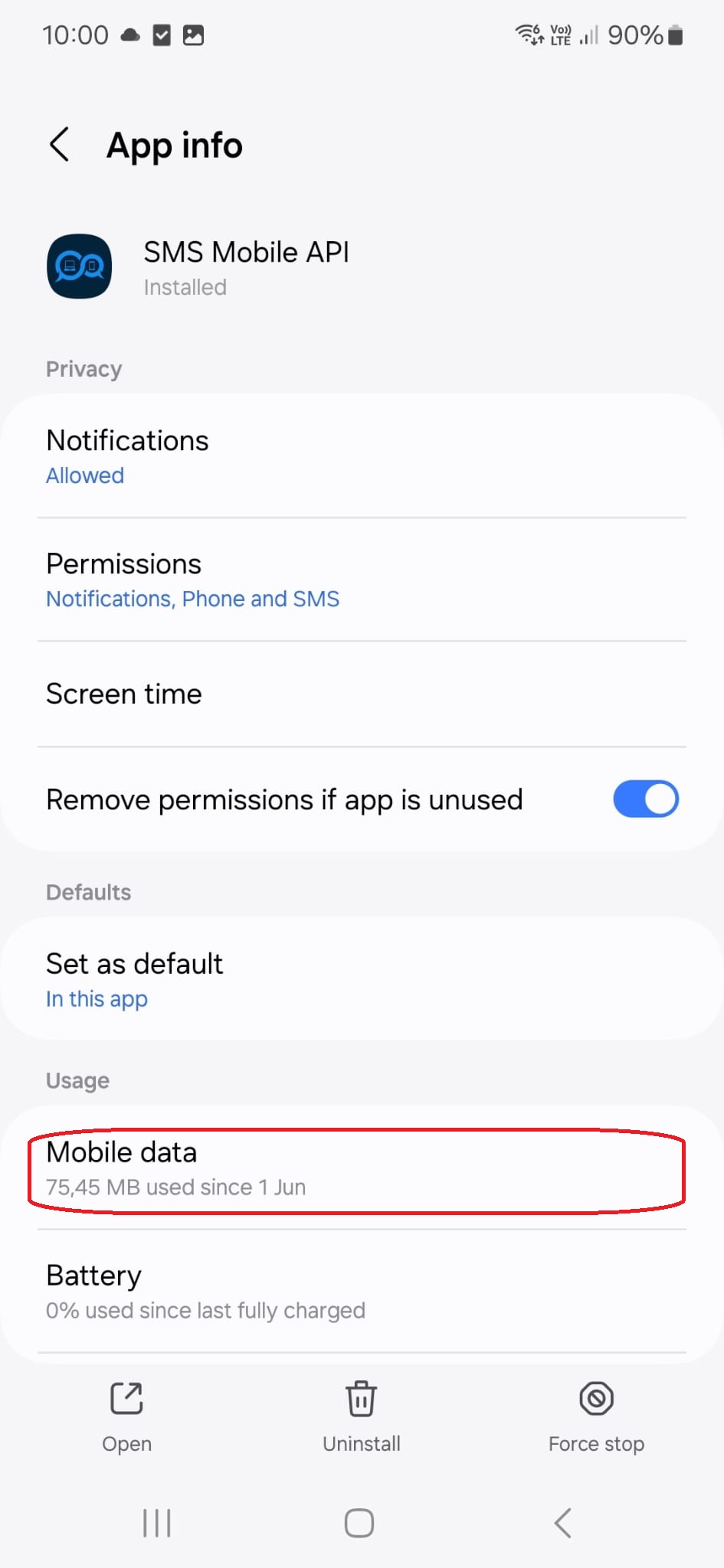
点击此菜单标题,您将进入以下配置页面:
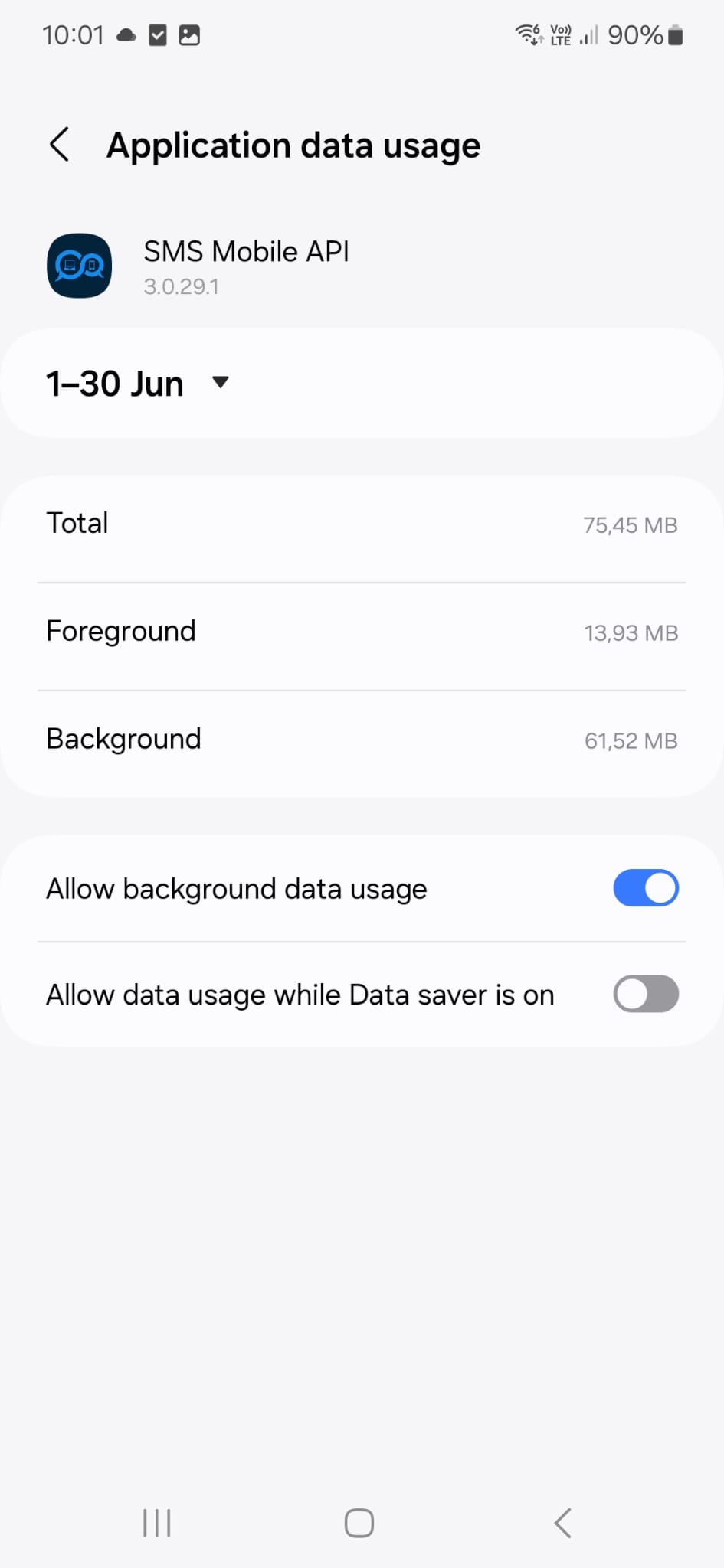
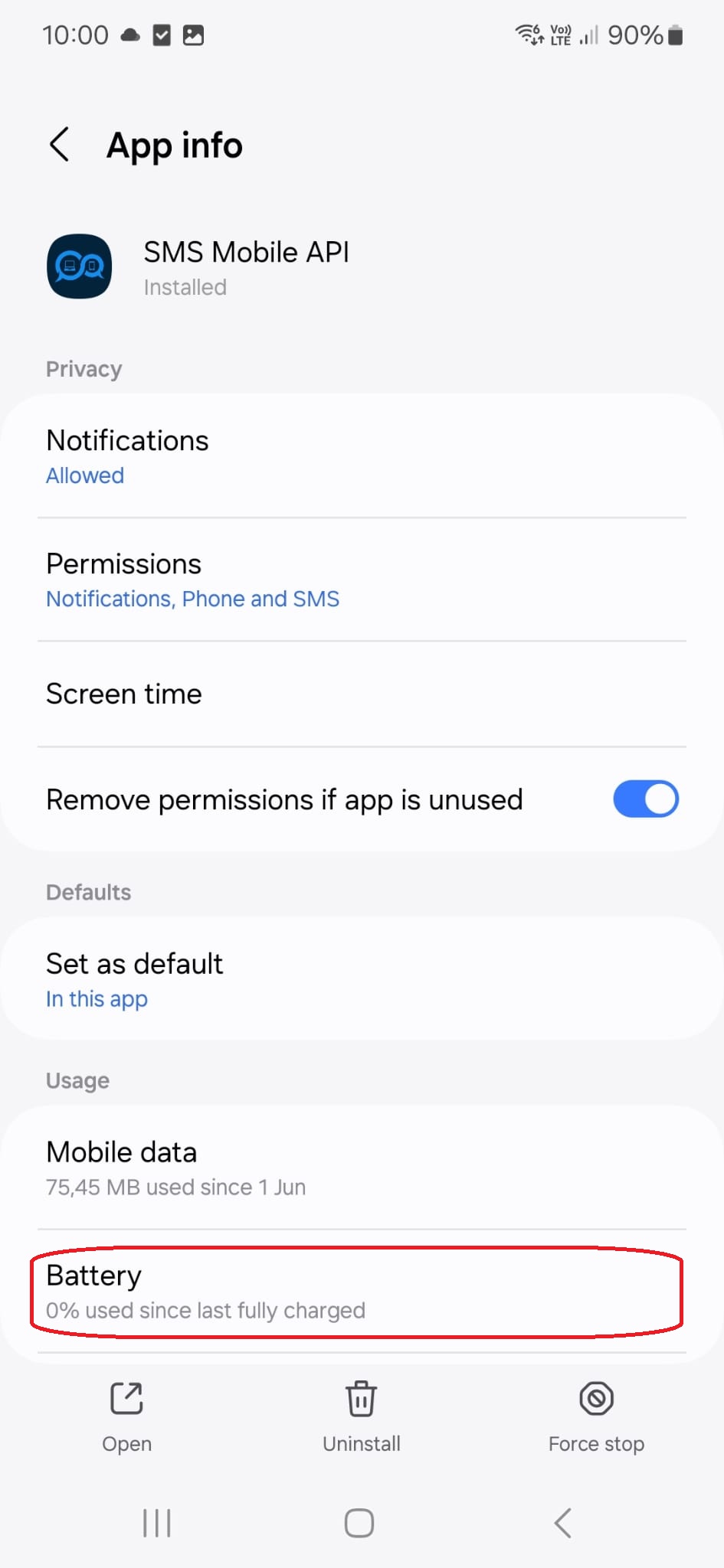
点击此菜单标题,您将进入以下配置页面:

官方移动应用程序
电话、仪表板和API之间的安全桥
短信和呼叫业务通过官员SMSMobileAPI应用程序安装在您的连接电话上 。 应用软件安全地将设备与您的账户对齐,同步了授权的事件,并将移动网络连接到仪表板和REST API.
1移动应用程序给手机和它的SIM配对
2加密链接认证和保护过境数据
3发牌机和 API控制工作流程和活动
- 通过Google Play和App Store官方上市发布签名的版本
- Google和苹果平台审查、签署和发行控制
- 安全设备对接、HTTPS运输和认证的API访问
- 仅为您启用的移动特性所需的权限


