生産準備のモバイルインフラHTTPS API・Android・iOS・ドキュメントエンドツーエンドプラットフォームを探索する
プラットフォームAPIファーストアーキテクチャセキュアなデバイスペアリング配信可視性多デバイス制御版文書
SMSMobileAPI/ Resource

Resource

SMSモバイルAPIへの権限付与:バックグラウンド機能とすべてのアクセスを有効にする

How to Enable Full SMS Sending Access for SMS Mobile API (Active and Background Modes) To guarantee uninterrupted SMS delivery through SMS Mobile API, your Android device must be properly configured to allow the app to operate both in acti…

中央のAPIゲートウェイ接続コード、webhooks、アプリケーション、データベース
API and developer tools

SMS モバイル API の完全な SMS 送信アクセスを有効にする方法 (アクティブ モードとバックグラウンド モード)

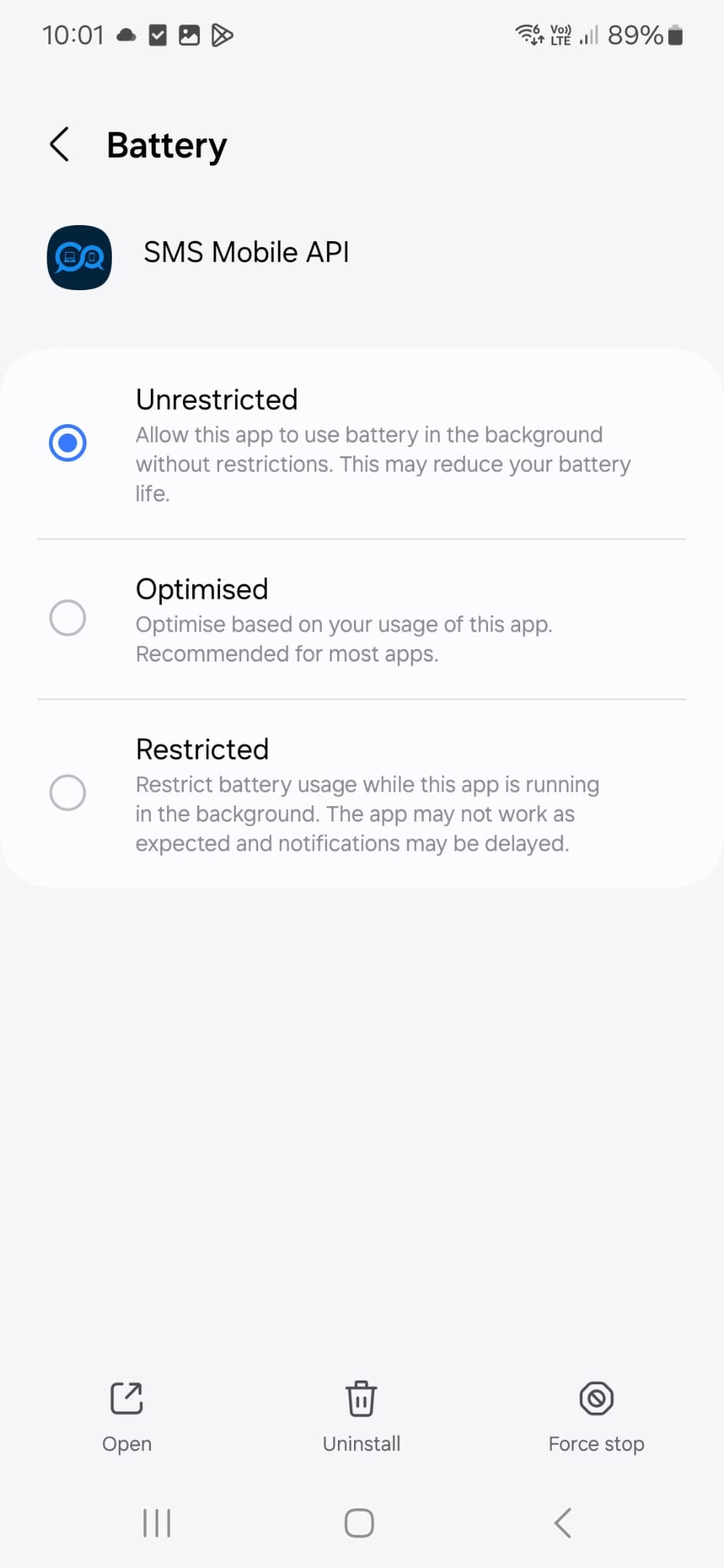
SMS Mobile APIによるSMSの配信を中断なく行うには、Androidデバイスを適切に設定し、アプリがアクティブモードとバックグラウンドの両方で動作できるようにする必要があります。このガイドでは、アプリが開いていない場合でもメッセージを継続的に送信できるように、フルアクセスを許可するために必要な設定について説明します。バックグラウンド動作を許可し、アプリのバッテリー最適化を無効にすることで、SMS Mobile APIが常にアクティブで信頼性の高い状態を維持できます。

ステップ1: SMSモバイルAPI設定を開く

IMG-20250618-WA0007
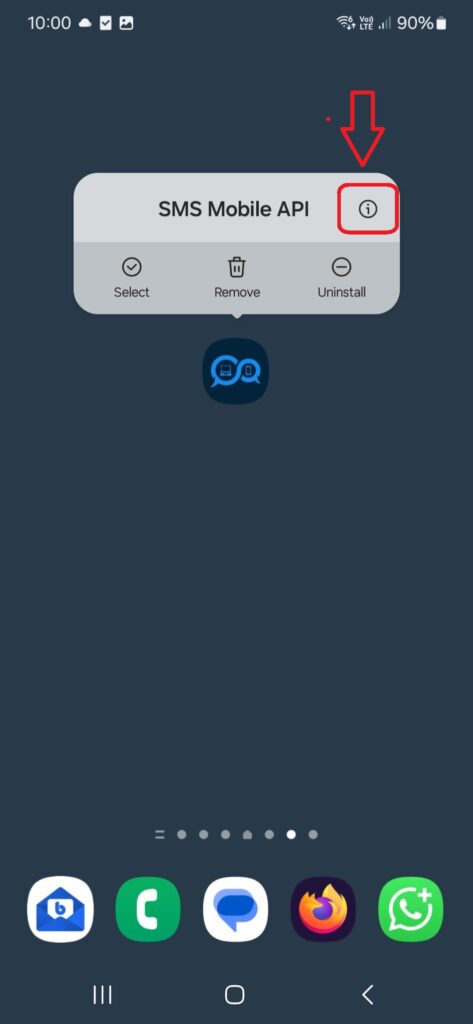
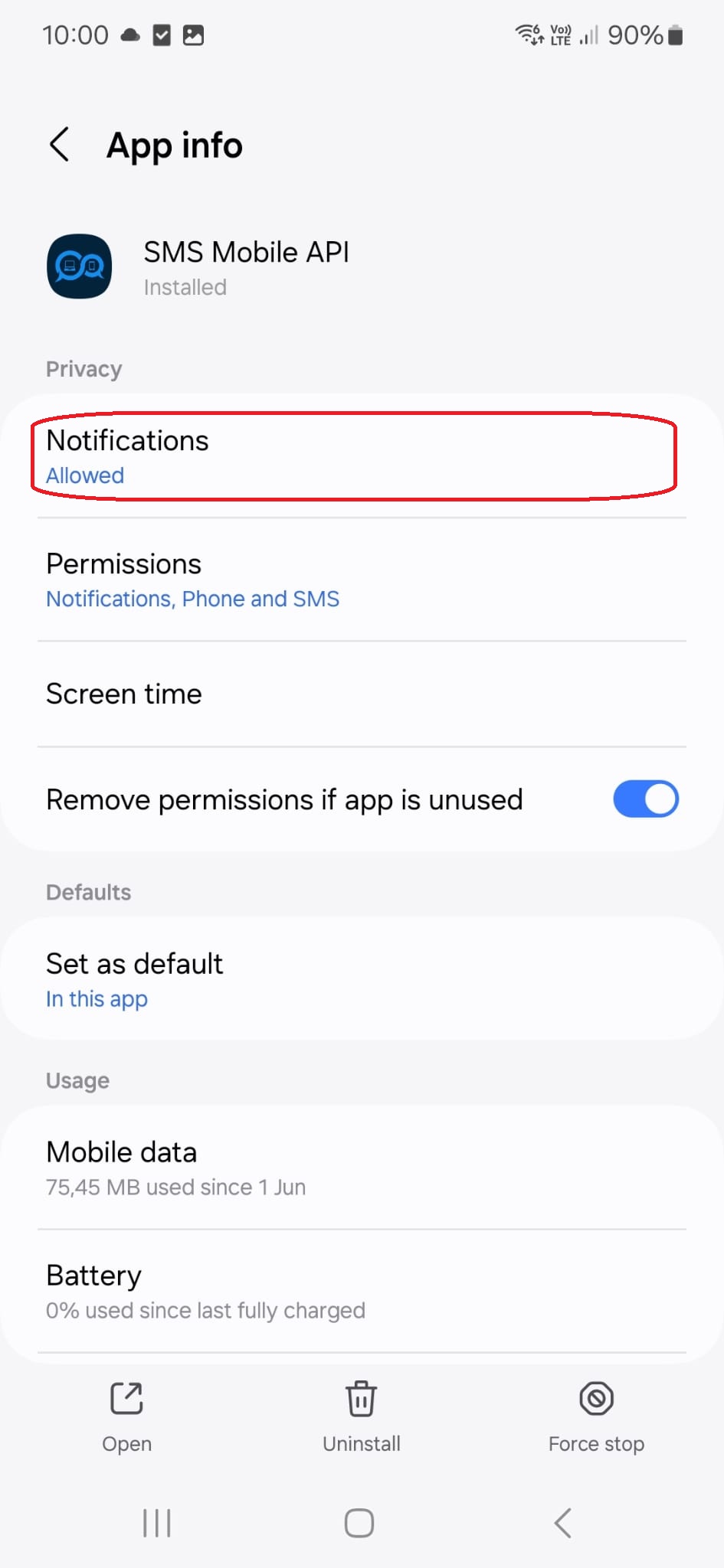
Androidデバイスで、**SMS Mobile APIアプリアイコンを長押し**し、その上にメニューが表示されます。次に、ポップアップの右上にある**「i」アイコンをタップ**します。すると、**SMS Mobile API**のシステム設定ページに直接移動し、権限、バッテリー使用量、バックグラウンドでの動作を調整できます。
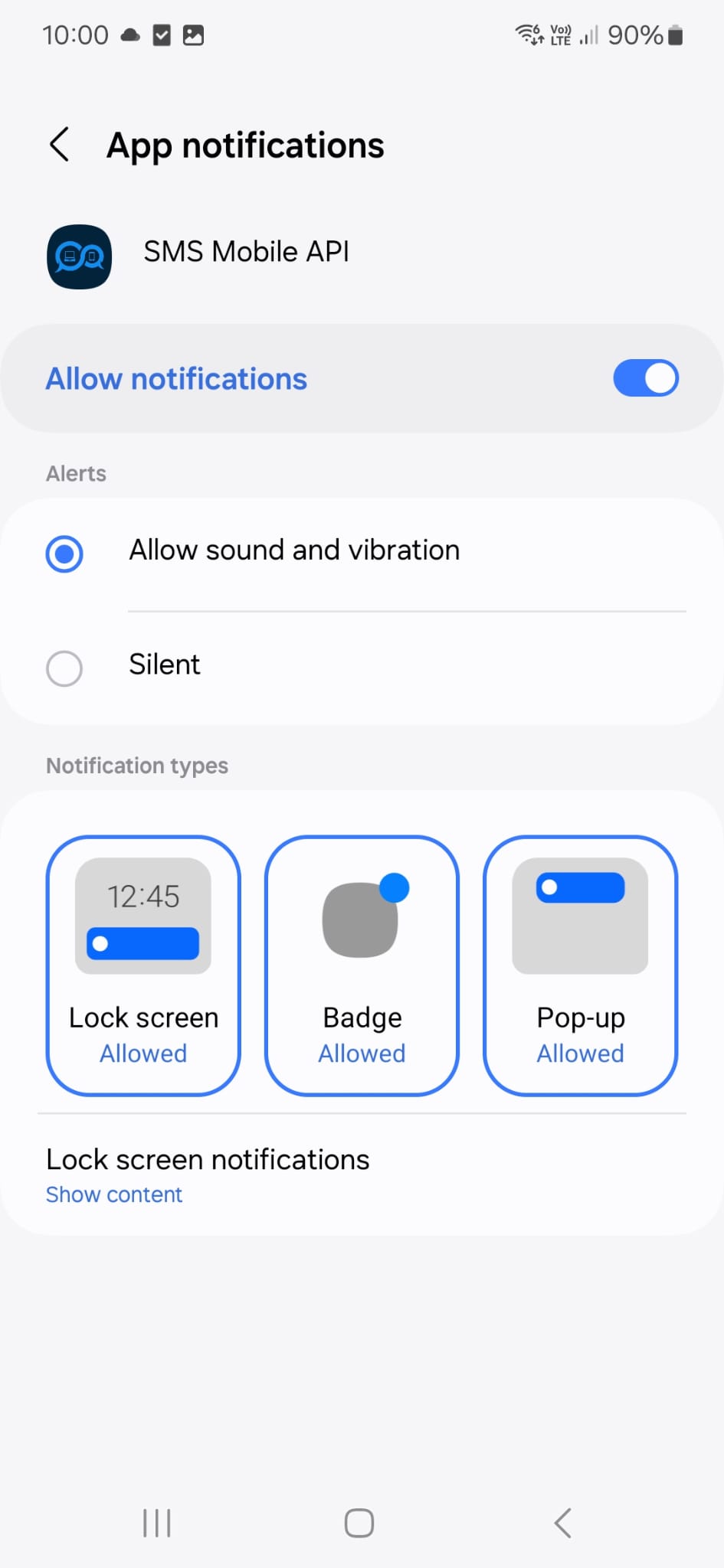
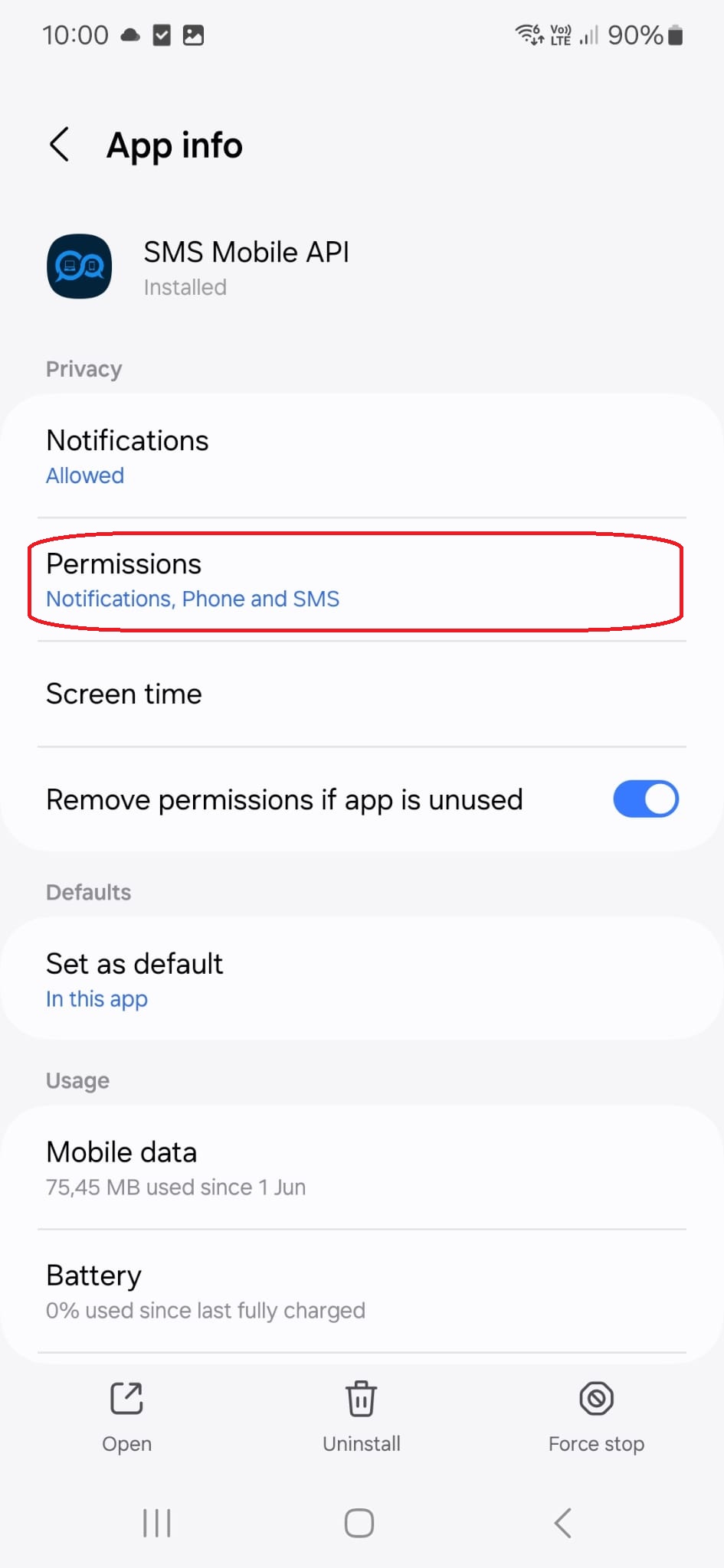
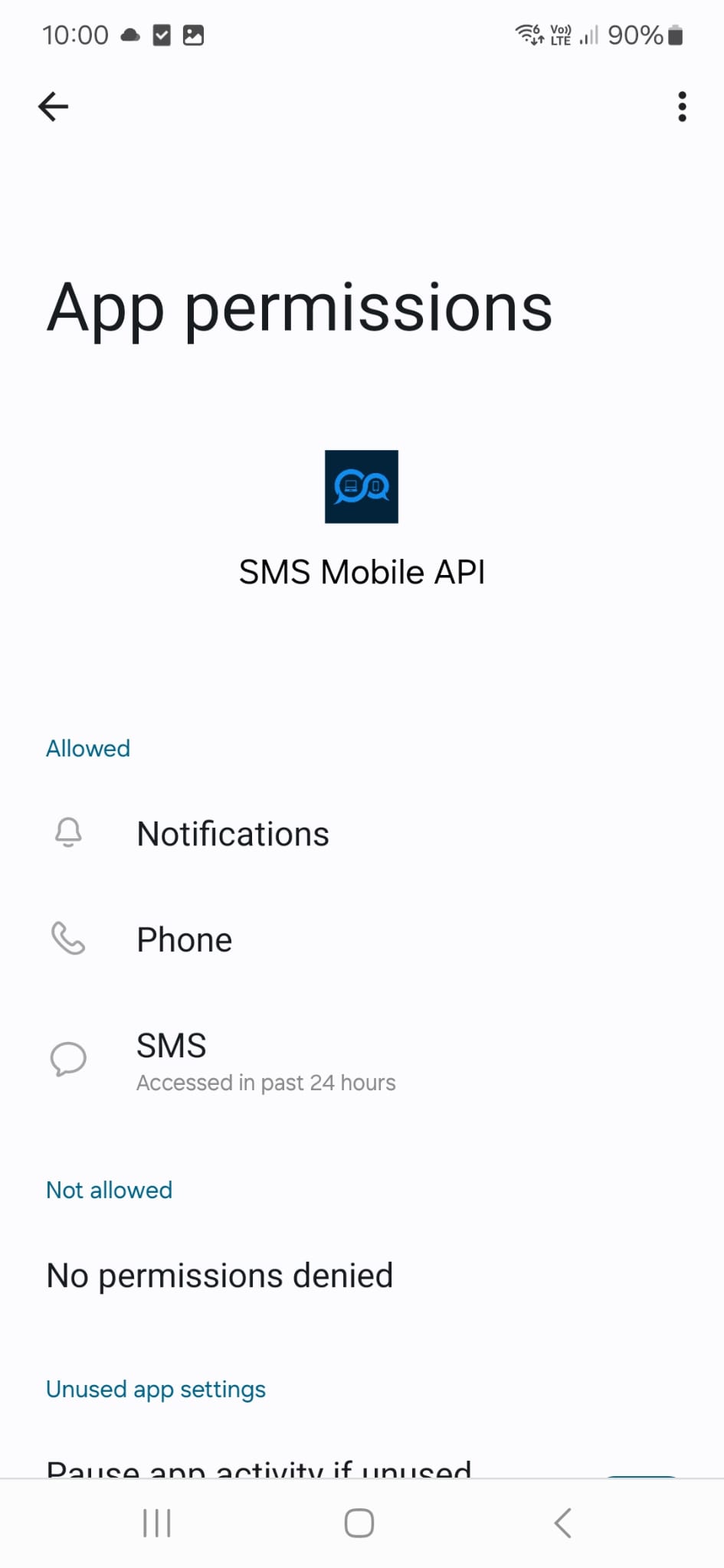
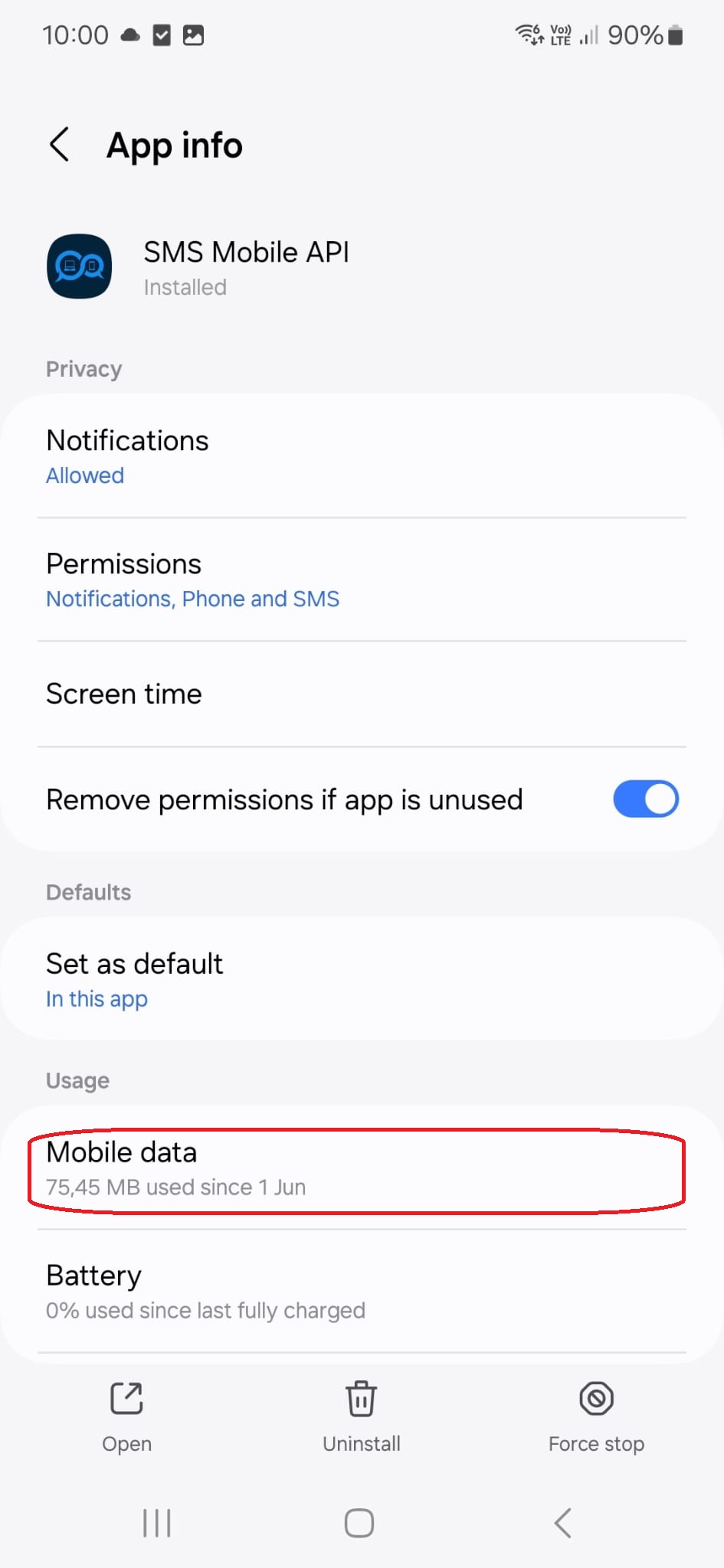
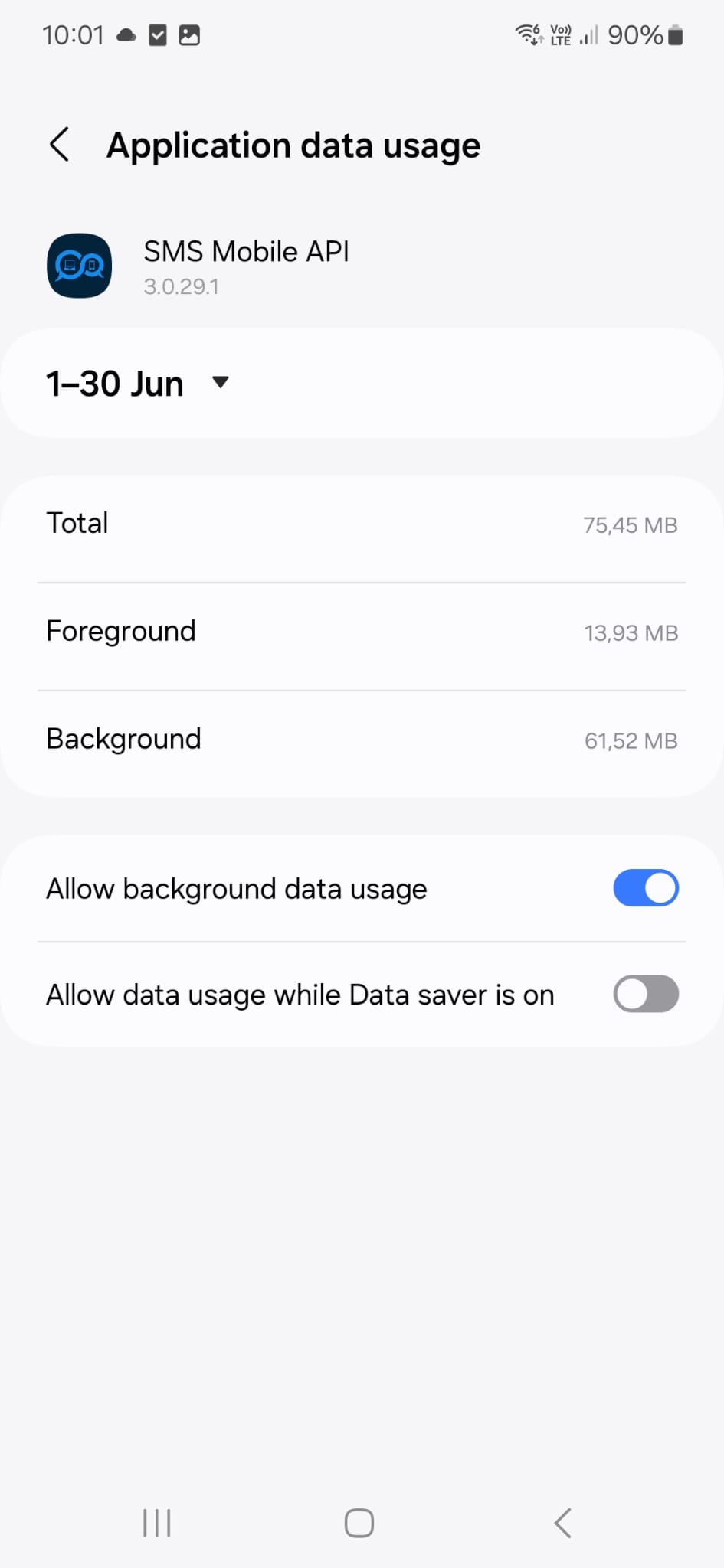
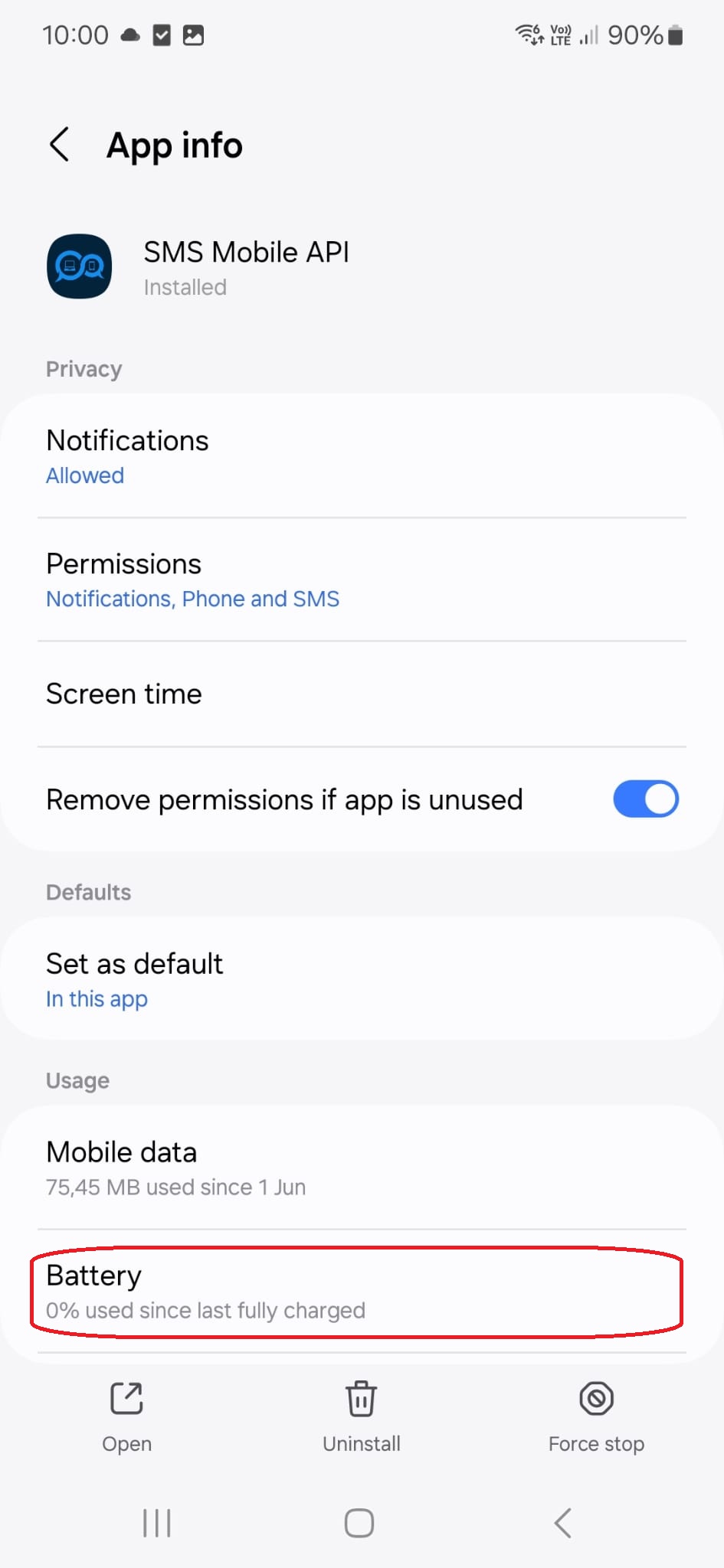
携帯電話の設定画面を開き、画面に表示されている設定が現在の設定と一致していることを確認してください。この設定は、SMS Mobile APIアプリがバックグラウンドで実行されている場合でもSMSメッセージが確実に送信されるよう、当社のテクニカルサポートチームが実際に使用し推奨しているものです。
IMG-20250618-WA0006
このメニュータイトルをタップすると、次の設定ページに移動します。
IMG-20250618-WA0005

IMG-20250618-WA0006
このメニュータイトルをタップすると、次の設定ページに移動します。
IMG-20250618-WA0004

IMG-20250618-WA0006
このメニュータイトルをタップすると、次の設定ページに移動します。
IMG-20250618-WA0003

IMG-20250618-WA0006
このメニュータイトルをタップすると、次の設定ページに移動します。
IMG-20250618-WA0002
The secure SMSMobileAPI mobile app connecting a phone to the web dashboard and REST API for SMS and call operations
Encrypted mobile-to-platform connection

Official mobile application

The secure bridge between your phone, dashboard and API.

SMS and call operations pass through the official SMSMobileAPI app installed on your connected phone. The app securely pairs the device with your account, synchronizes authorized events and links the mobile network to the dashboard and REST API.

1Mobile appPairs the phone and its SIM 2Encrypted linkAuthenticates and protects data in transit 3Dashboard & APIControls workflows and activity
  • Signed releases distributed through the official Google Play and Apple App Store listings
  • Google and Apple platform review, signing and distribution controls
  • Secure device pairing, HTTPS transport and authenticated API access
  • Only the permissions required for the mobile features you enable
Get the official SMSMobileAPI app on Google Play Download the official SMSMobileAPI app on the Apple App Store
Capabilities depend on the permissions and background access allowed by Android or iOS.