

Sådan aktiverer du fuld adgang til SMS-afsendelse for SMS Mobile API (aktiv og baggrundstilstand)
For at garantere uafbrudt SMS-levering via SMS Mobile API skal din Android-enhed være korrekt konfigureret til at tillade appen at fungere både i aktiv tilstand og i baggrunden. Denne vejledning forklarer de nødvendige indstillinger for at give fuld adgang, hvilket sikrer, at beskeder kan sendes kontinuerligt – selv når appen ikke er åben. Ved at tillade baggrundsdrift og deaktivere batterioptimering for appen sikrer du, at SMS Mobile API forbliver aktiv og pålidelig til enhver tid.Trin 1: Åbn SMS Mobile API-indstillinger
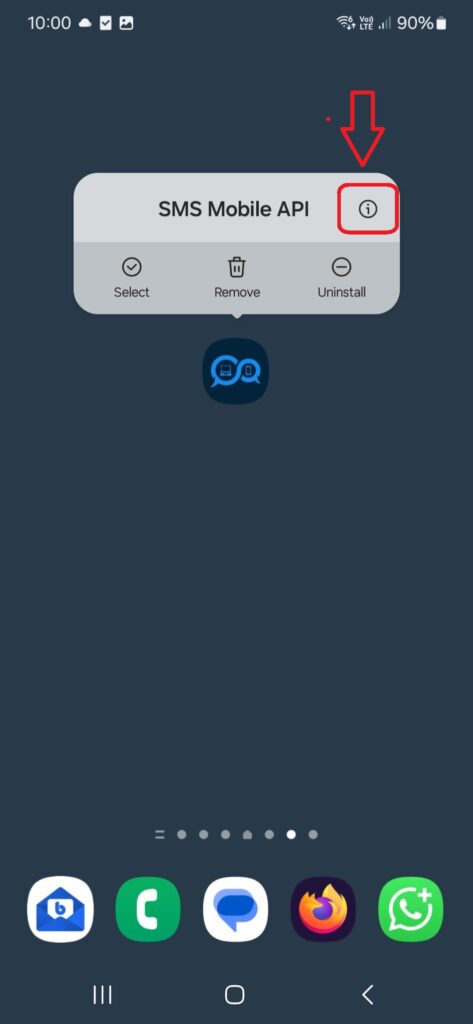
På din Android-enhed skal du **trykke og holde på SMS Mobile API-appikonet** i et par sekunder, indtil en menu vises over det. Tryk derefter på "i"-ikonet i øverste højre hjørne af pop op-vinduet. Dette fører dig direkte til systemindstillingssiden for **SMS Mobile API**, hvor du kan justere tilladelser, batteriforbrug og baggrundsadfærd.
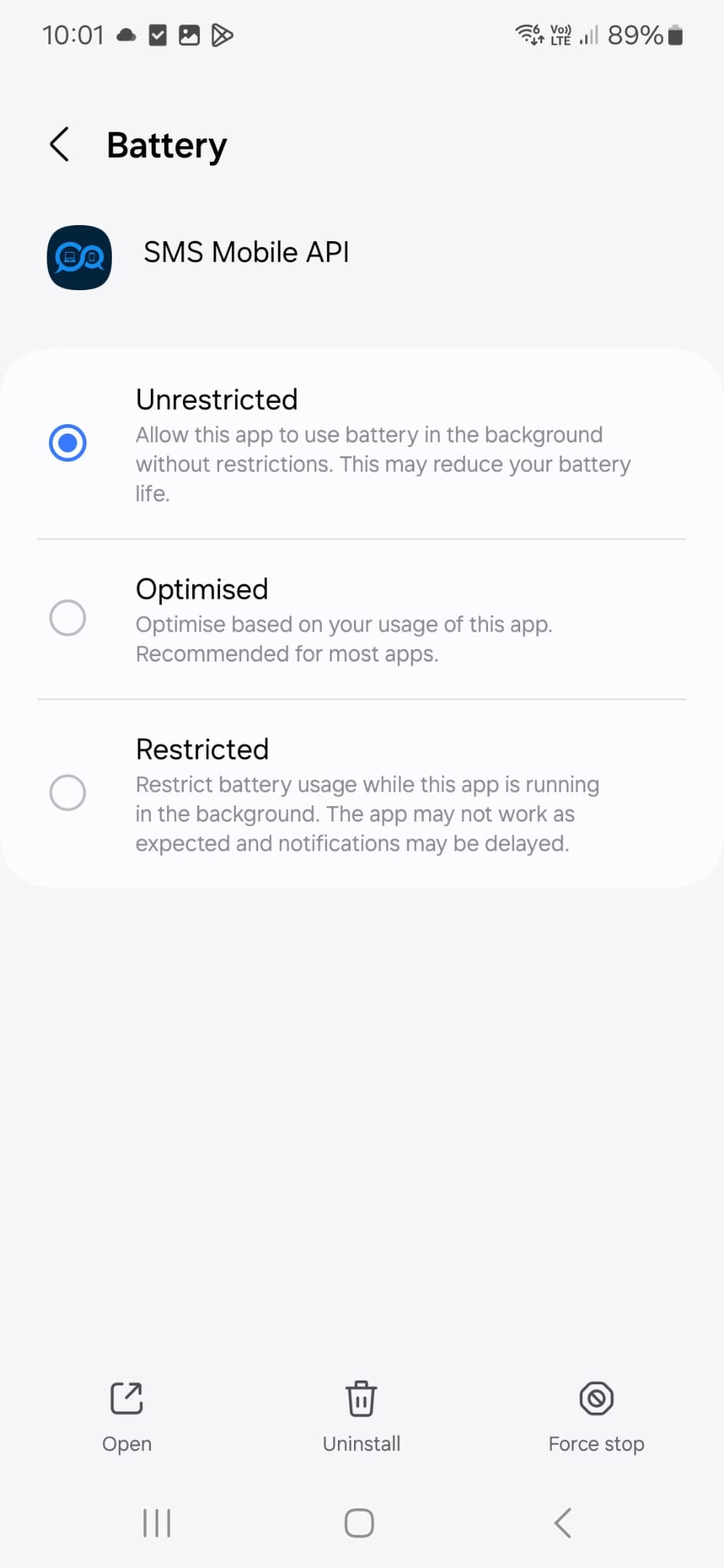
Gå nu til din telefons indstillinger for at kontrollere, at den konfiguration, der vises på skærmen, matcher din nuværende opsætning. Denne konfiguration bruges personligt og anbefales af vores tekniske supportteam for at sikre, at SMS-beskeder sendes pålideligt – selv når SMS Mobile API-appen kører i baggrunden.
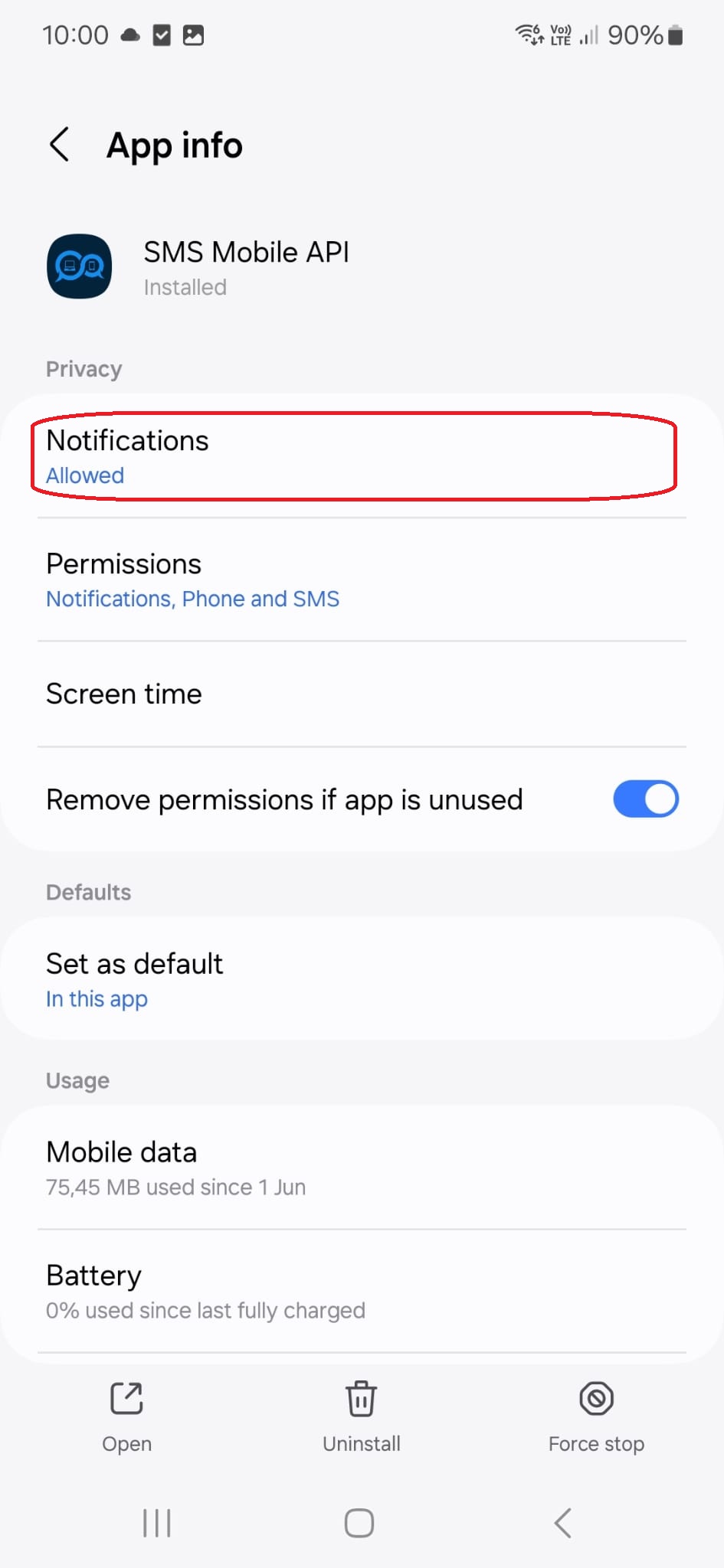
Ved at trykke på denne menutitel føres du til følgende konfigurationsside:
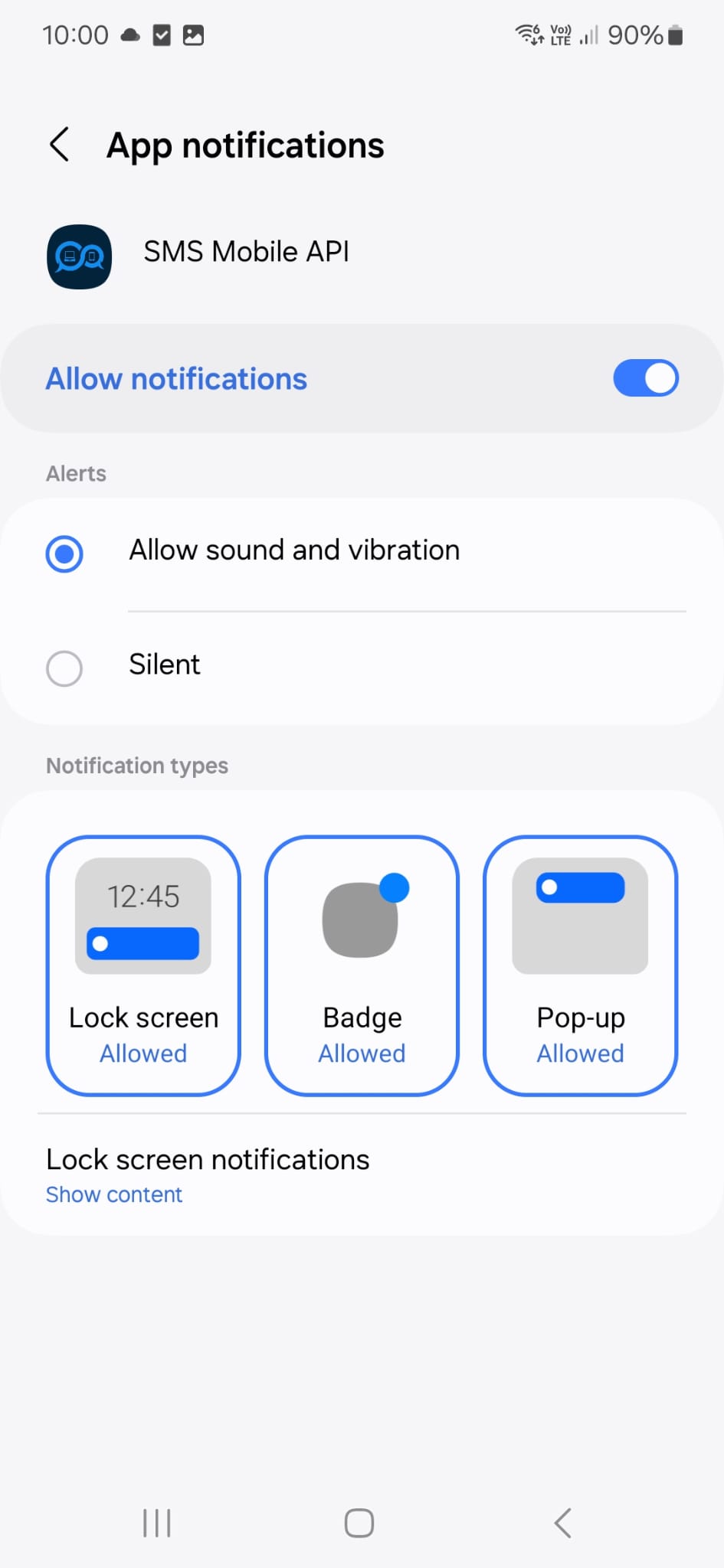
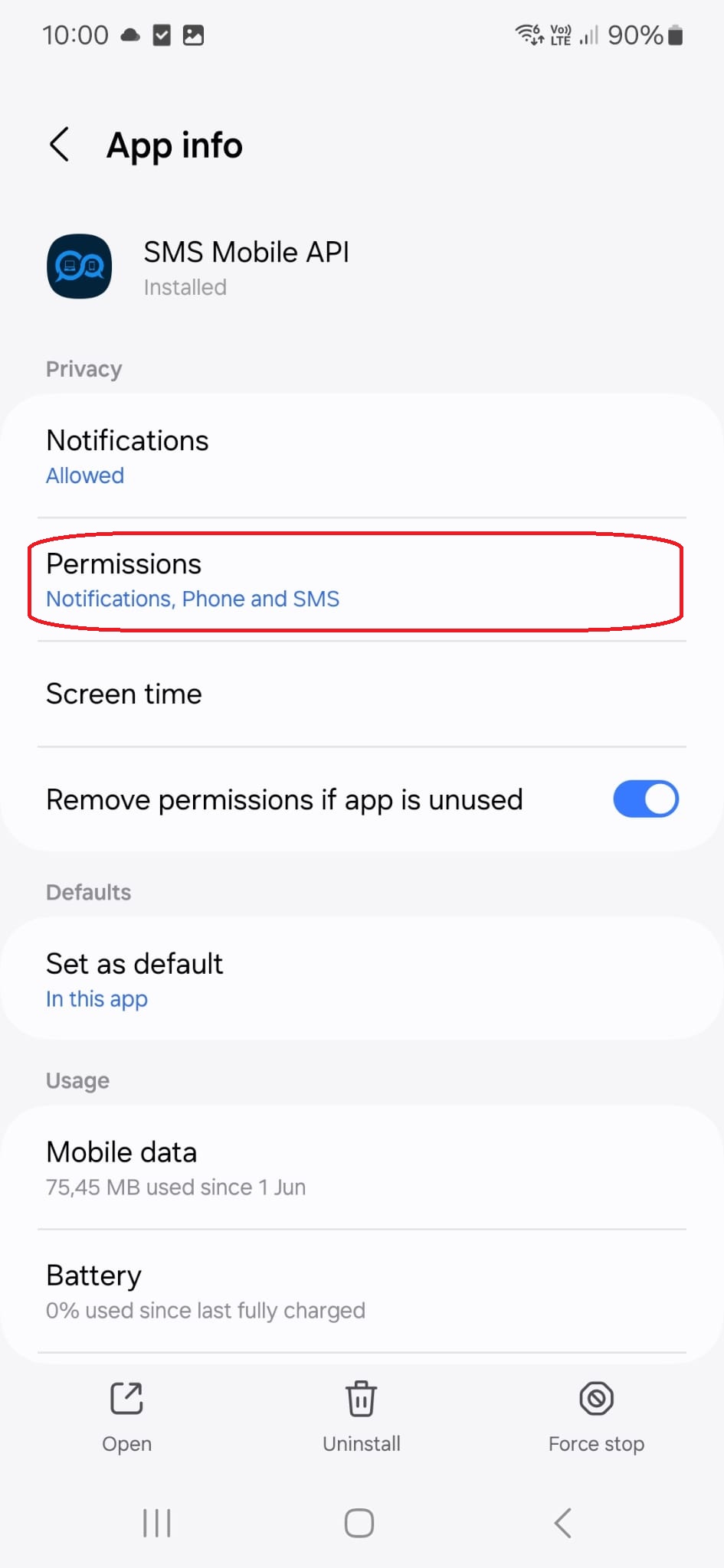
Ved at trykke på denne menutitel føres du til følgende konfigurationsside:
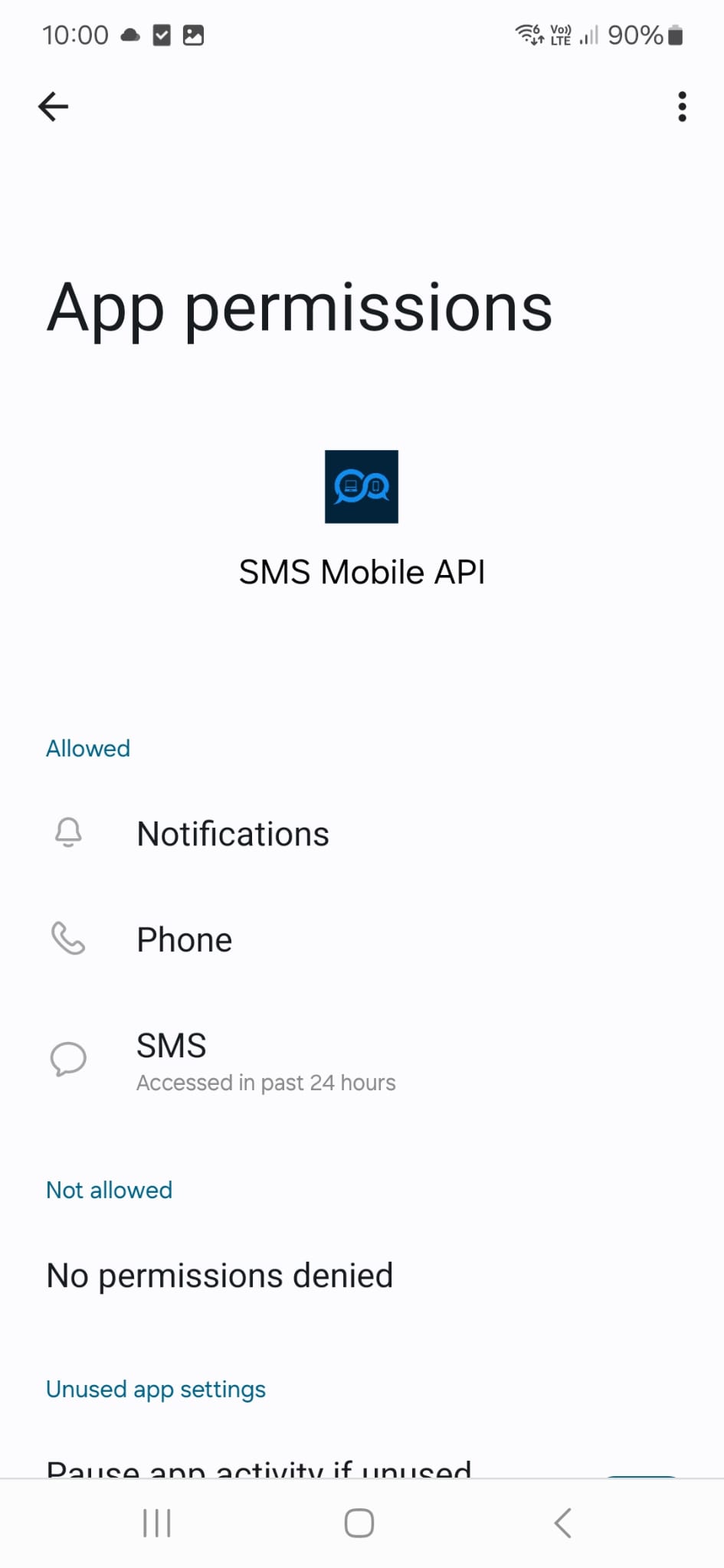
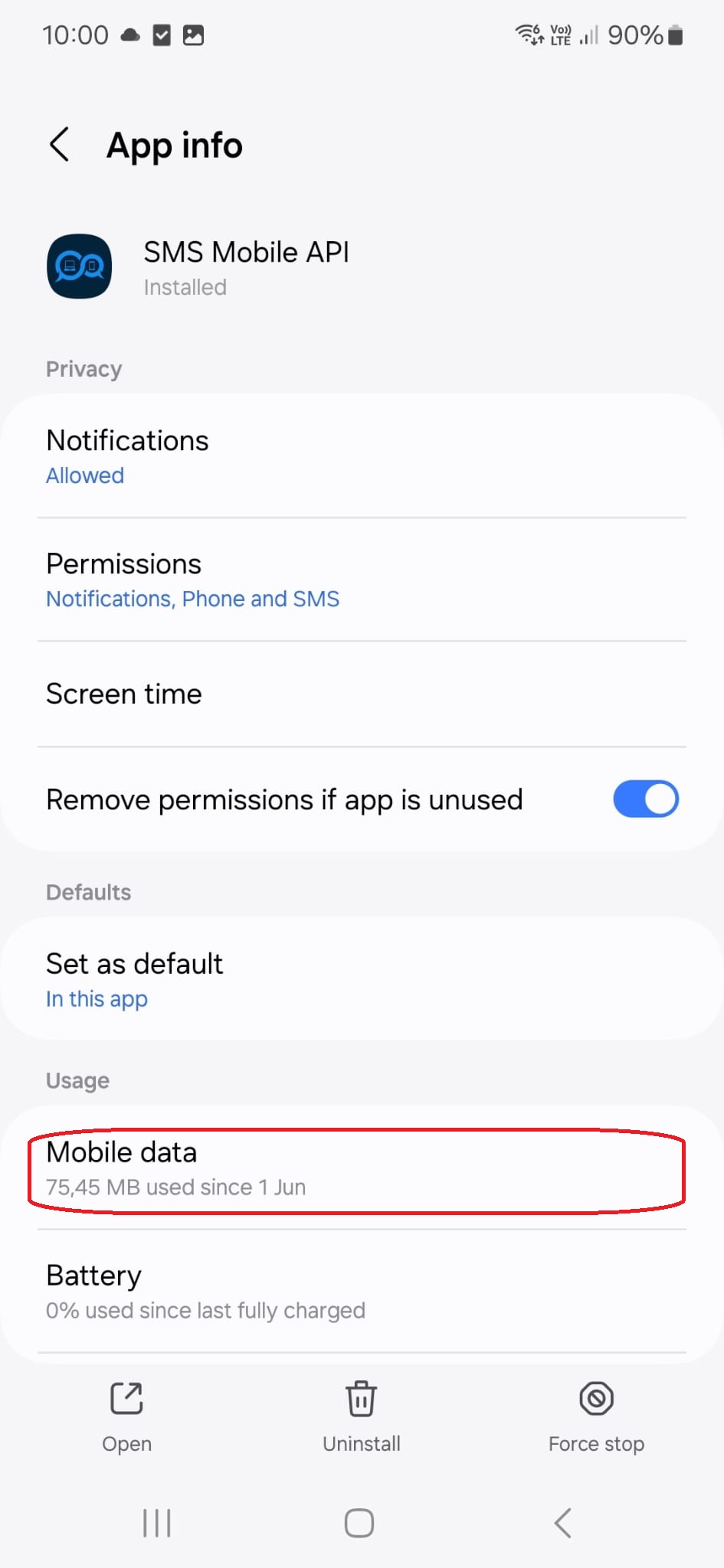
Ved at trykke på denne menutitel føres du til følgende konfigurationsside:
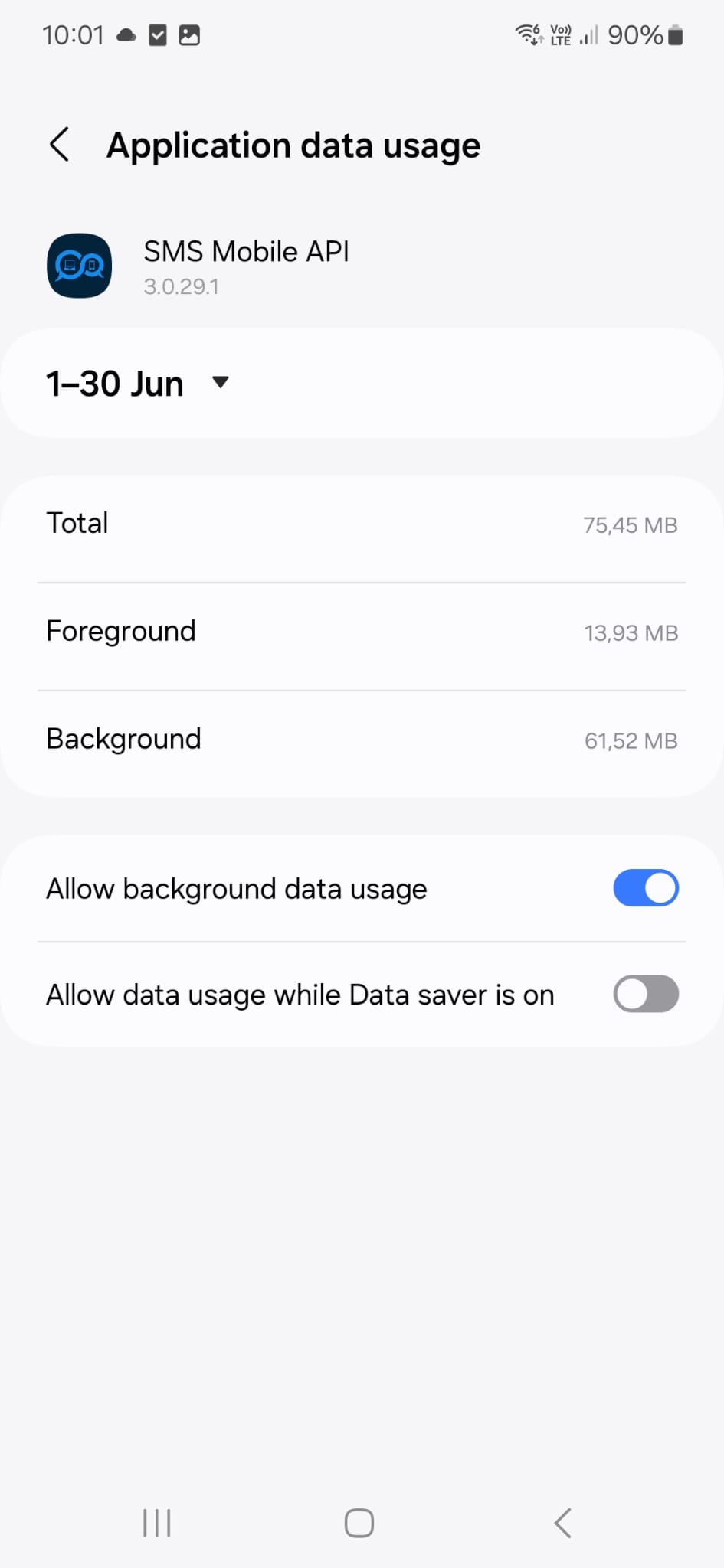
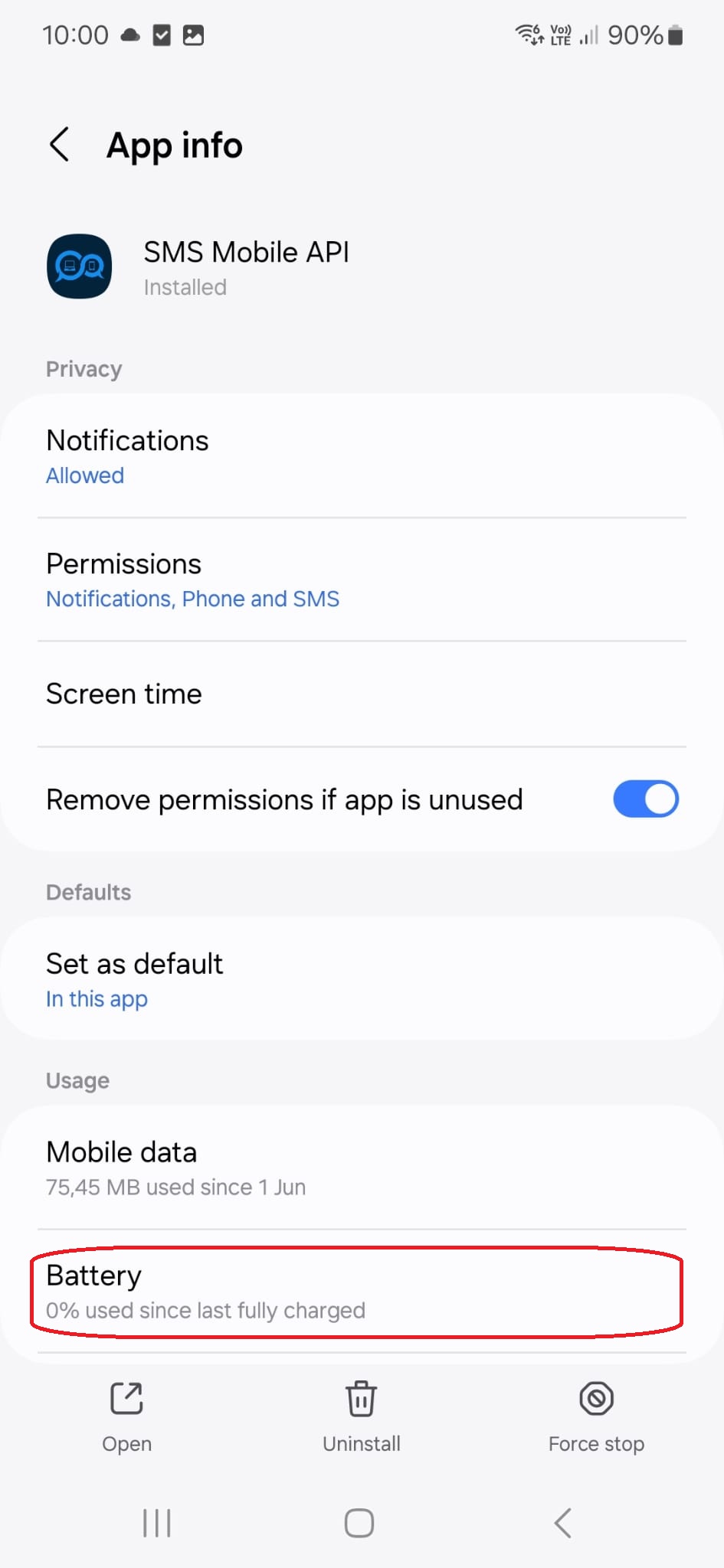
Ved at trykke på denne menutitel føres du til følgende konfigurationsside:

Officiel mobilapplikation
Den sikre bro mellem telefonen, instrumentbrættet og API.
SMS og opkald operationer passere gennem den officielle SMSMobileAPI app installeret på din tilsluttede telefon. App sikkert parrer enheden med din konto, synkroniserer godkendte begivenheder og forbinder mobilnetværket til instrumentbrættet og REST API.
1Mobil appParerer telefonen og dens SIM
2Krypteret linkAutentificerer og beskytter data i transit
3Dashboard & # API #Styrer arbejdsgange og aktivitet
- Signerede udgivelser distribueret gennem de officielle Google Play og Apple App Store lister
- Google og Apple platform gennemgang, signaturer og distribution kontrol
- Sikker parring af enheden, HTTPS transport og autentificeret API adgang
- Kun de tilladelser, der kræves for de mobile funktioner, du aktiverer


