

Hur man aktiverar fullständig SMS-sändning Access för SMS Mobile API (Aktiva och bakgrundslägen)
För att garantera oavbruten SMS-leverans genom SMS Mobile API måste din Android-enhet konfigureras korrekt för att låta appen fungera både i aktivt läge och i bakgrunden. Denna guide förklarar de nödvändiga inställningarna för att ge full åtkomst, så att meddelanden kan skickas kontinuerligt – även när appen inte är öppen. Genom att tillåta bakgrundsoperation och inaktivera batterioptimering för appen, kommer du att se till att SMS Mobile API förblir aktiv och pålitlig hela tiden.Steg 1: Öppna SMS Mobile API Inställningar
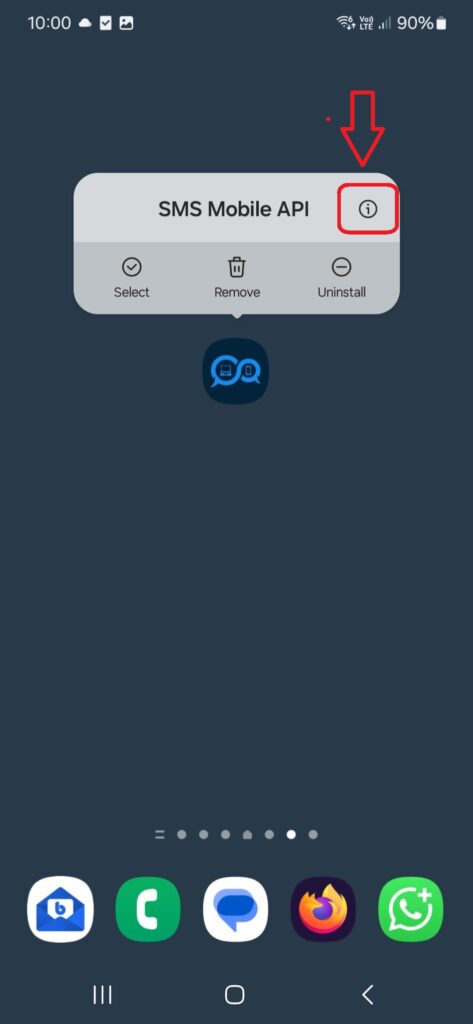
På din Android-enhet, **tryck och håll SMS Mobile API app ikon** för några sekunder tills en meny visas ovanför den. Sedan, ** tap “i” ikonen** i det övre högra hörnet av popupen. Detta tar dig direkt till sidan för systeminställningar för **SMS Mobile API**, där du kan justera behörigheter, batterianvändning och bakgrundsbeteende.
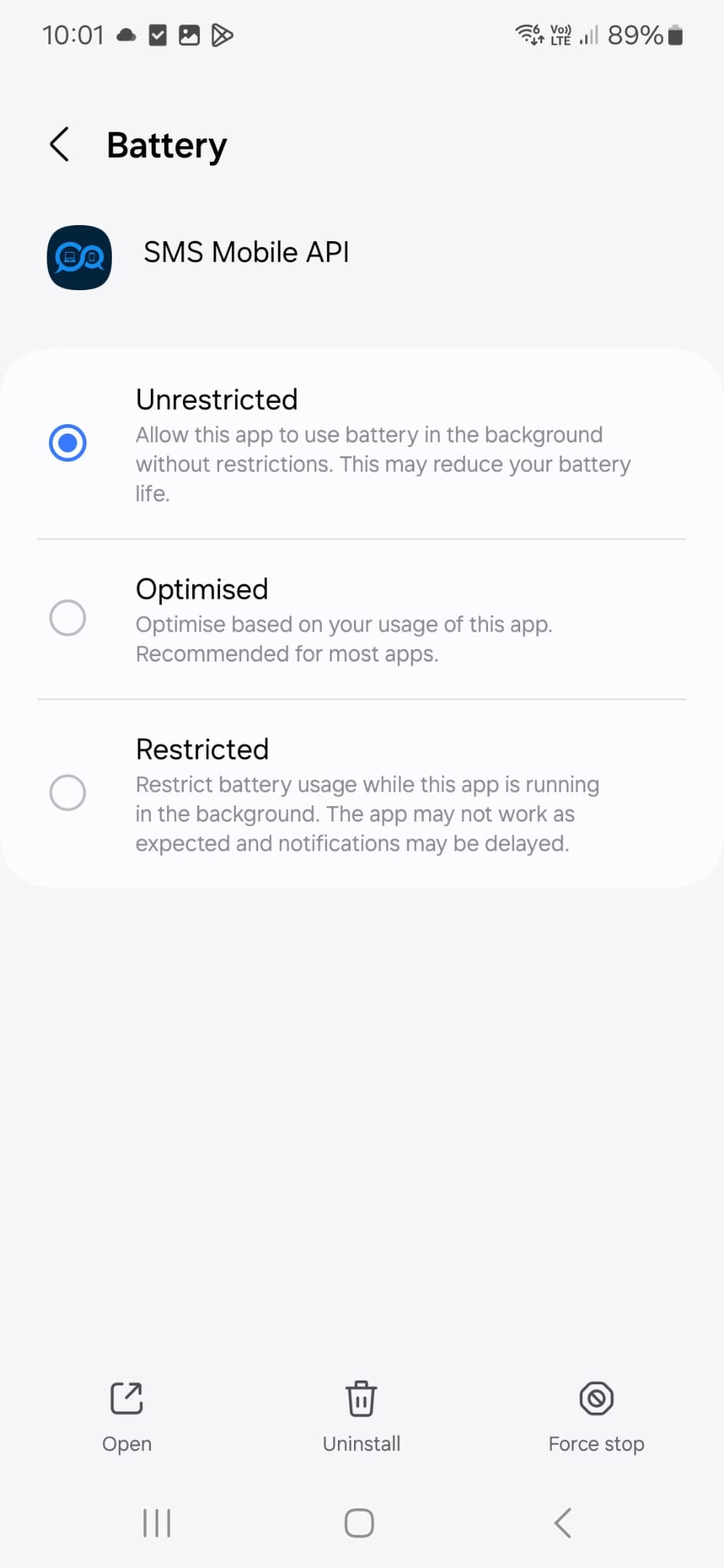
Gå nu till telefonens inställningar för att verifiera att konfigurationen som visas på skärmen matchar din nuvarande inställning. Denna konfiguration används personligen och rekommenderas av vårt tekniska supportteam för att säkerställa att SMS-meddelanden skickas på ett tillförlitligt sätt – även när SMS Mobile API-appen körs i bakgrunden.
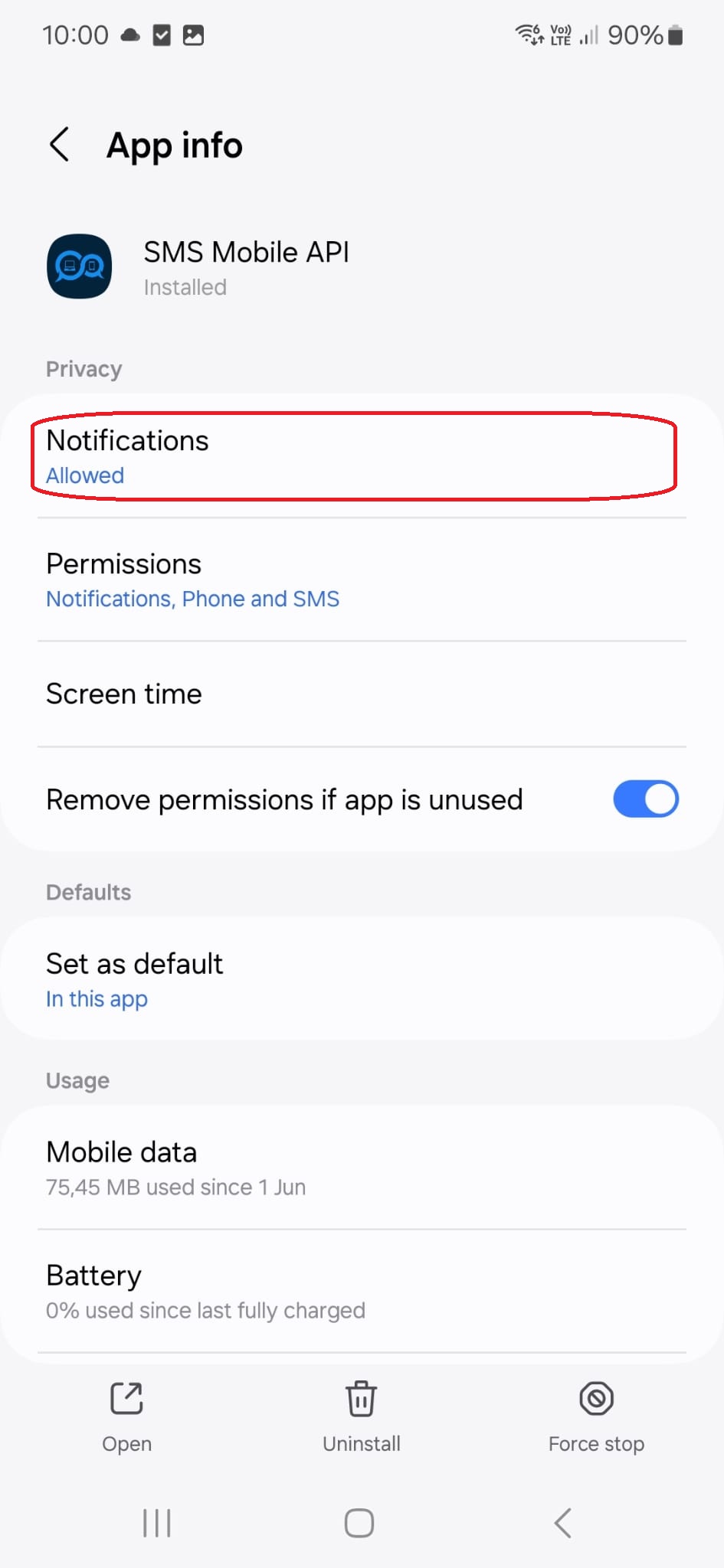
Genom att trycka på den här menyn titeln, kommer du att tas till följande konfigurationssida:
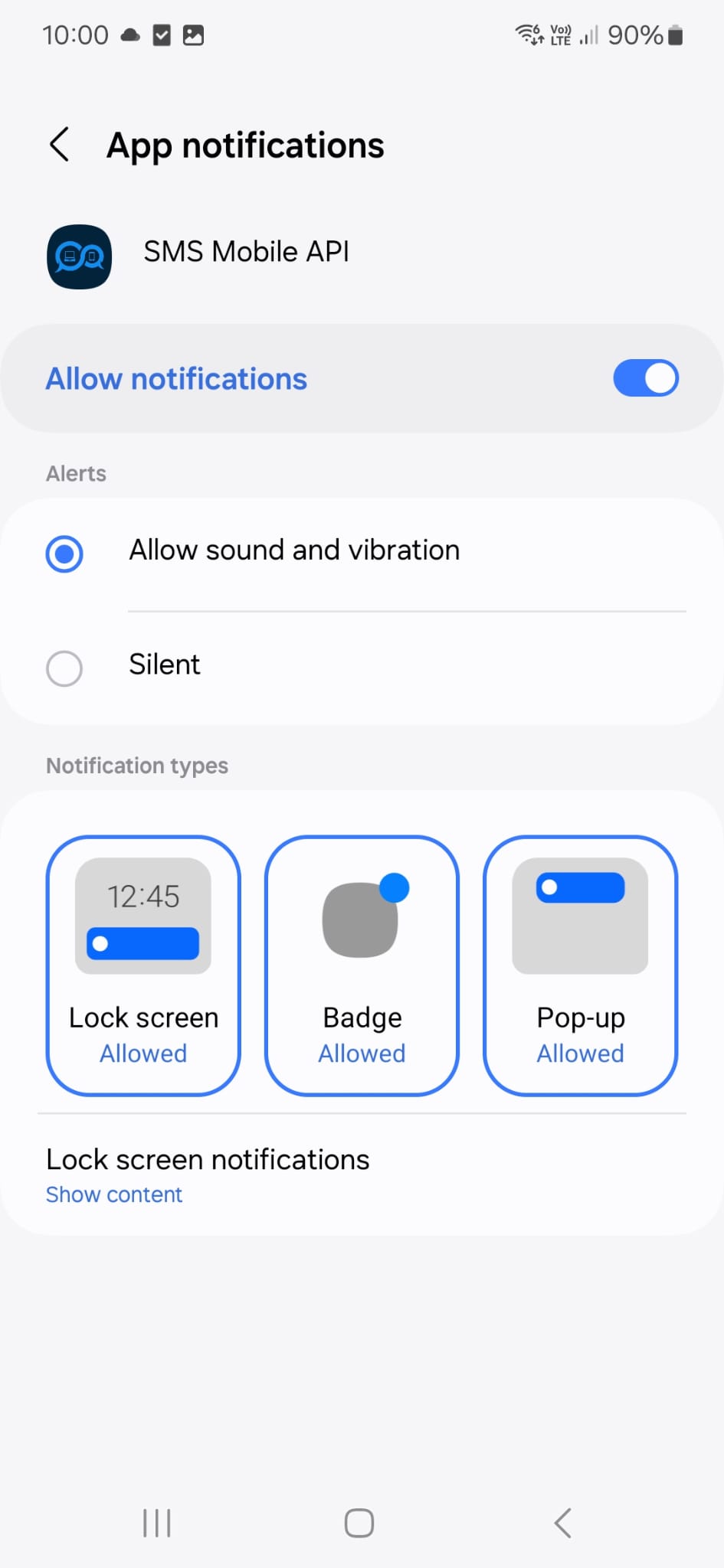
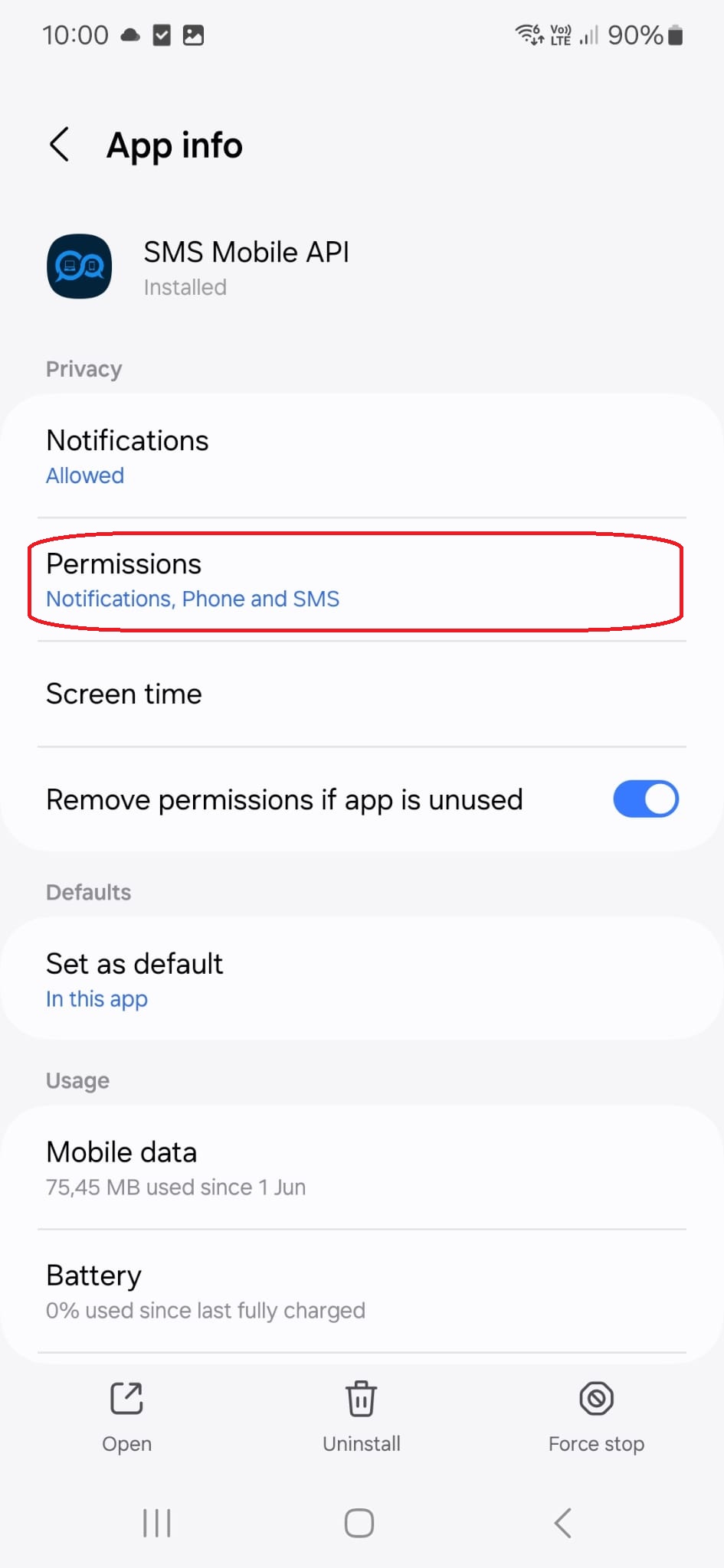
Genom att trycka på den här menyn titeln, kommer du att tas till följande konfigurationssida:
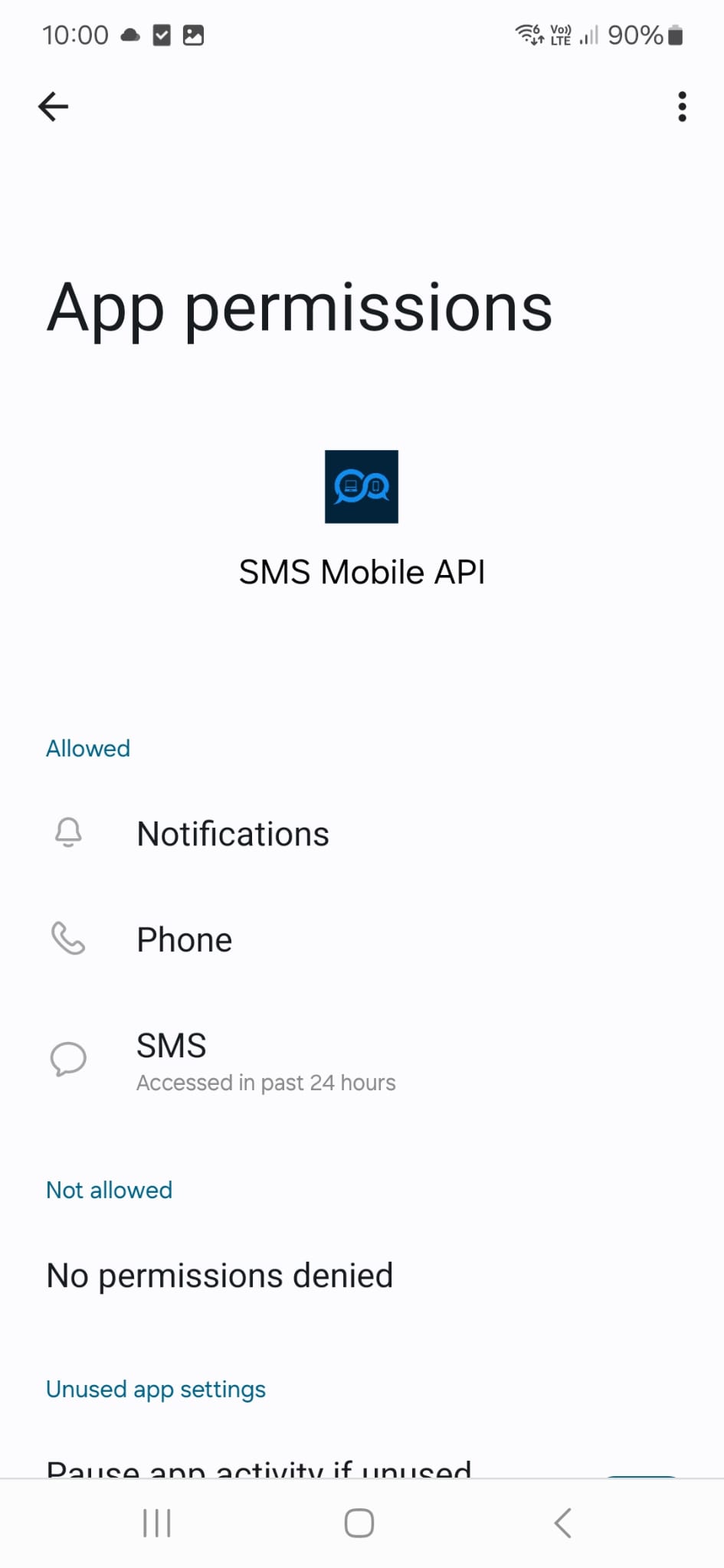
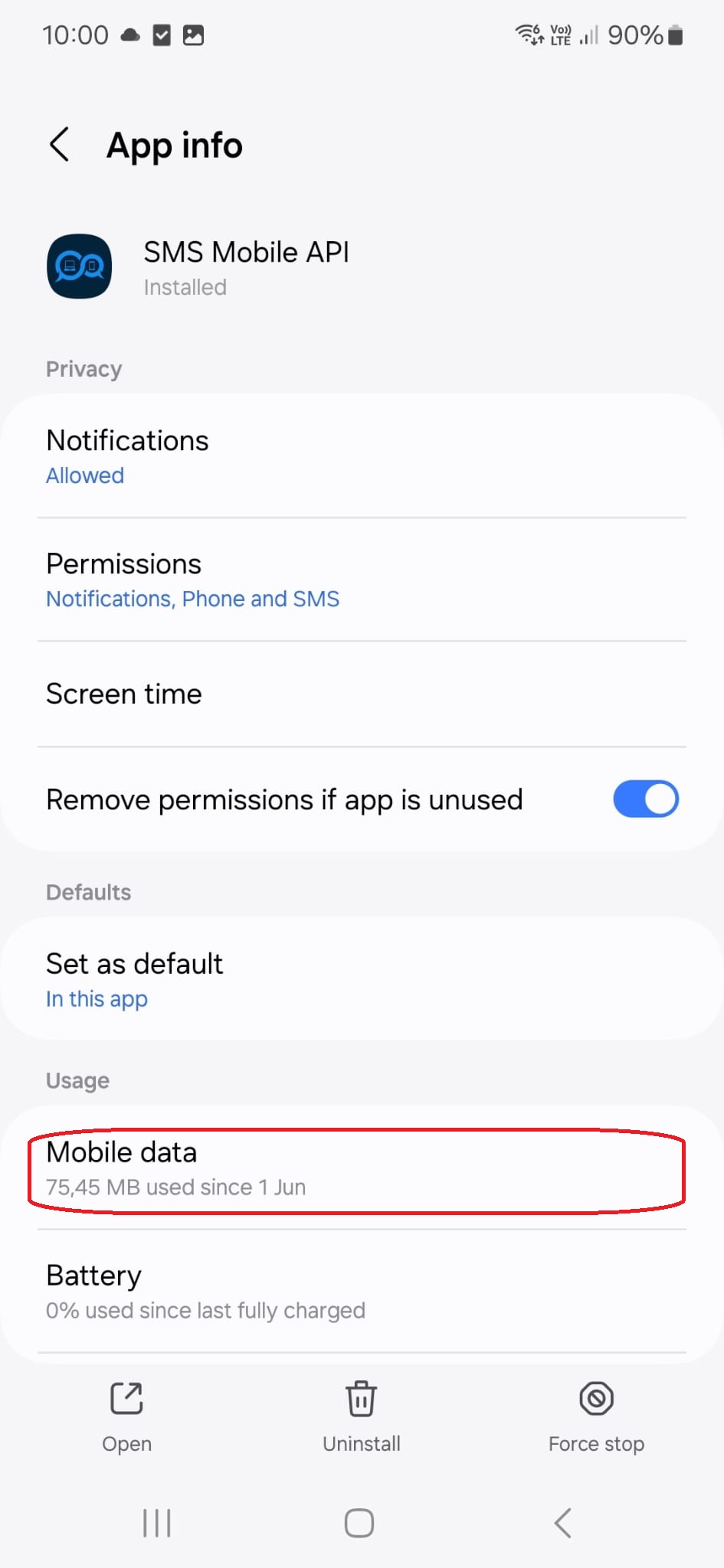
Genom att trycka på den här menyn titeln, kommer du att tas till följande konfigurationssida:
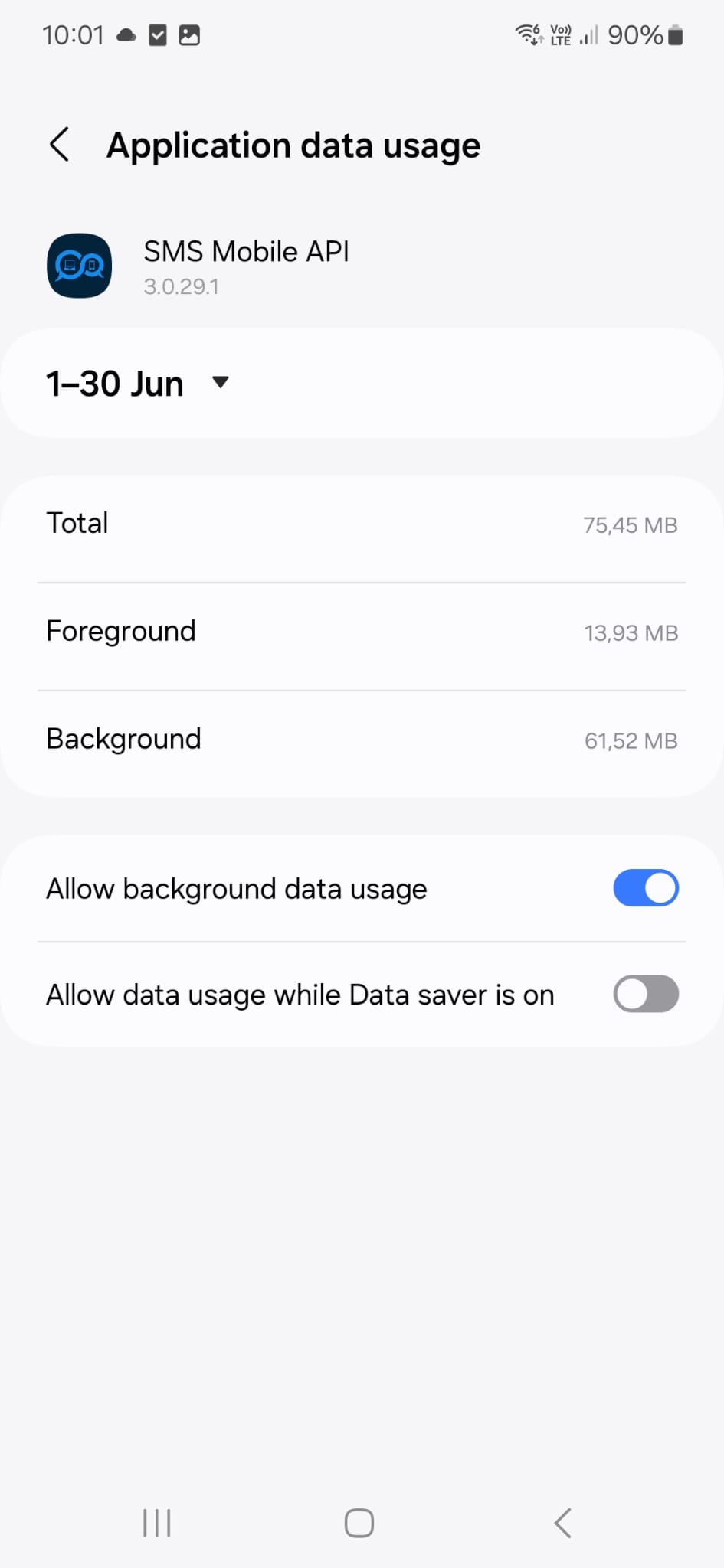
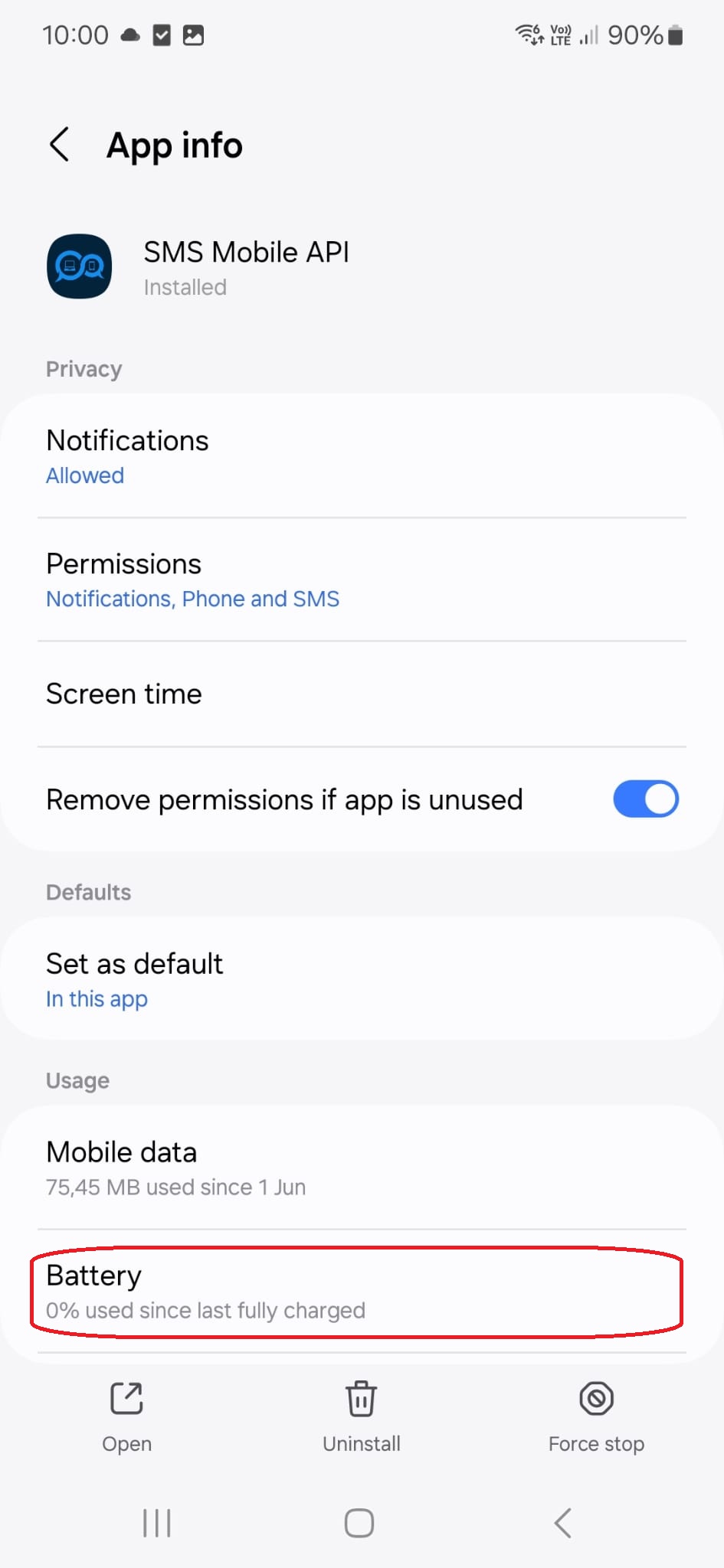
Genom att trycka på den här menyn titeln, kommer du att tas till följande konfigurationssida:

Officiell mobilapplikation
Den säkra bron mellan din telefon, instrumentpanel och API.
SMS och samtalsoperationer passerar genom den officiella SMSMobileAPI-appen installerad på din anslutna telefon. Appen parar säkert enheten med ditt konto, synkroniserar auktoriserade händelser och länkar mobilnätet till instrumentpanelen och REST API.
1Mobilapp appPar telefonen och dess SIM
2Krypterad länkAutentiserar och skyddar data i transit
3Dashboard och APIKontroller arbetsflöden och aktivitet
- Signerade releaser som distribueras via de officiella listorna Google Play och Apple App Store
- Google och Apple plattformsgranskning, signering och distributionskontroller
- Säkra enhet parning, HTTPS transport och autentiserad API tillgång
- Endast de behörigheter som krävs för de mobila funktionerna du aktiverar


