

So verknüpfen Sie WhatsApp mit der SMS Mobile API
Folgen Sie dieser Schritt-für-Schritt-Anleitung, um Ihr WhatsApp-Konto sicher und einfach mit der SMS Mobile API zu verknüpfen. Dieser Vorgang ist kostenlos und stellt sicher, dass Ihre Nachrichten nahtlos über die API gesendet und verwaltet werden können. Mit nur wenigen Fingertipps verbinden Sie Ihr WhatsApp-Konto und nutzen die Möglichkeiten der automatisierten Kommunikation.Jeder Schritt wird unten veranschaulicht, damit Sie den Vorgang problemlos abschließen können.
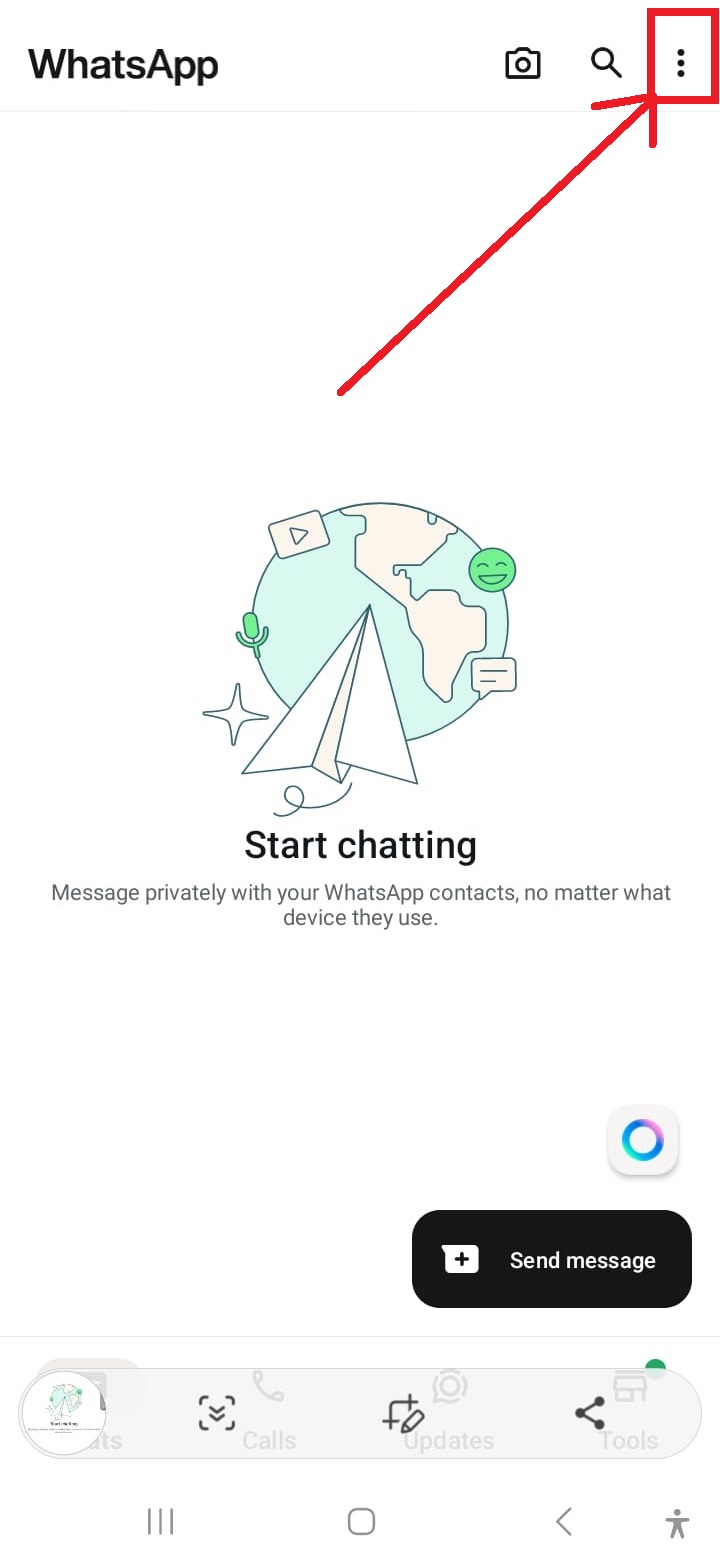
Öffnen Sie die WhatsApp-Einstellungen
Tippen Sie auf die drei Punkte in der oberen rechten Ecke der WhatsApp-Oberfläche, um auf das Einstellungsmenü zuzugreifen.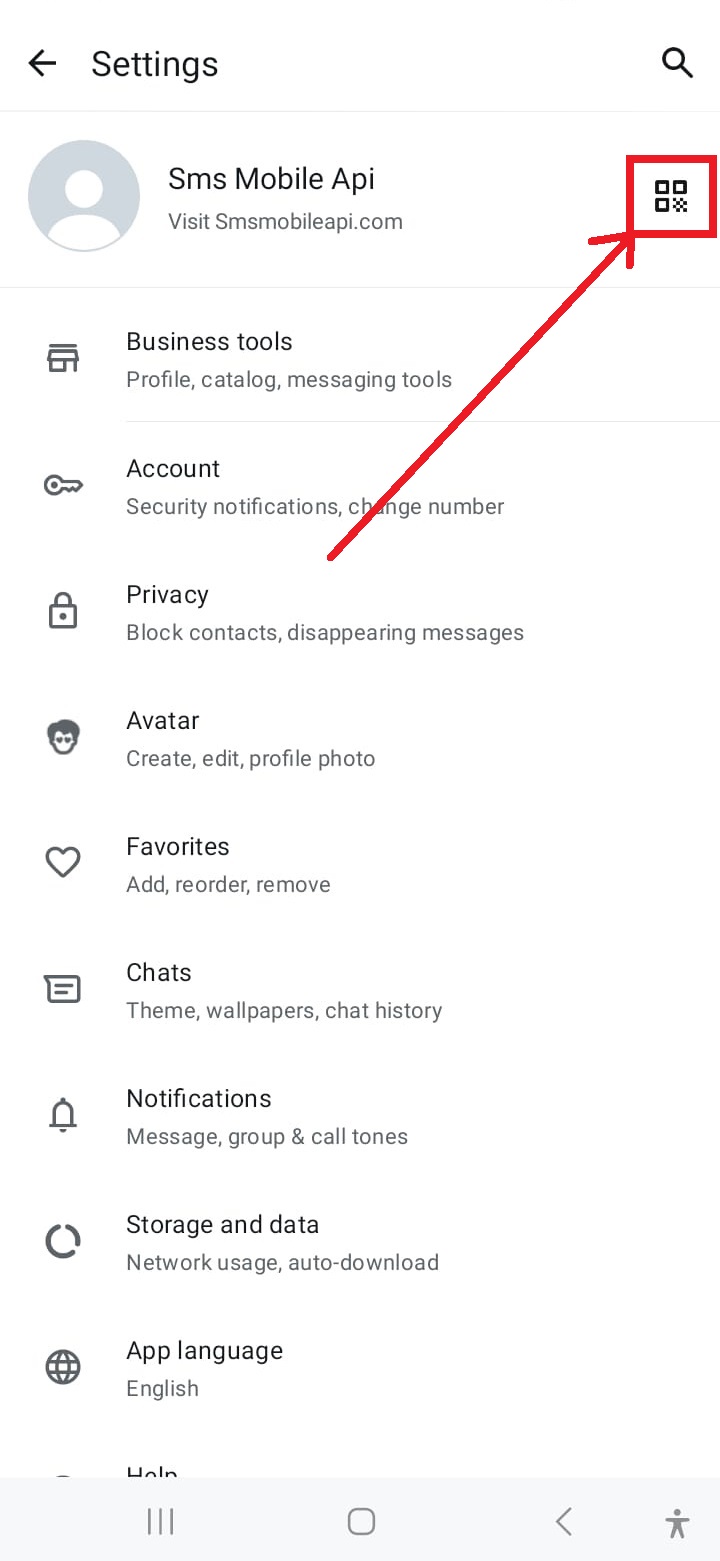
Zugriff auf den QR-Code-Scanner
Tippen Sie auf das QR-Code-Symbol in der oberen rechten Ecke des Einstellungsbildschirms, um den Verknüpfungsvorgang zu starten.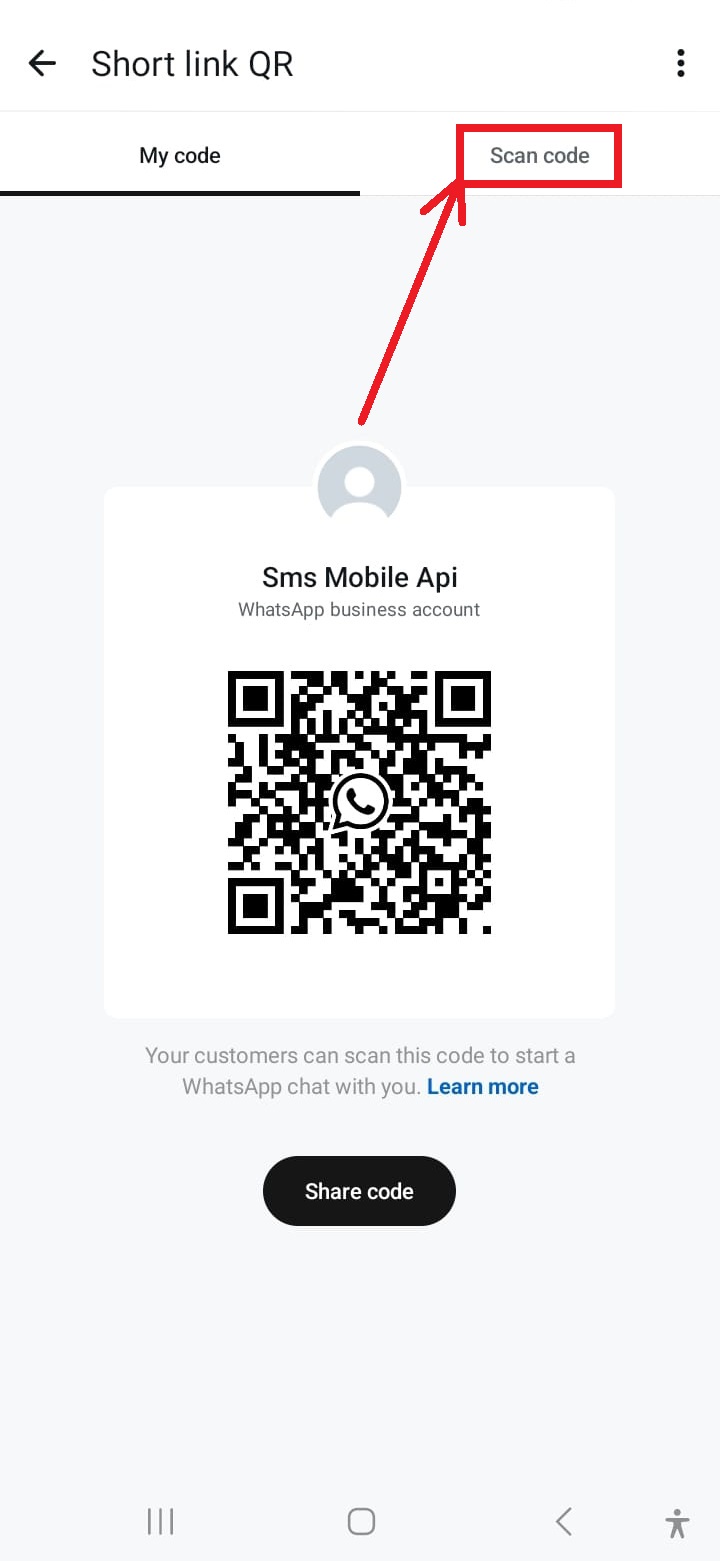
Aktivieren Sie die Kamera zum Scannen
Tippen Sie im Menü auf die Option „QR-Code scannen“, um die Kamera Ihres Telefons zum Scannen zu aktivieren.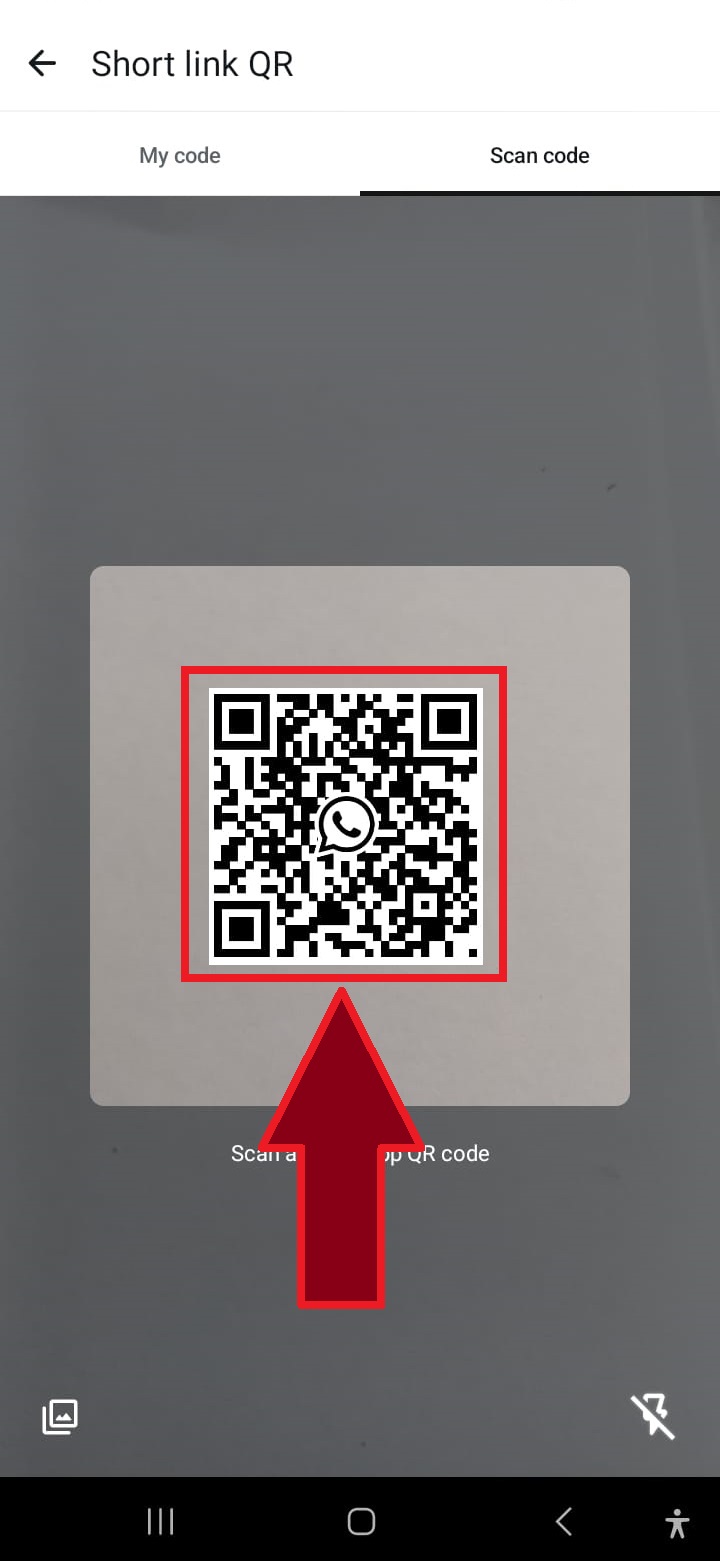
Scannen Sie den QR-Code
Richten Sie die Kamera Ihres Telefons auf den auf der Website angezeigten QR-Code, um WhatsApp mit der SMSMobileAPI zu verbinden.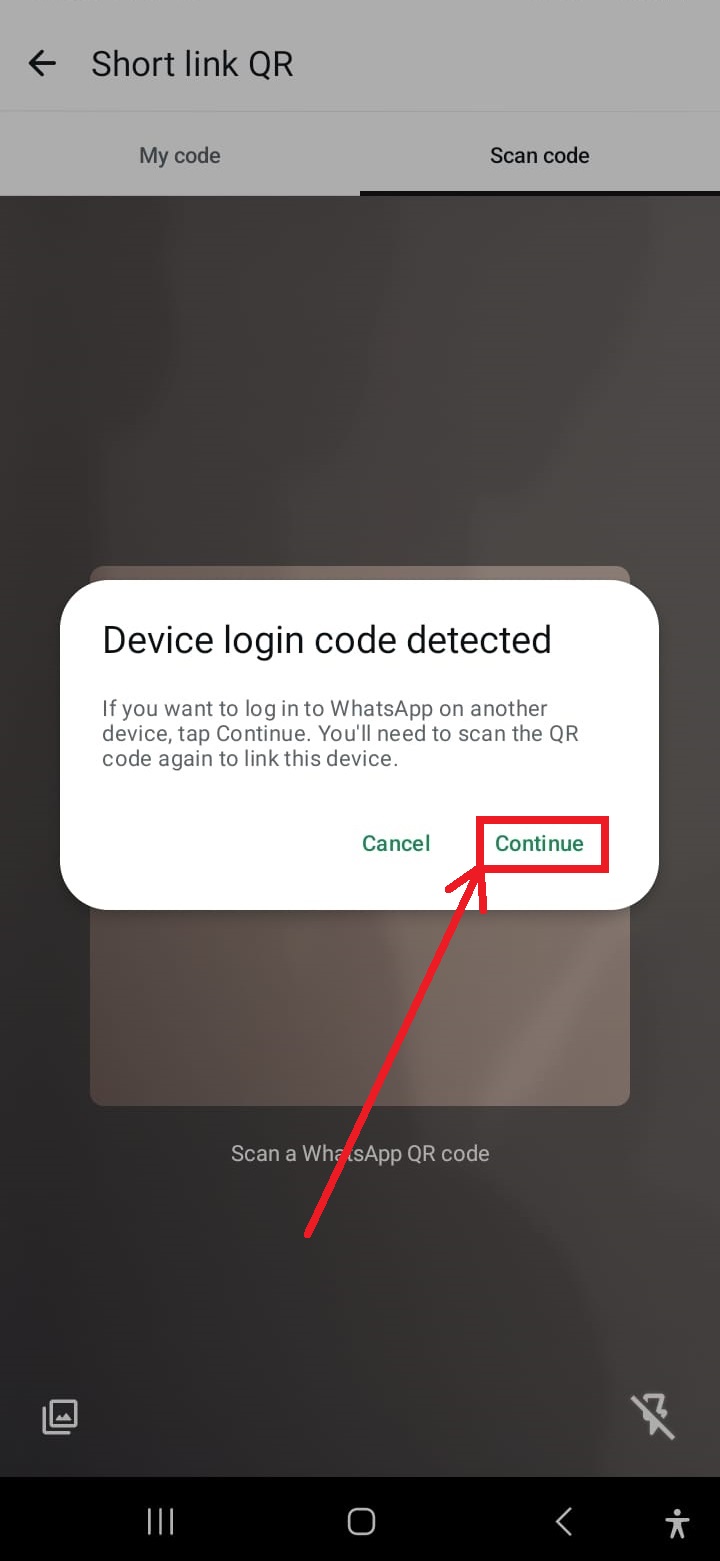
Klicken Sie auf „Weiter“, wenn Sie dazu aufgefordert werden
Wenn Sie aufgefordert werden, den Vorgang neu zu starten, tippen Sie auf „Weiter“, um mit dem Scannen des QR-Codes fortzufahren.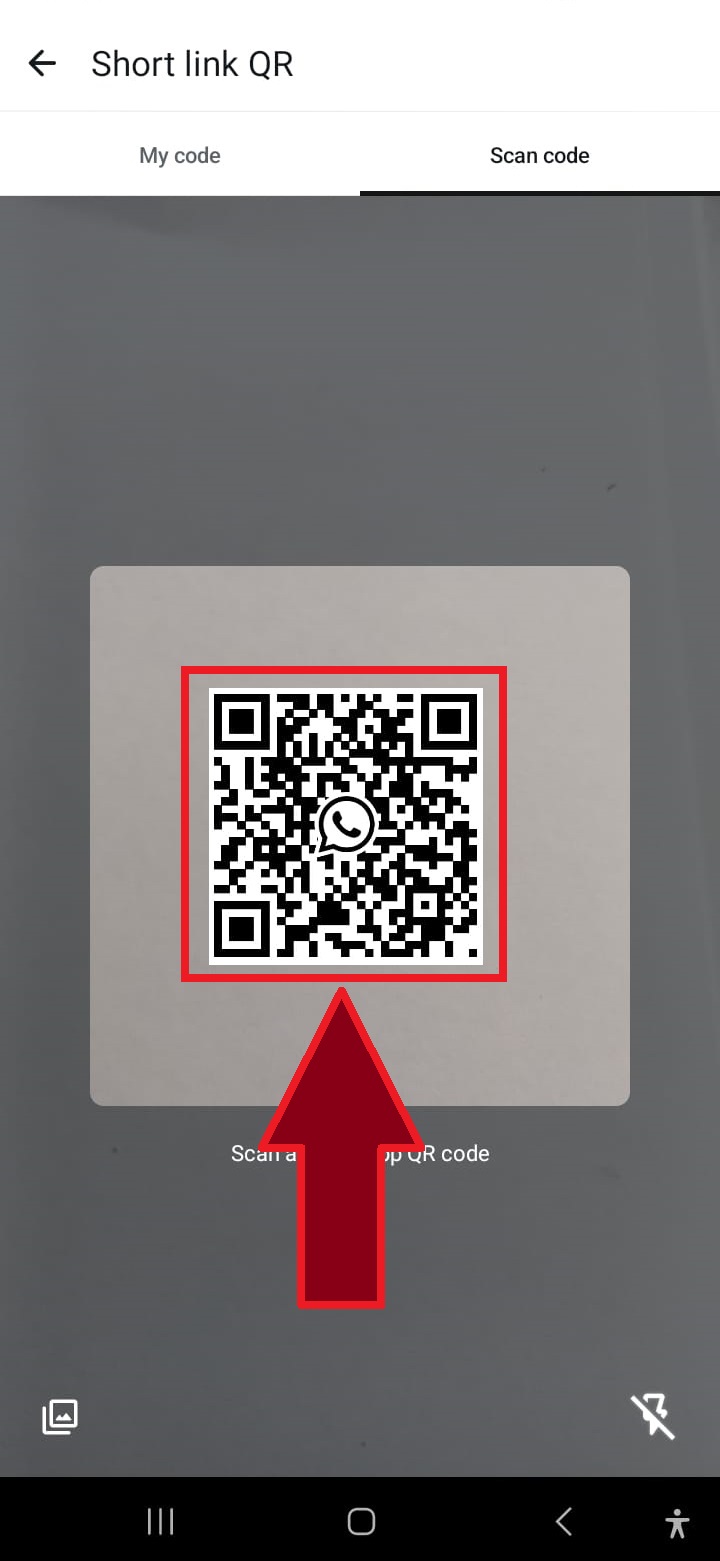
Scannen Sie den QR-Code bei Bedarf erneut
In manchen Fällen ist ein zweiter QR-Code-Scan erforderlich, um den Vorgang abzuschließen. Wiederholen Sie den Scan einfach.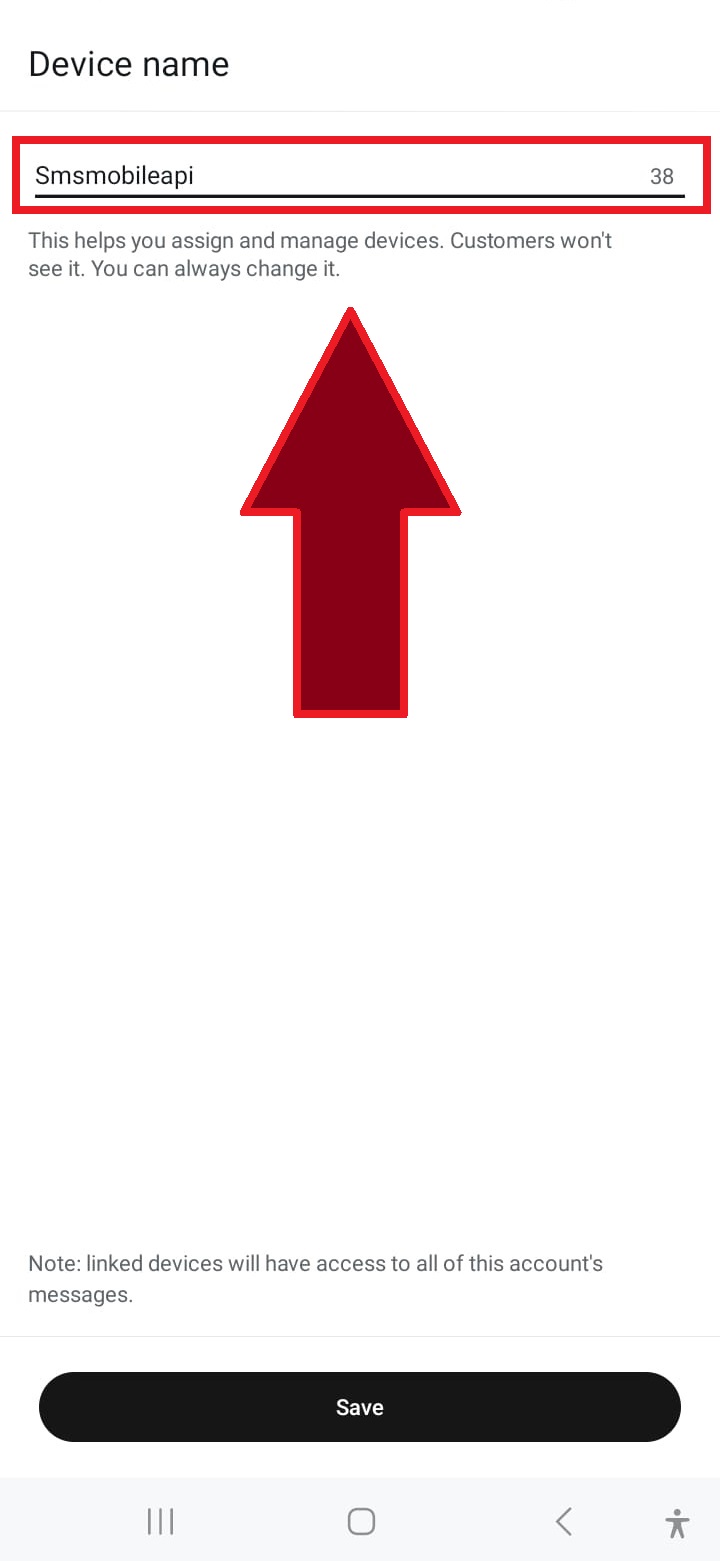
Benennen Sie die Verbindung
Geben Sie einen Namen für die Verbindung ein, beispielsweise „SMSMobileAPI“, oder wählen Sie einen benutzerdefinierten Namen zur Identifizierung.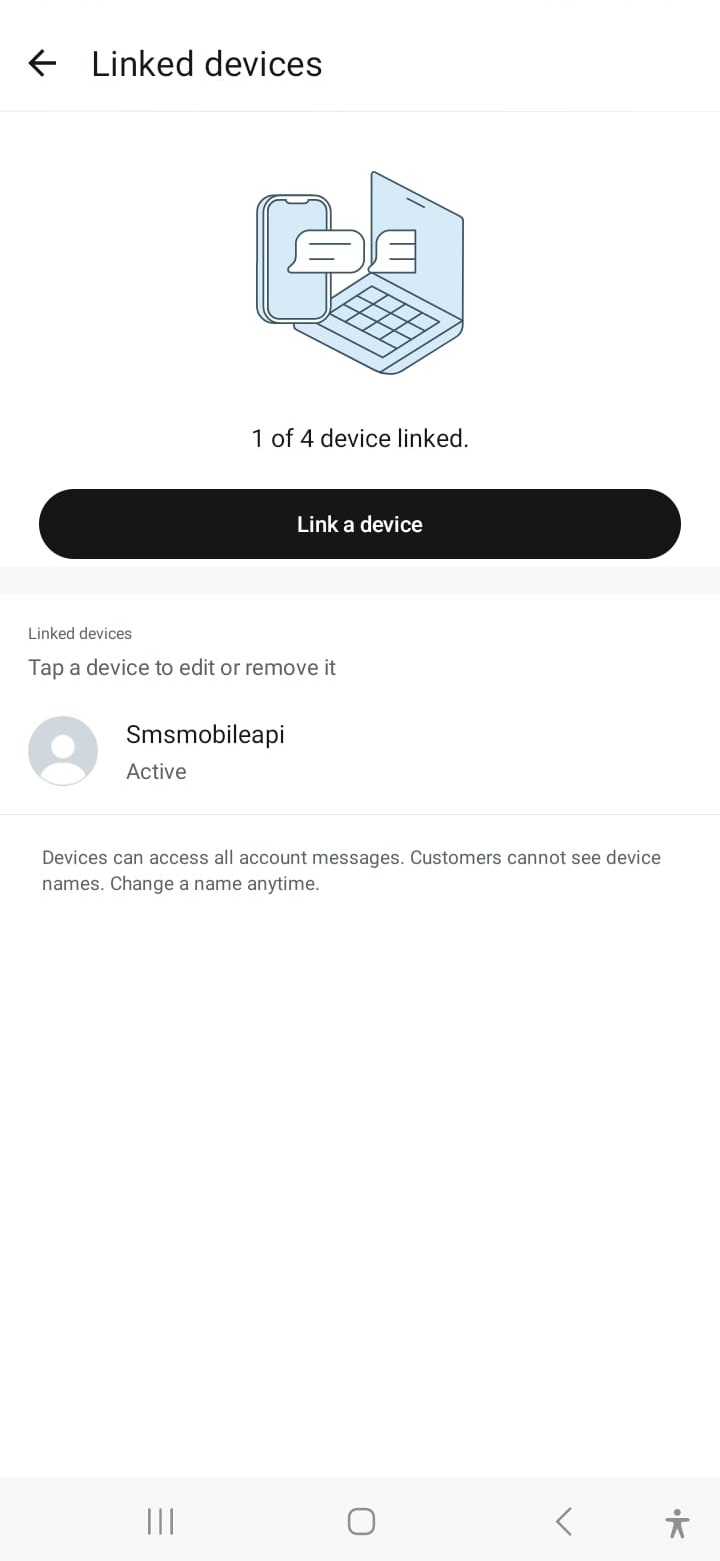
Verbindung erfolgreich
Sobald die Verbindung hergestellt ist, ist Ihr WhatsApp-Konto verknüpft und Sie können nahtlos Nachrichten über die SMSMobileAPI senden.Wenn die Kommunikation bestätigt ist, können Sie unsere API verwenden, um WhatsApp-Nachrichten direkt von Ihrem eigenen System aus mit einfachen HTTP-Anfragen zu senden. Unsere API ist mit PHP, Webdiensten, WooCommerce, Shopify, Zapier, Python und vielen anderen Plattformen kompatibel. Wir bieten eine benutzerfreundliche API-Anfrage, die eine nahtlose Integration mit Ihrem WhatsApp-Konto ermöglicht.

Offizielle mobile Anwendung
Die sichere Brücke zwischen Ihrem Telefon, Dashboard und API.
SMS- und Anrufvorgänge werden über die offizielle SMSMobileAPI-App abgewickelt, die auf Ihrem angeschlossenen Telefon installiert ist. Die App koppelt das Gerät sicher mit Ihrem Konto, synchronisiert autorisierte Ereignisse und verbindet das Mobilfunknetz mit dem Dashboard und REST API.
1Mobile App AppPairs das Telefon und seine SIM
2Verschlüsselte VerbindungAuthentifizierung und Schutz von Daten im Transit
3Dashboard & APISteuerung von Workflows und Aktivitäten
- Signierte Releases, die über die offiziellen Google Play- und Apple App Store-Listen verteilt werden
- Google und Apple Plattform Überprüfung, Signierung und Verteilungskontrollen
- Sichere Gerätepaarung, HTTPS-Transport und authentifizierter API-Zugang
- Nur die Berechtigungen, die für die von Ihnen aktivierten mobilen Funktionen erforderlich sind


