

WhatsApp を SMS モバイル API にリンクする方法
このステップバイステップ ガイドに従って、WhatsApp アカウントを SMS Mobile API に安全かつ簡単にリンクしてください。このプロセスは無料で、メッセージを API 経由でシームレスに送信および管理できるようになります。数回タップするだけで、WhatsApp アカウントを接続し、自動通信のパワーを解き放つことができます。問題なくプロセスを完了できるように、各ステップを以下に示します。
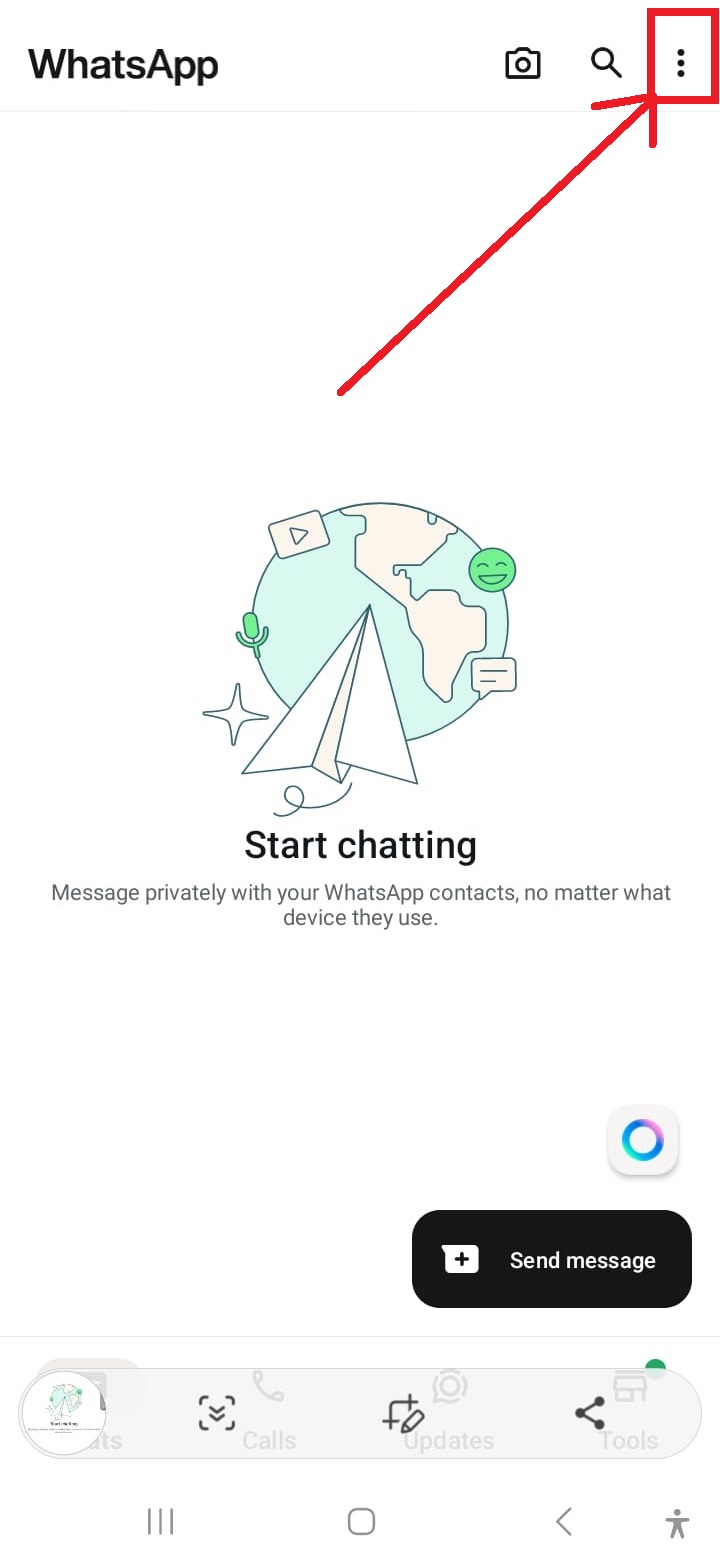
WhatsAppの設定を開く
WhatsApp インターフェースの右上隅にある 3 つのドットをタップして、設定メニューにアクセスします。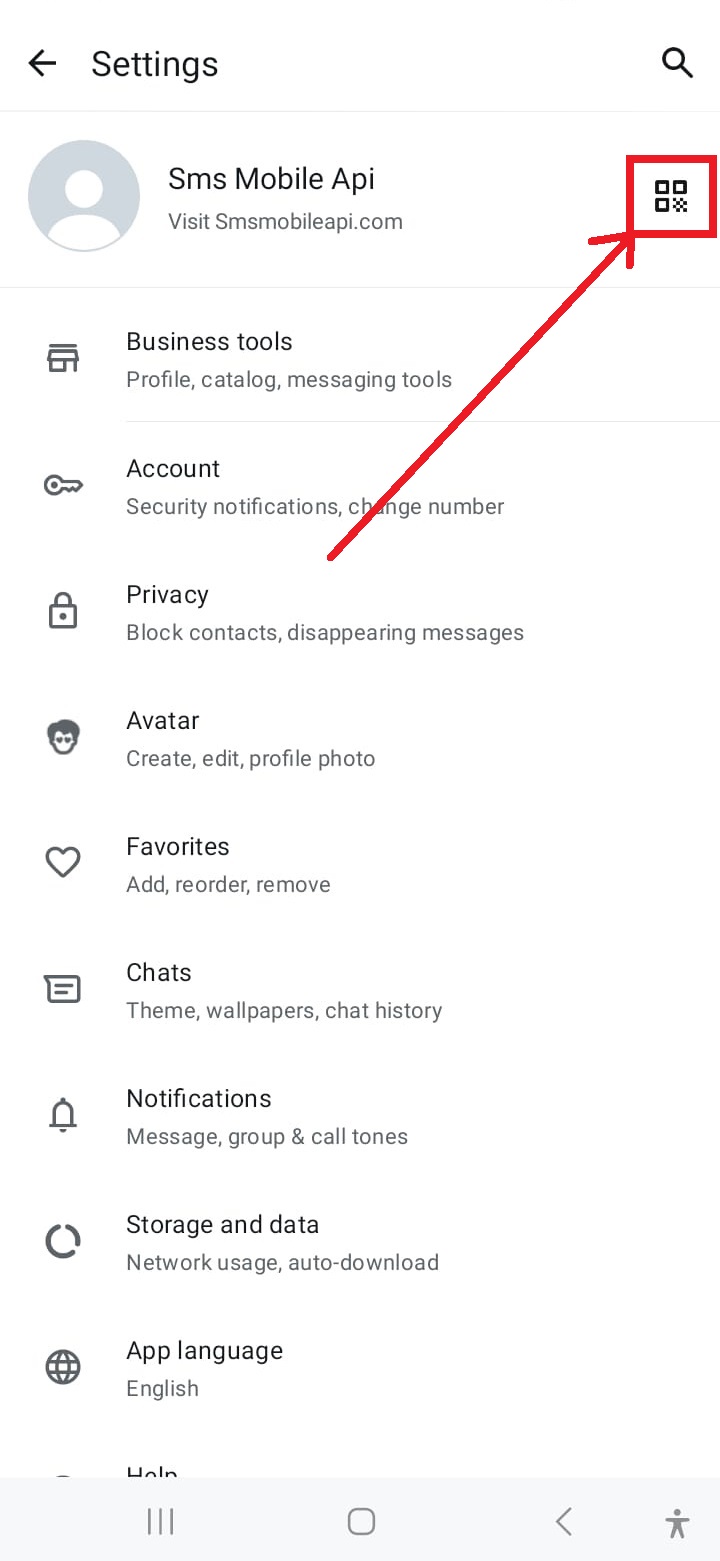
QRコードスキャナーにアクセス
設定画面の右上隅にある QR コード アイコンをタップして、リンク プロセスを開始します。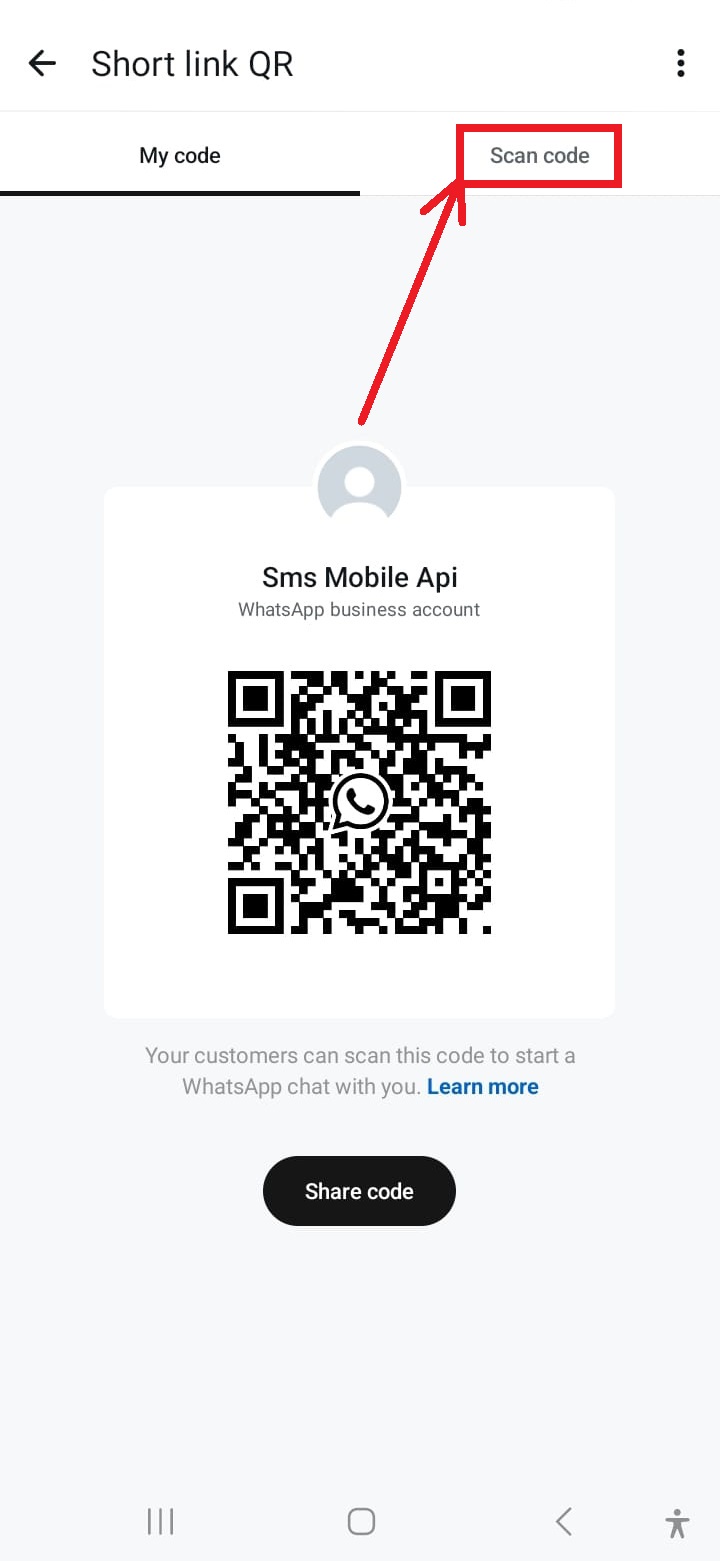
スキャン用にカメラを起動する
メニューから「QR コードをスキャン」オプションをタップして、携帯電話のカメラを起動してスキャンします。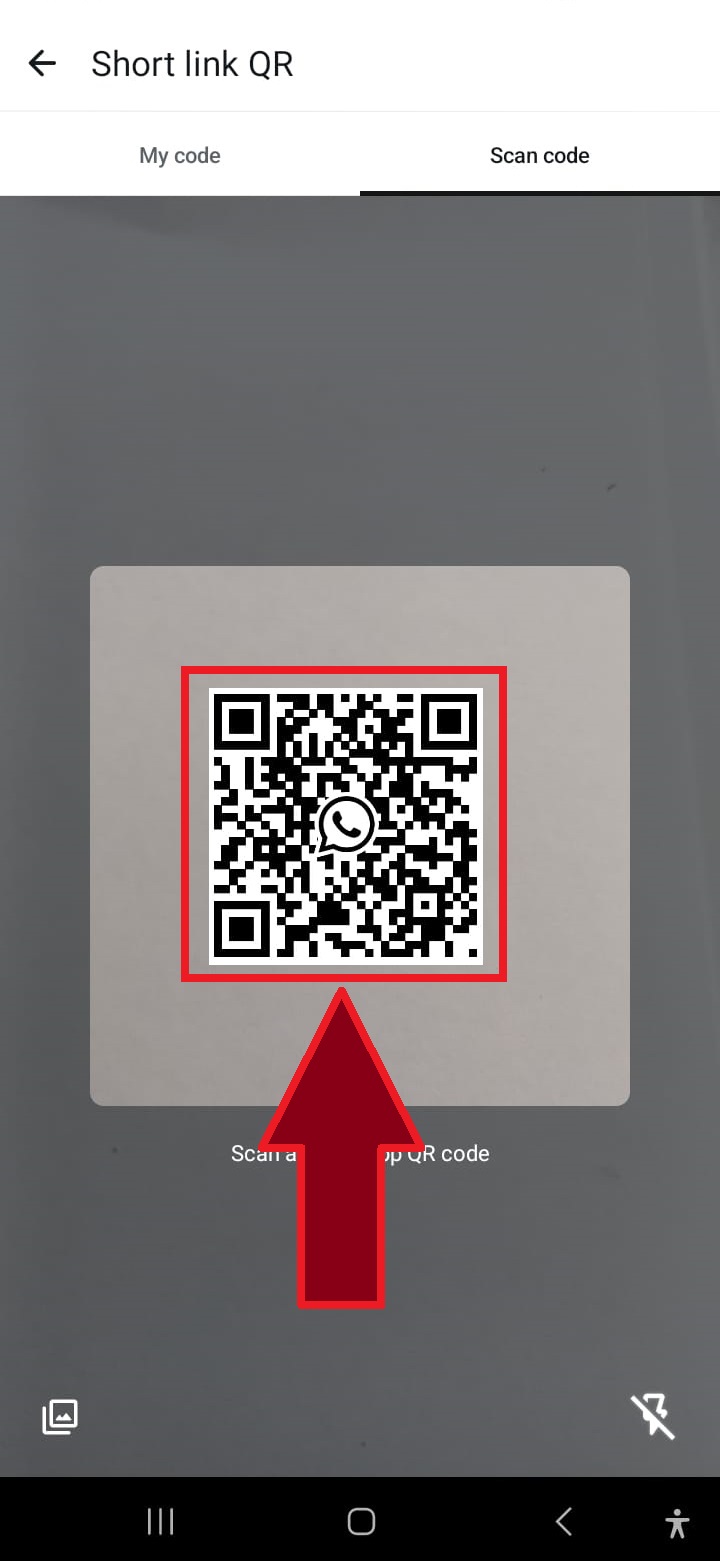
QRコードをスキャンする
WhatsApp を SMSMobileAPI に接続するには、Web サイトに表示されている QR コードに携帯電話のカメラを向けます。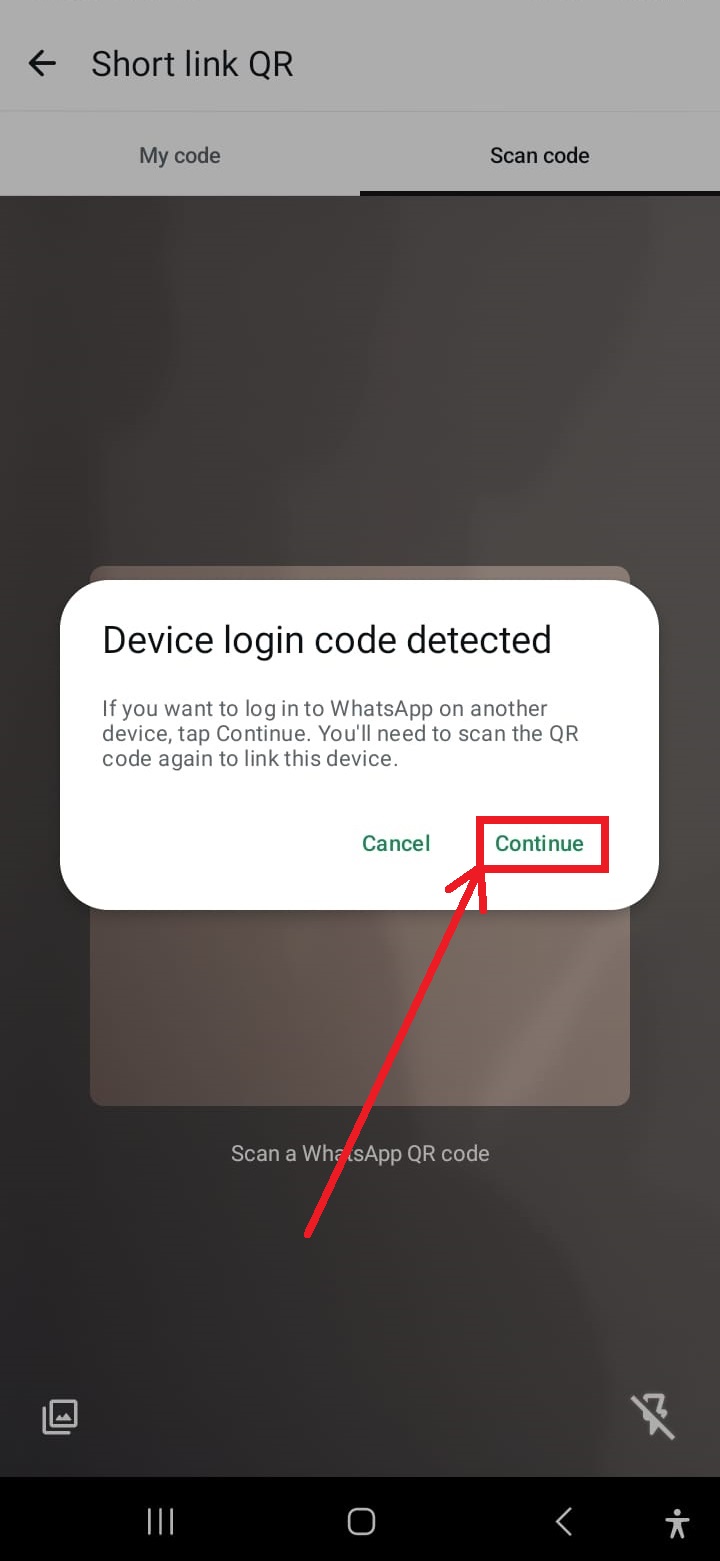
プロンプトが表示されたら「続行」をクリックします
操作を再開するように求められたら、「続行」をタップして QR コードのスキャンを続行します。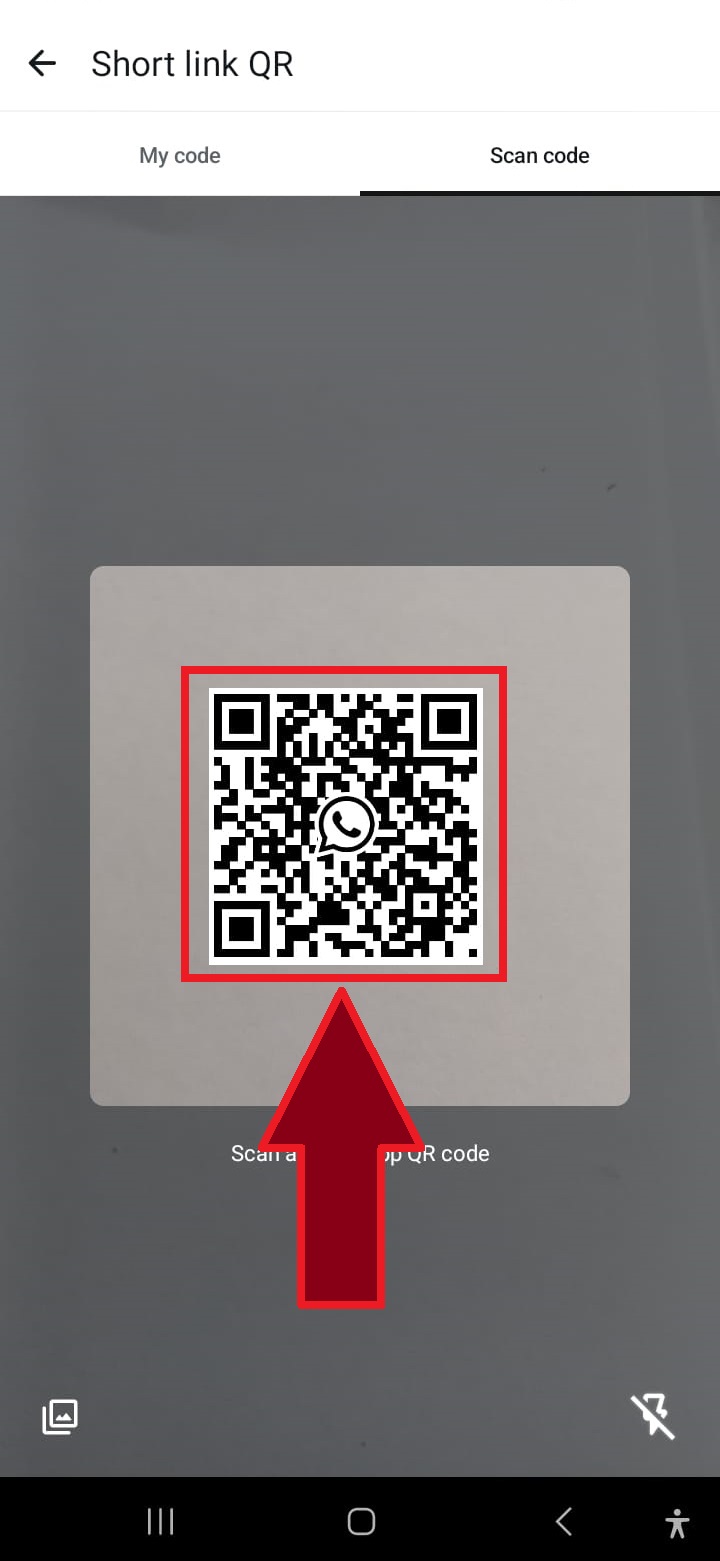
必要に応じてQRコードを再度スキャンしてください
場合によっては、プロセスを完了するために 2 回目の QR コードのスキャンが必要になることがあります。その場合は、スキャンを繰り返すだけです。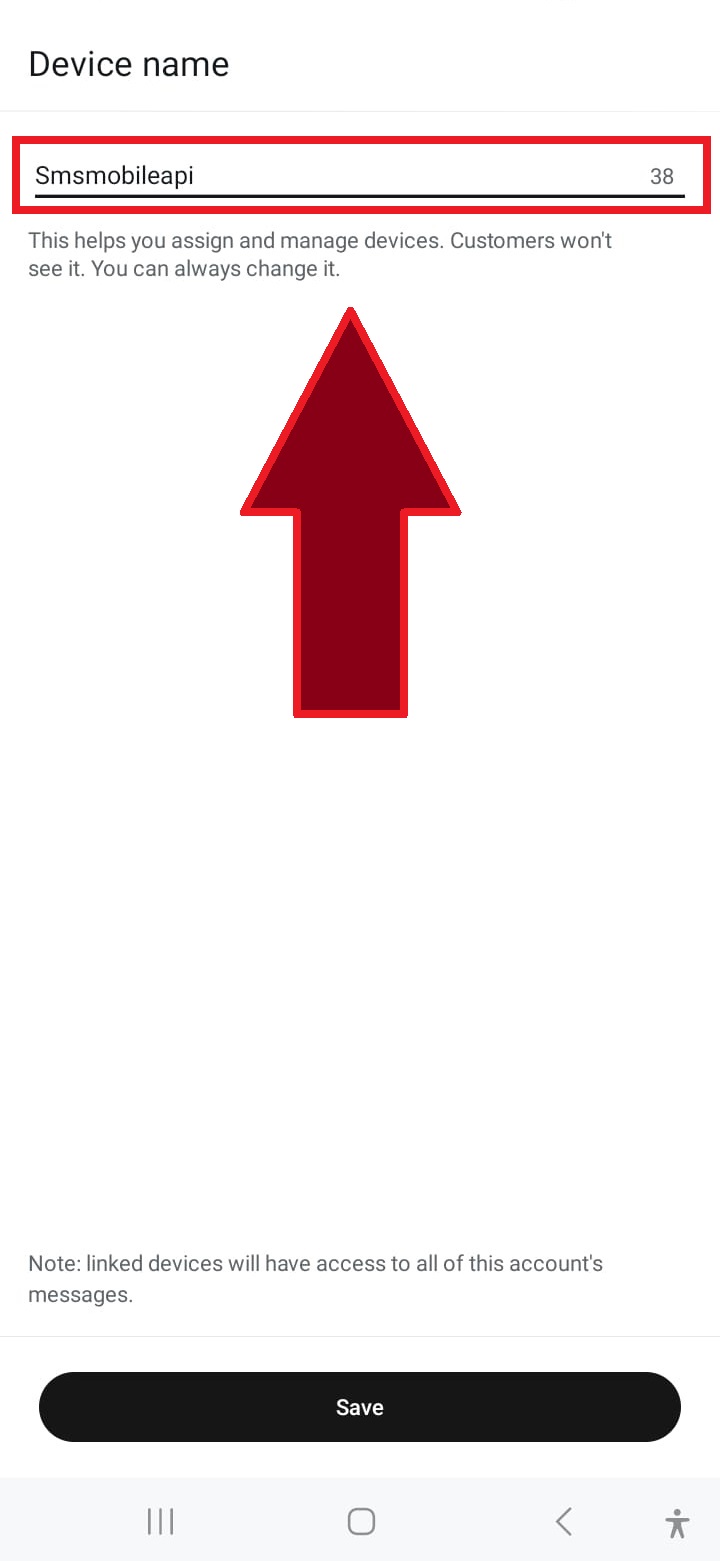
接続に名前を付ける
「SMSMobileAPI」などの接続の名前を入力するか、接続を識別するためのカスタム名を選択します。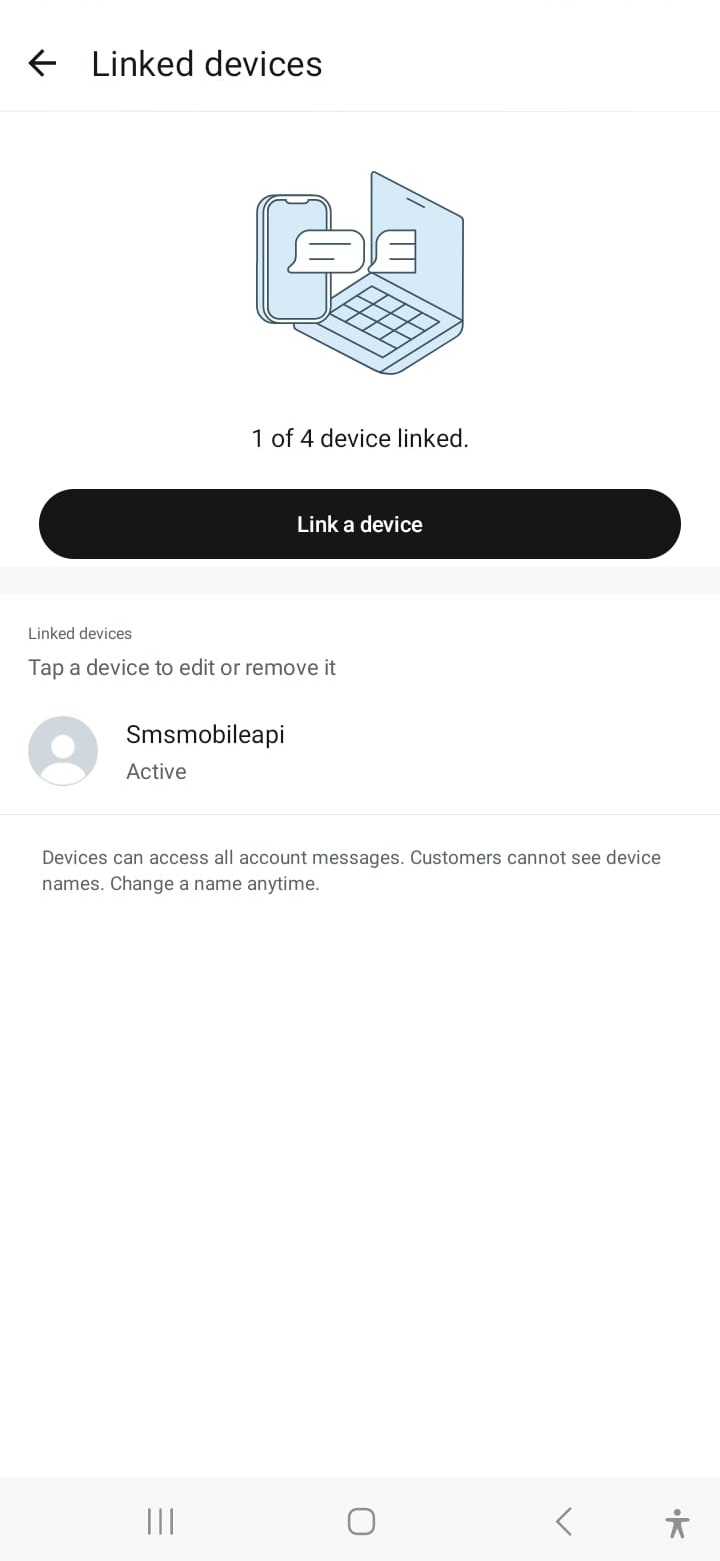
接続に成功しました
接続すると、WhatsApp アカウントがリンクされ、SMSMobileAPI 経由でシームレスにメッセージを送信できるようになります。通信が確認されると、当社の API を使用して、シンプルな HTTP リクエストで独自のシステムから直接 WhatsApp メッセージを送信できます。当社の API は、PHP、Web サービス、WooCommerce、Shopify、Zapier、Python など、多くのプラットフォームと互換性があります。当社は、WhatsApp アカウントとのシームレスな統合を可能にする、使いやすい API リクエストを提供します。

オフィシャルモバイルアプリケーション
電話、ダッシュボード、API間の安全な橋。
SMS とコール操作は、接続された電話にインストールされている公式 SMSMobileAPI アプリを通過します。 アプリは、アカウントでデバイスを安全にペアリングし、認定イベントを同期し、モバイルネットワークをダッシュボードとREST APIにリンクします。
1モバイルアプリ携帯電話とSIMをペアリング
2暗号化されたリンクデータをトランスイトで認証し、保護
3ダッシュボードとAPIワークフローとアクティビティの制御
- 正式なGoogle PlayとApple App Storeの一覧で配布されたサインされたリリース
- GoogleとAppleプラットフォームのレビュー、署名、配布制御
- セキュアなデバイスペアリング、HTTPS の輸送および認証 API アクセス
- 有効にできるモバイル機能に必要な権限のみ


