

Hur man länkar WhatsApp till SMS Mobile API
Följ denna steg-för-steg-guide för att säkert och enkelt länka ditt WhatsApp-konto till SMS Mobile API. Denna process är gratis och säkerställer att dina meddelanden sömlöst kan skickas och hanteras via API:et. Med bara några få tryck ansluter du ditt WhatsApp-konto och låser upp kraften i automatiserad kommunikation.Varje steg illustreras nedan för att hjälpa dig att slutföra processen utan krångel.
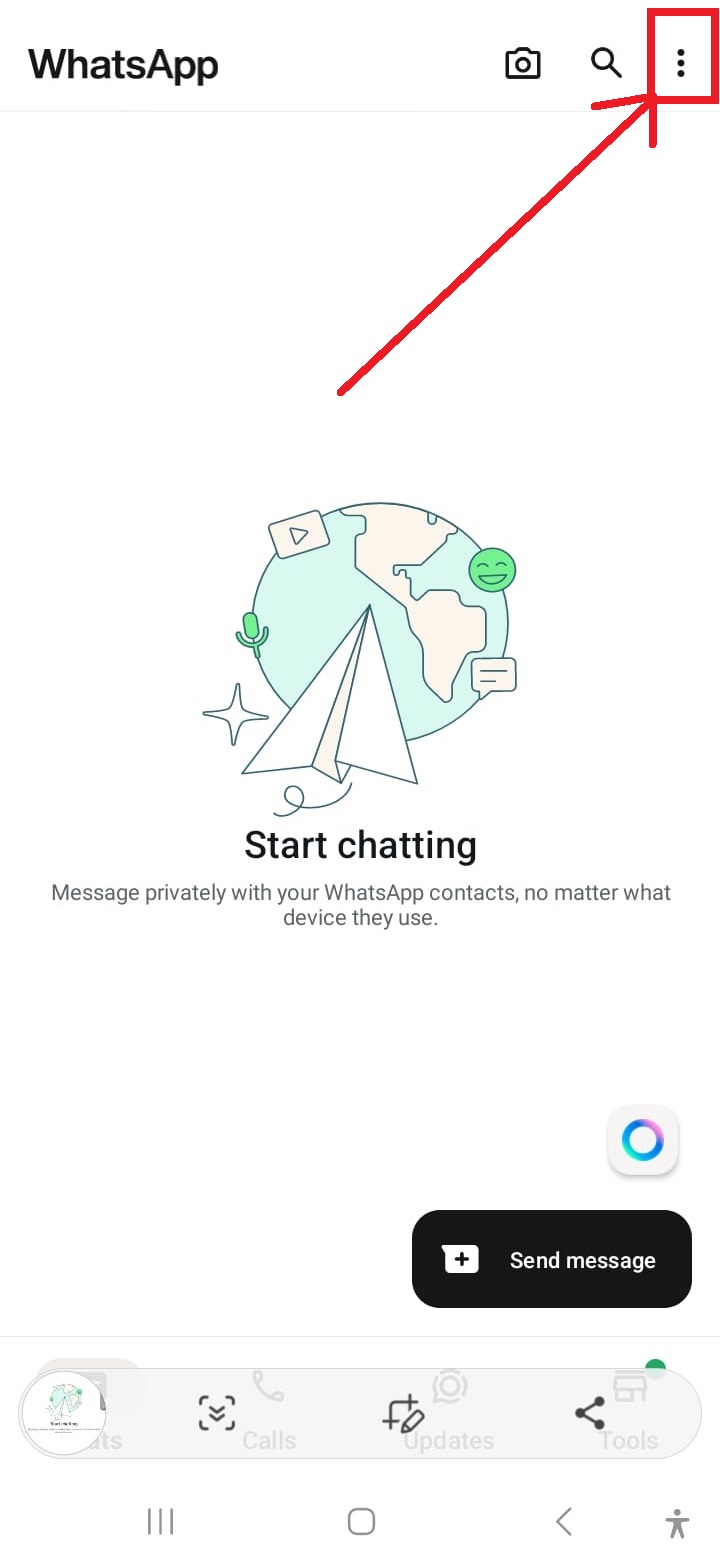
Öppna WhatsApp-inställningar
Tryck på de tre prickarna i det övre högra hörnet av WhatsApp-gränssnittet för att komma åt inställningsmenyn.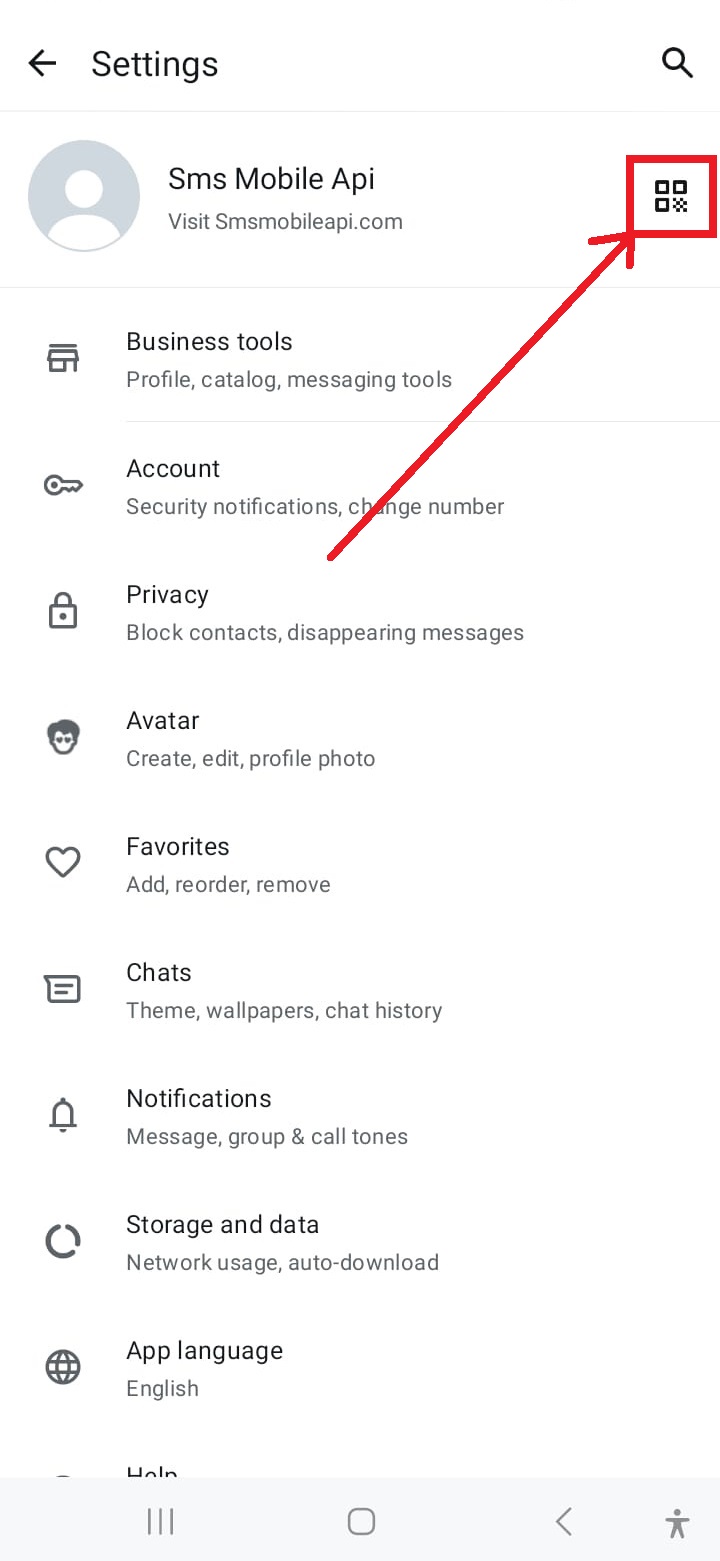
Få åtkomst till QR Code Scanner
Tryck på QR-kodikonen i det övre högra hörnet av inställningsskärmen för att starta länkningsprocessen.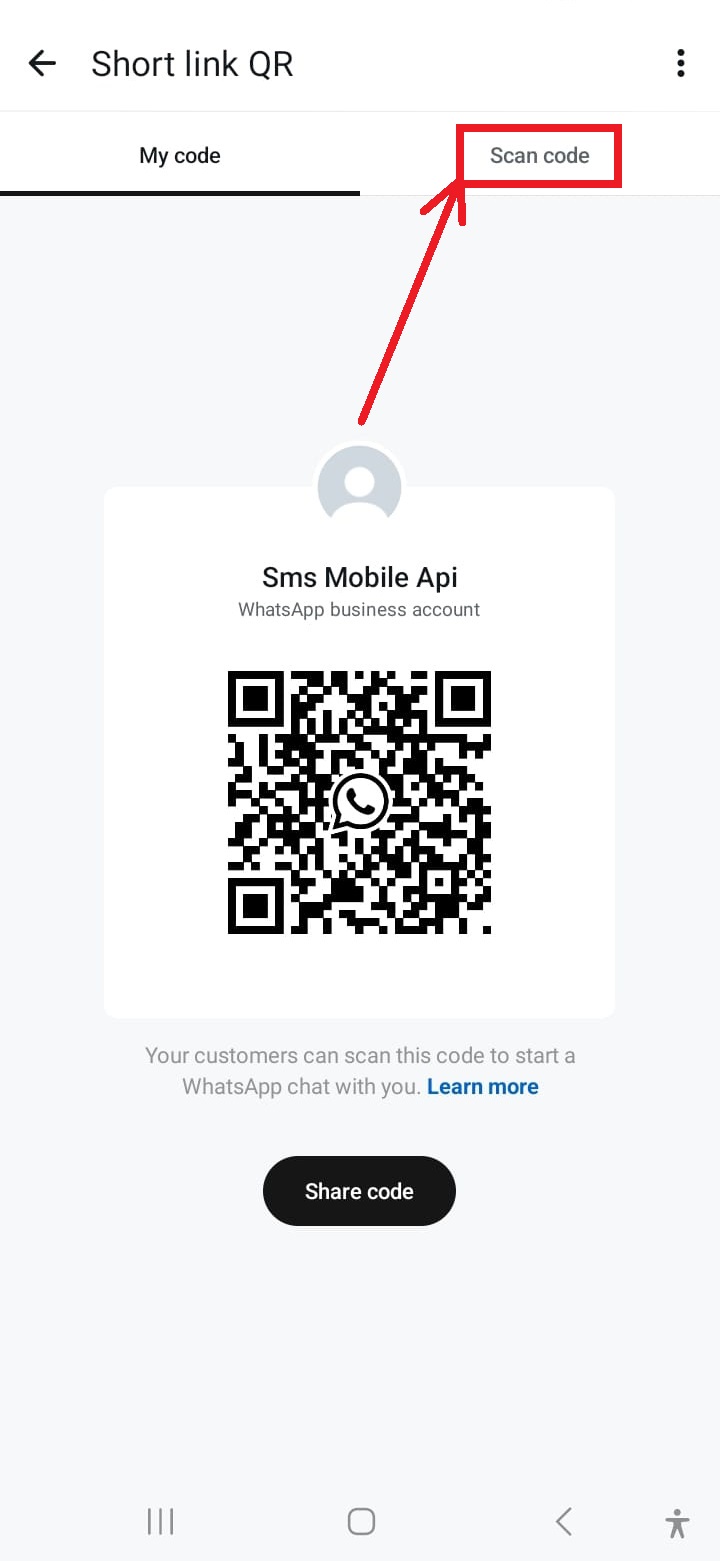
Aktivera kameran för skanning
Tryck på alternativet "Skanna QR-kod" i menyn för att aktivera telefonens kamera för skanning.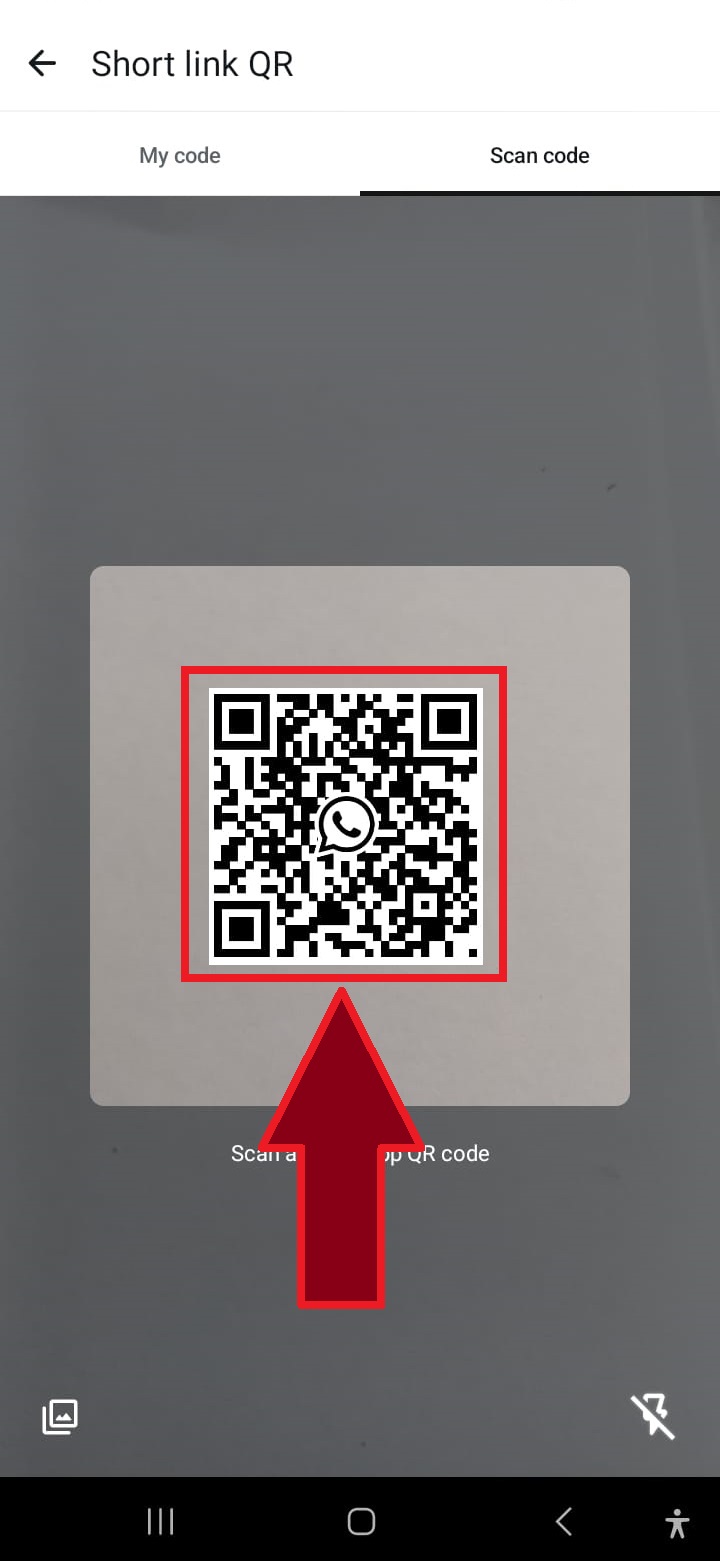
Skanna QR-koden
Rikta telefonens kamera mot QR-koden som visas på webbplatsen för att ansluta WhatsApp till SMSMobileAPI.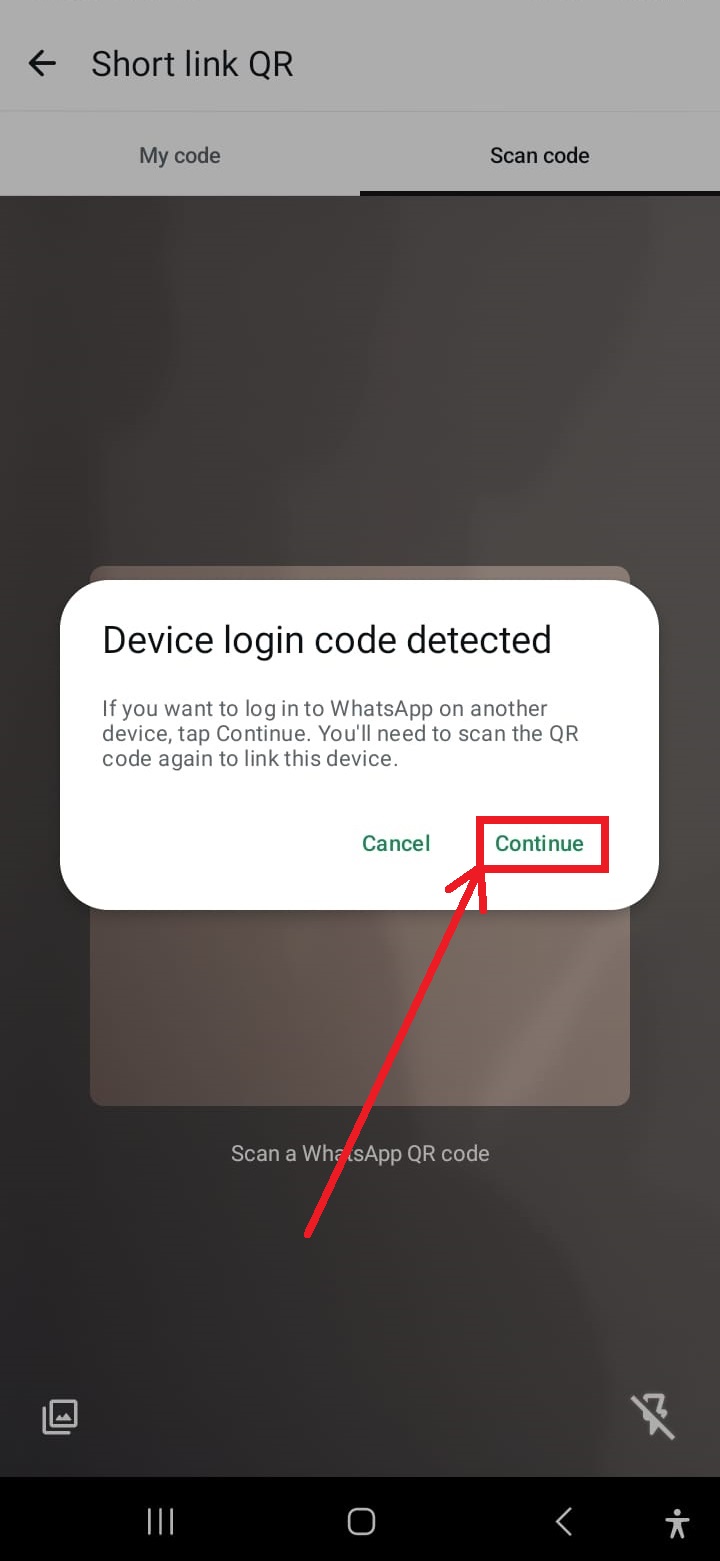
Klicka på "Fortsätt" om du uppmanas
Om du uppmanas att starta om operationen, tryck på "Fortsätt" för att fortsätta med QR-kodskanningen.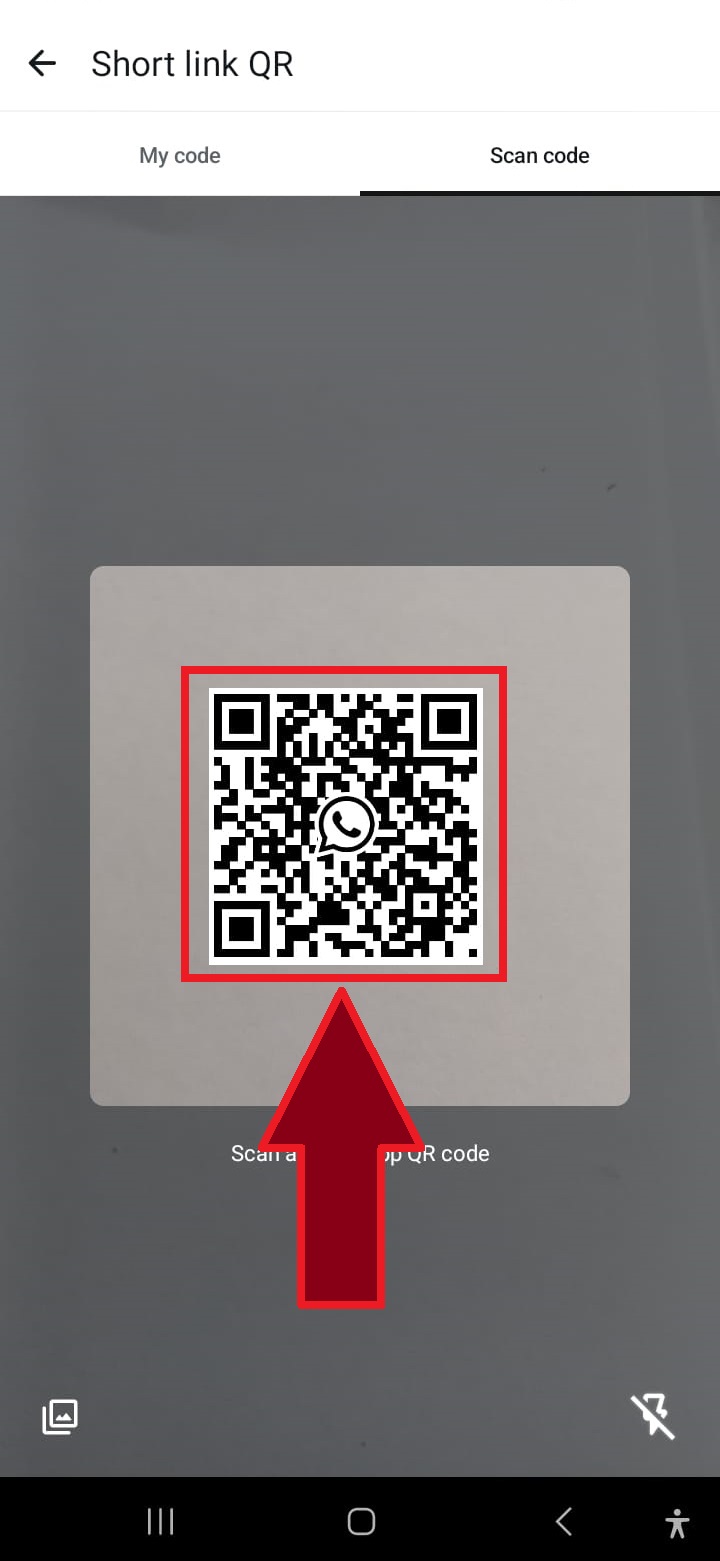
Skanna QR-koden igen om det behövs
I vissa fall kan en andra QR-kodskanning krävas för att slutföra processen. Upprepa helt enkelt skanningen.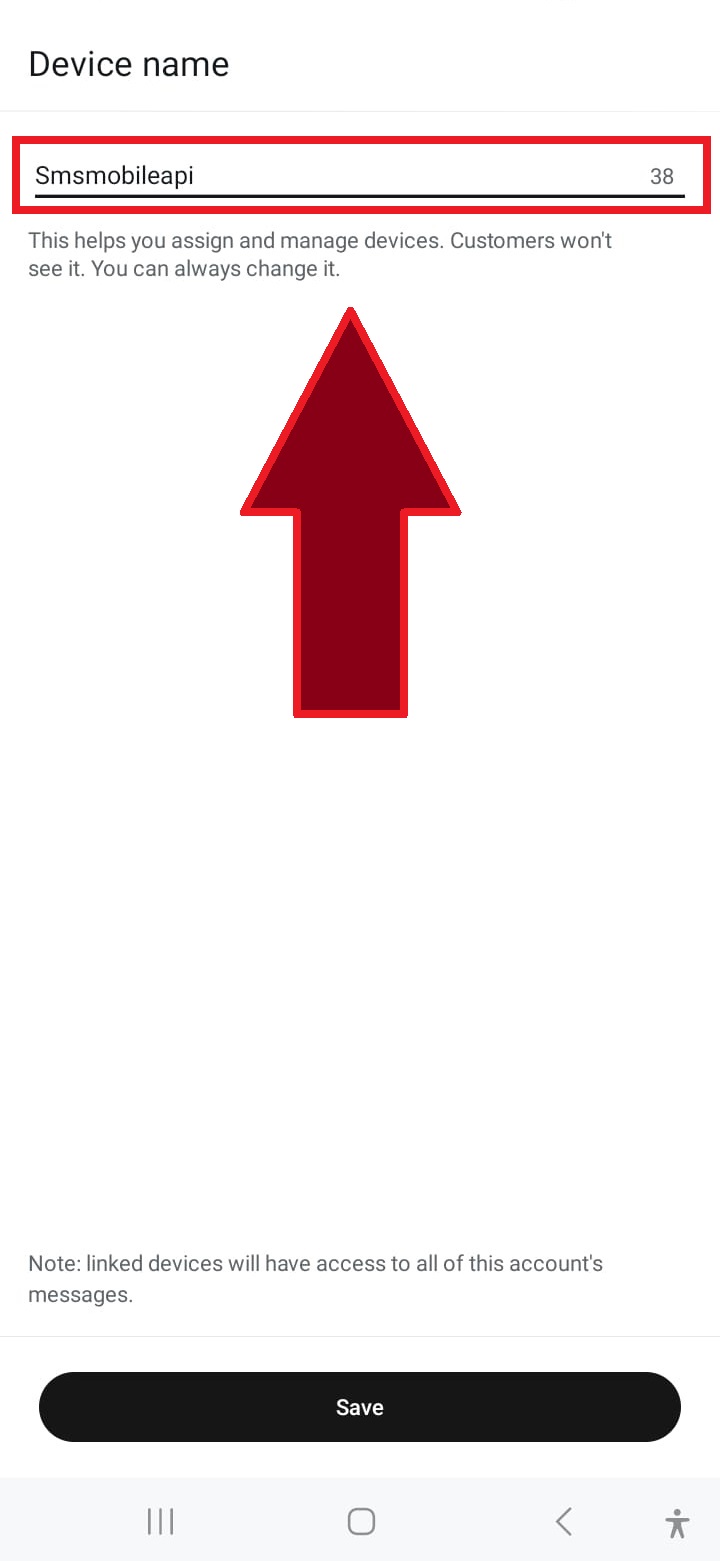
Namnge anslutningen
Ange ett namn för anslutningen, till exempel "SMSMobileAPI", eller välj ett anpassat namn för att identifiera den.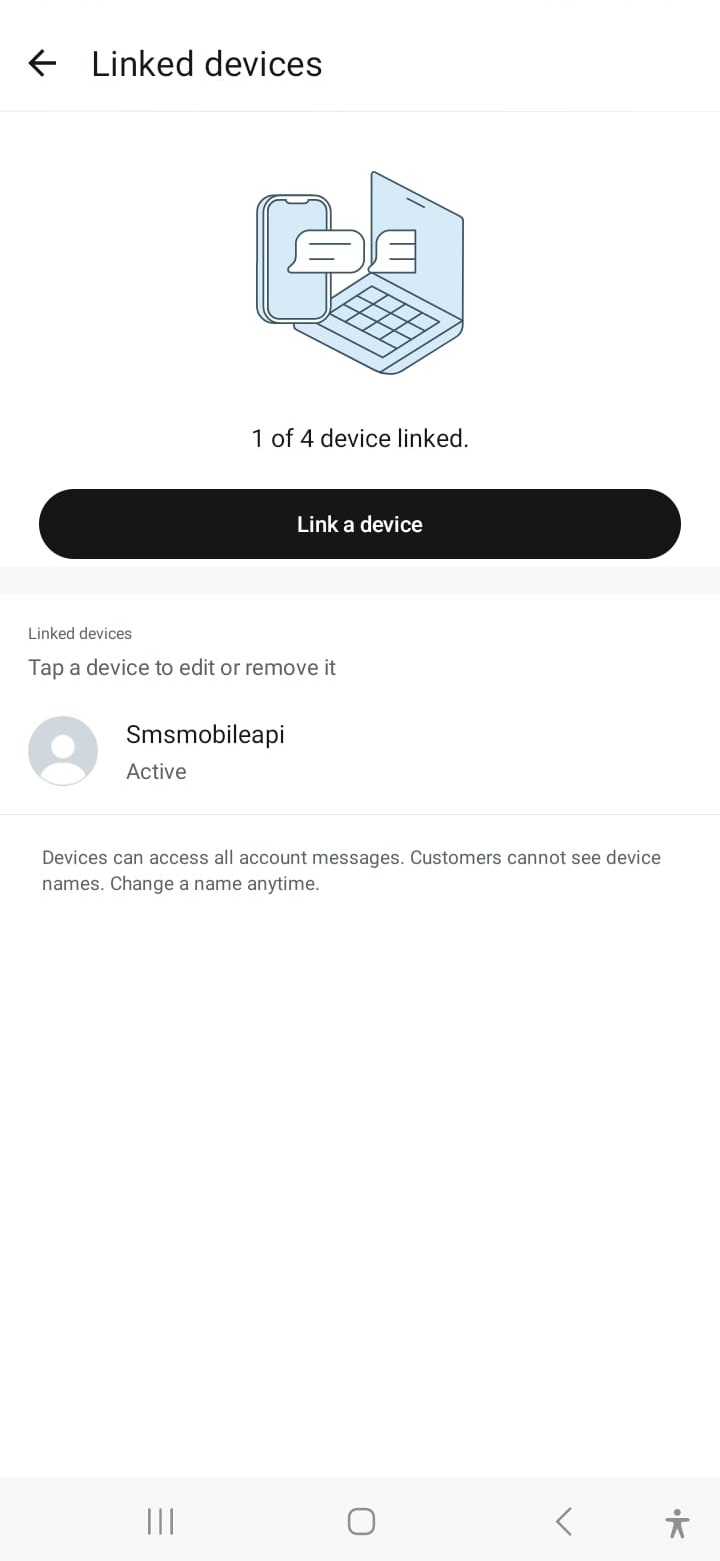
Anslutningen lyckades
När du är ansluten är ditt WhatsApp-konto länkat, vilket gör att du kan skicka meddelanden via SMSMobileAPI sömlöst.När kommunikationen har bekräftats kan du använda vårt API för att skicka WhatsApp-meddelanden direkt från ditt eget system med enkla HTTP-förfrågningar. Vårt API är kompatibelt med PHP, webbtjänster, WooCommerce, Shopify, Zapier, Python och många andra plattformar. Vi tillhandahåller en lättanvänd API-förfrågan som möjliggör sömlös integration med ditt WhatsApp-konto.

Officiell mobilapplikation
Den säkra bron mellan din telefon, instrumentpanel och API.
SMS och samtalsoperationer passerar genom den officiella SMSMobileAPI-appen installerad på din anslutna telefon. Appen parar säkert enheten med ditt konto, synkroniserar auktoriserade händelser och länkar mobilnätet till instrumentpanelen och REST API.
1Mobilapp appPar telefonen och dess SIM
2Krypterad länkAutentiserar och skyddar data i transit
3Dashboard och APIKontroller arbetsflöden och aktivitet
- Signerade releaser som distribueras via de officiella listorna Google Play och Apple App Store
- Google och Apple plattformsgranskning, signering och distributionskontroller
- Säkra enhet parning, HTTPS transport och autentiserad API tillgång
- Endast de behörigheter som krävs för de mobila funktionerna du aktiverar


