

Hoe WhatsApp te koppelen aan SMS Mobile API
Volg deze stapsgewijze handleiding om uw WhatsApp-account veilig en eenvoudig te koppelen aan SMS Mobile API. Dit proces is gratis en zorgt ervoor dat uw berichten naadloos kunnen worden verzonden en beheerd via de API. Met slechts een paar tikken verbindt u uw WhatsApp-account en ontgrendelt u de kracht van geautomatiseerde communicatie.Elke stap wordt hieronder geïllustreerd, zodat u het proces zonder problemen kunt voltooien.
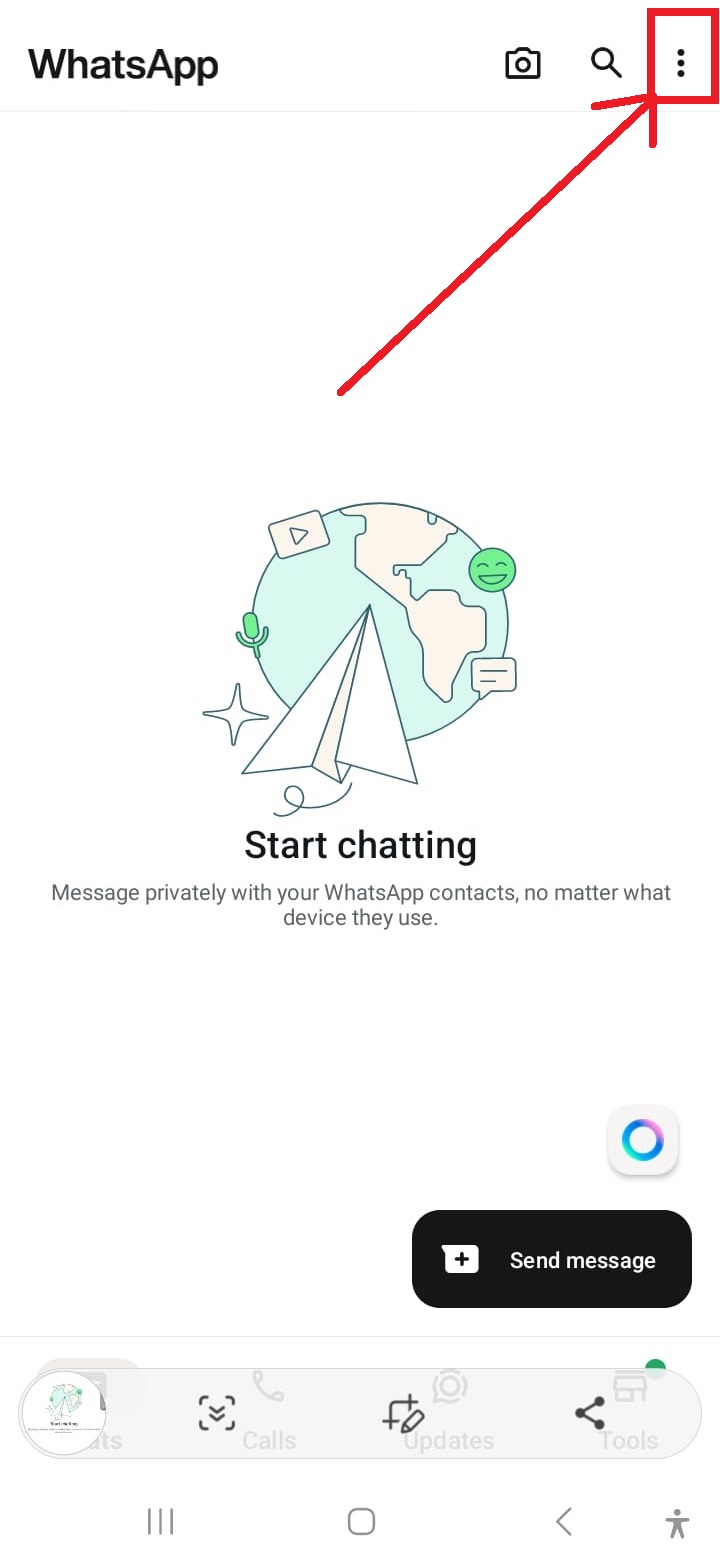
Open WhatsApp-instellingen
Tik op de drie puntjes in de rechterbovenhoek van de WhatsApp-interface om het instellingenmenu te openen.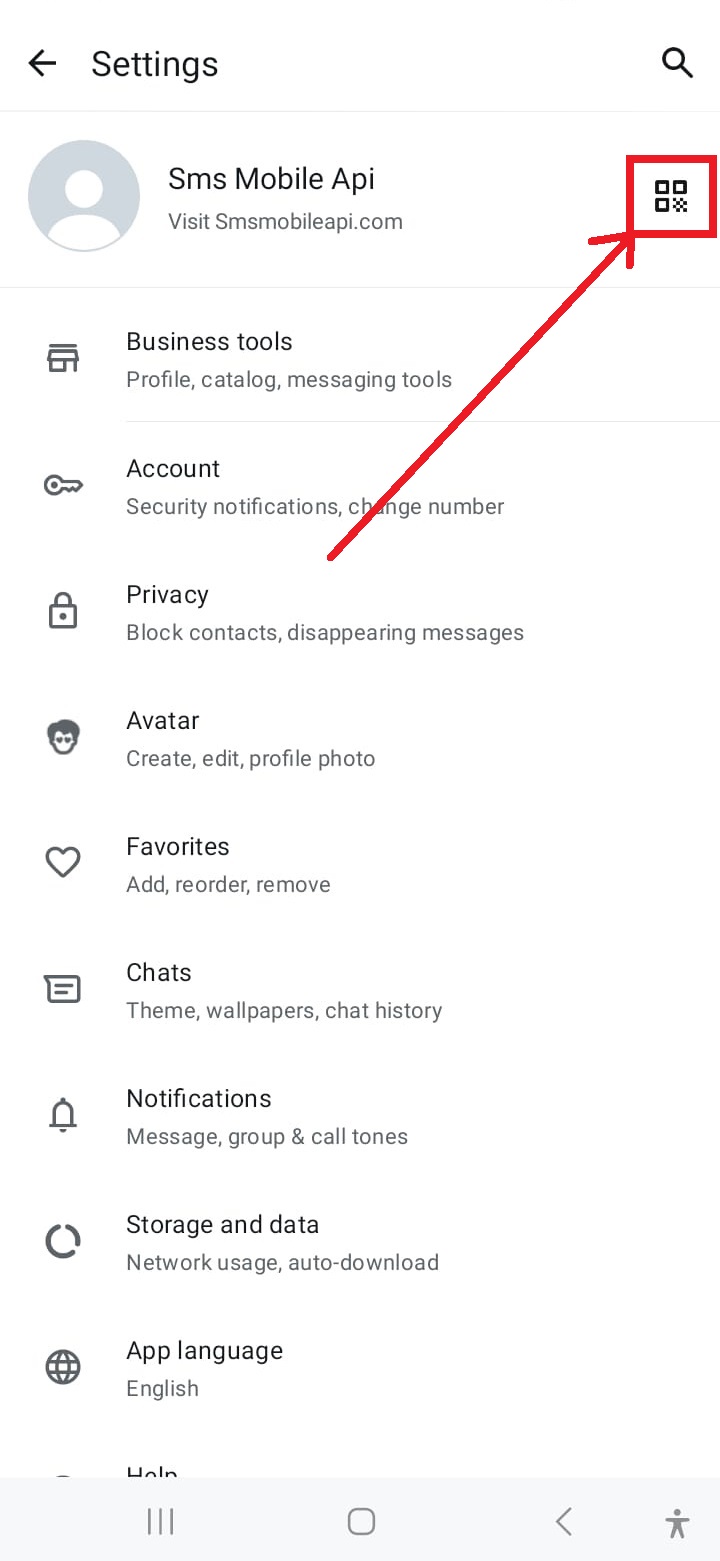
Toegang tot QR-codescanner
Tik op het QR-codepictogram in de rechterbovenhoek van het instellingenscherm om het koppelingsproces te starten.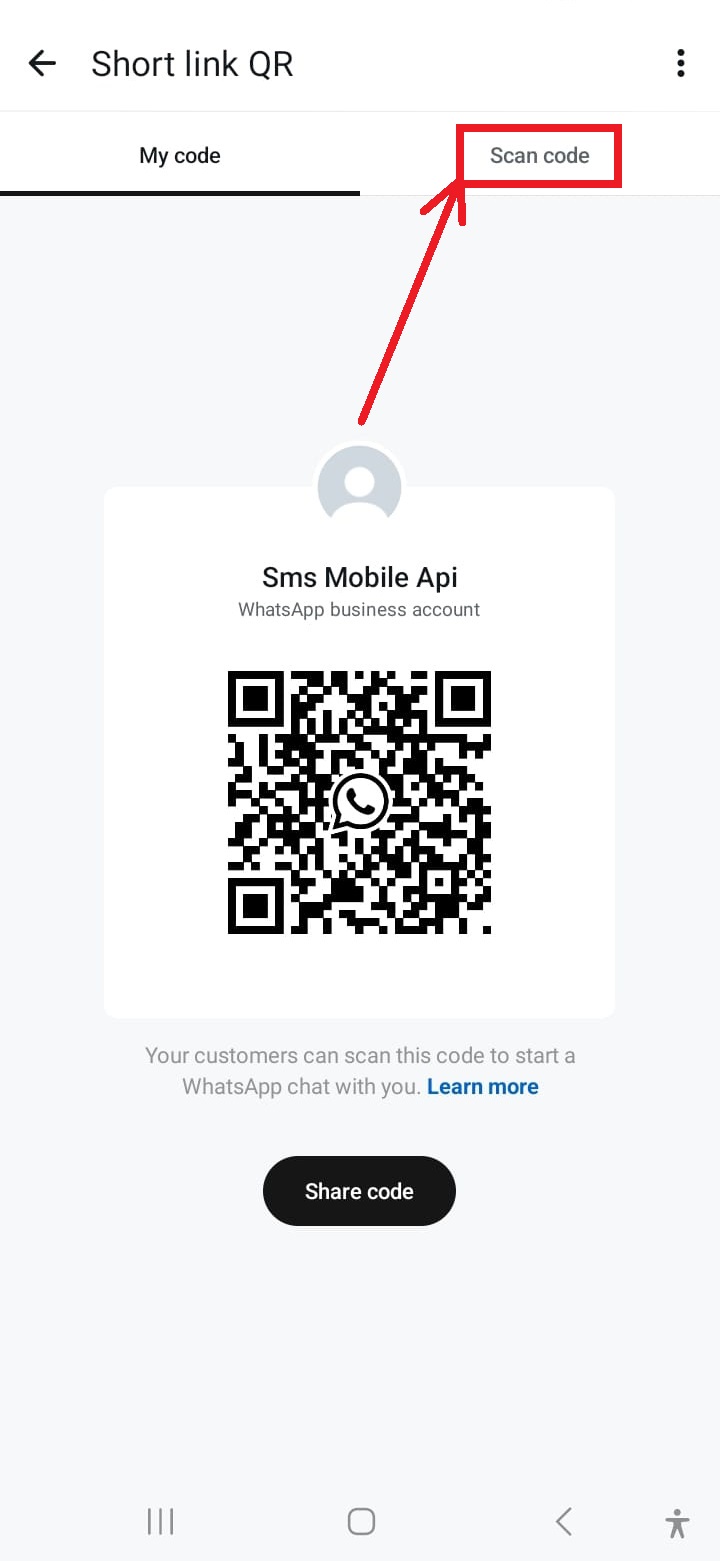
Activeer de camera voor scannen
Tik op de optie 'QR-code scannen' in het menu om de camera van uw telefoon te activeren voor scannen.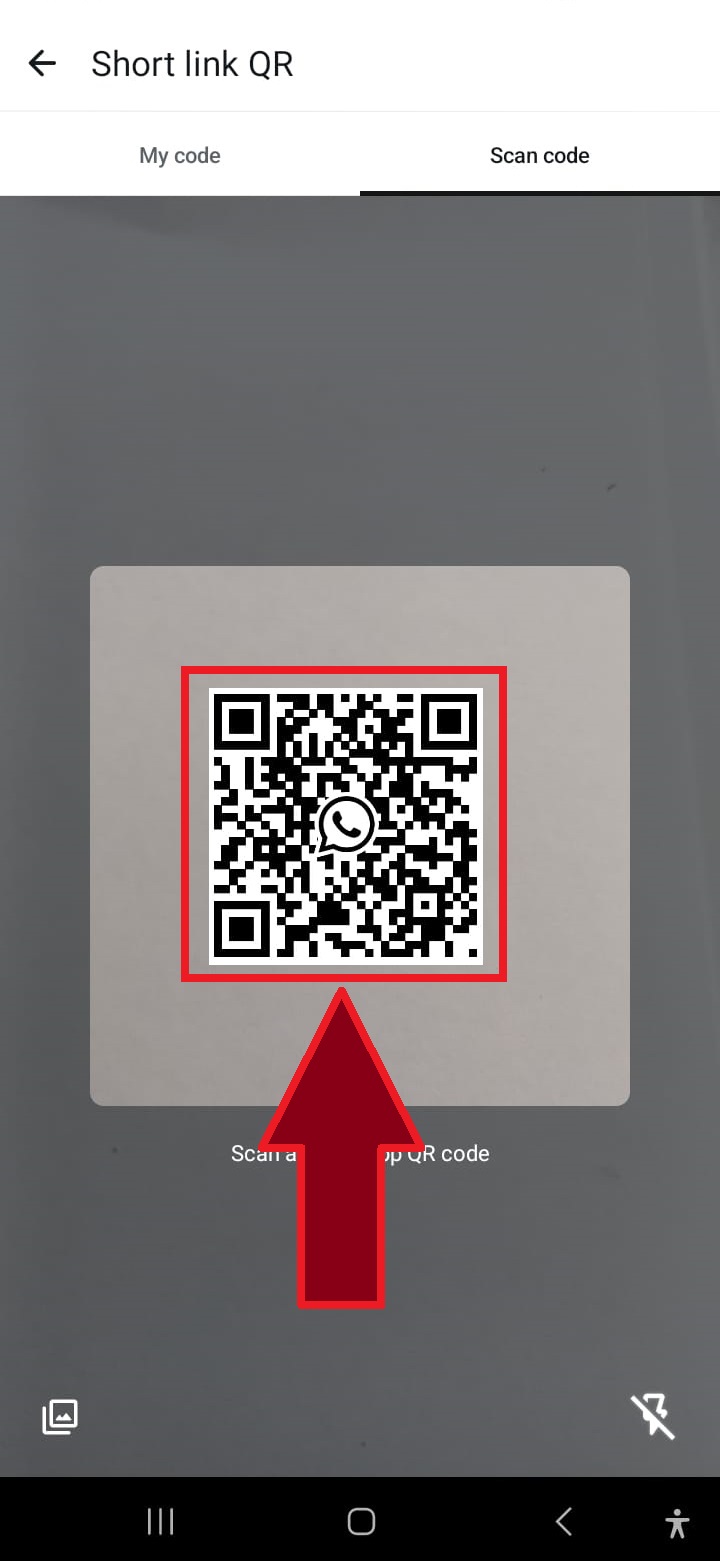
Scan de QR-code
Richt de camera van uw telefoon op de QR-code die op de website wordt weergegeven om WhatsApp te verbinden met de SMSMobileAPI.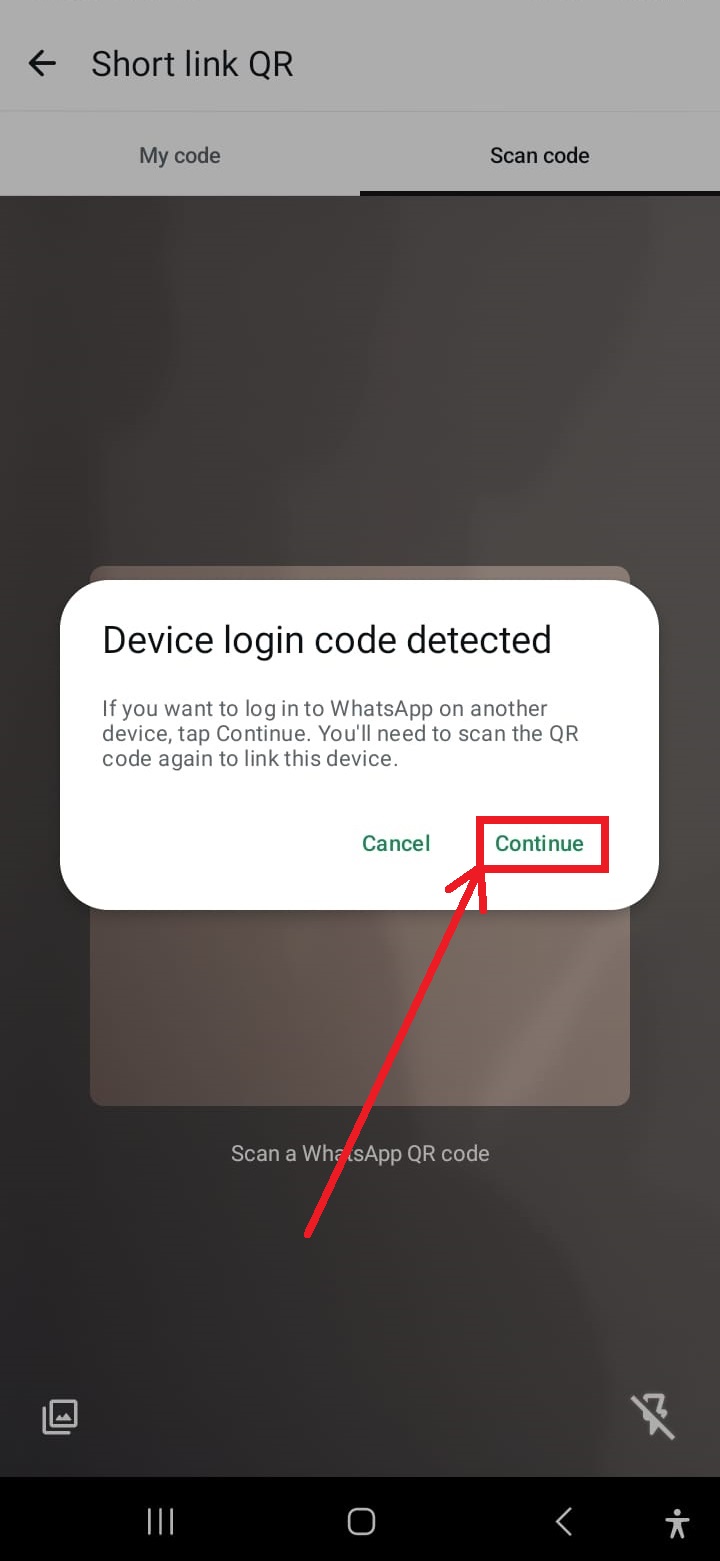
Klik op "Doorgaan" als daarom wordt gevraagd
Als u wordt gevraagd om de bewerking opnieuw te starten, tikt u op 'Doorgaan' om door te gaan met het scannen van de QR-code.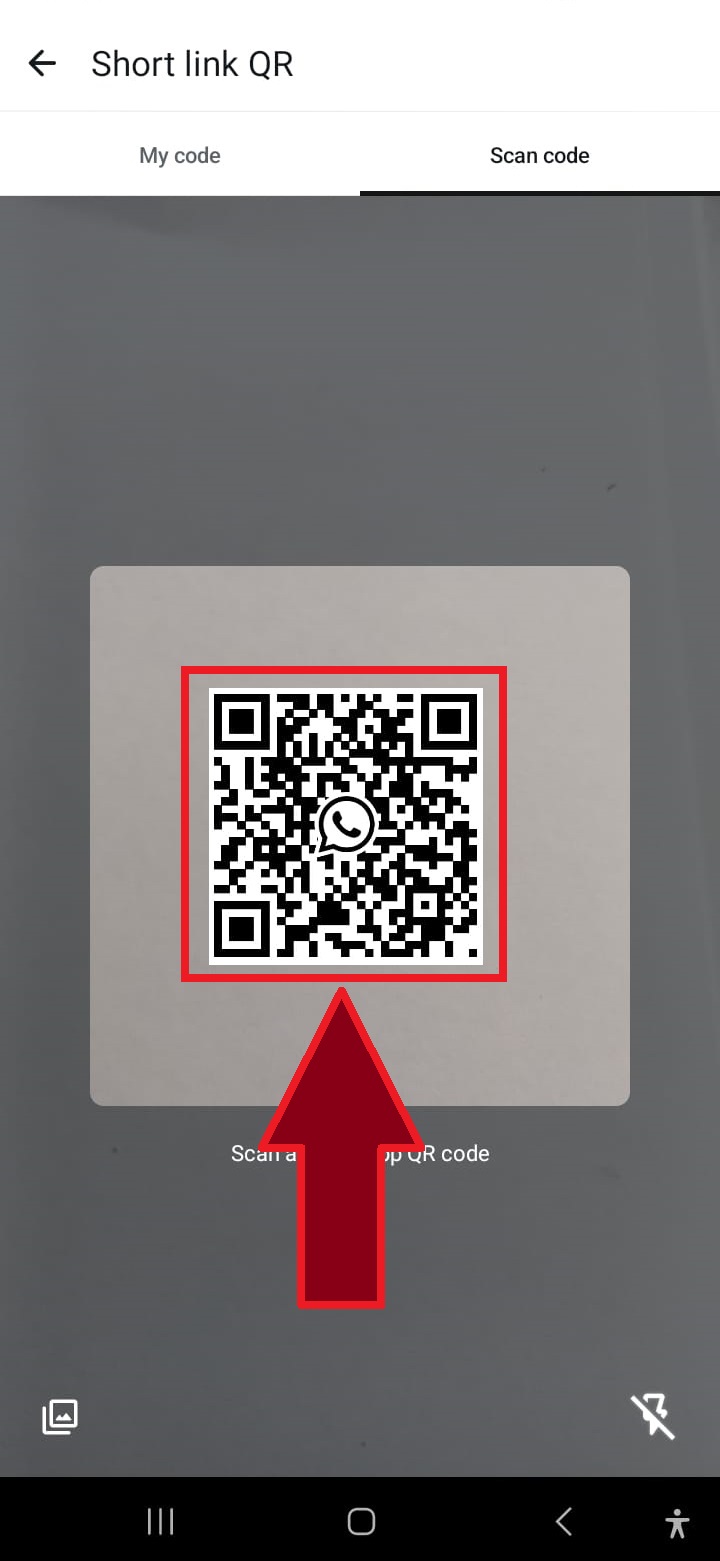
Scan de QR-code indien nodig opnieuw
In sommige gevallen is een tweede QR-codescan nodig om het proces te voltooien. Herhaal de scan gewoon.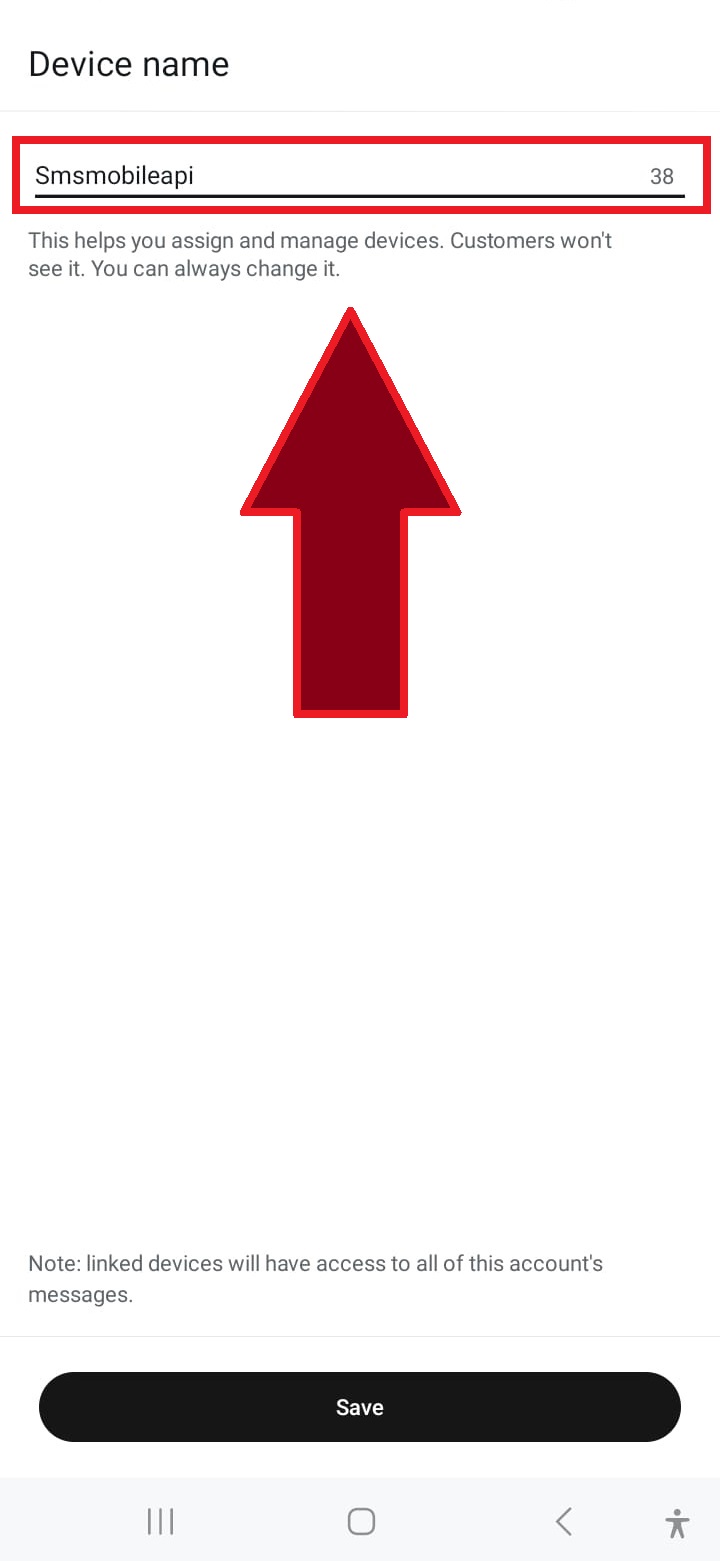
Geef de verbinding een naam
Voer een naam in voor de verbinding, bijvoorbeeld 'SMSMobileAPI', of kies een aangepaste naam om de verbinding te identificeren.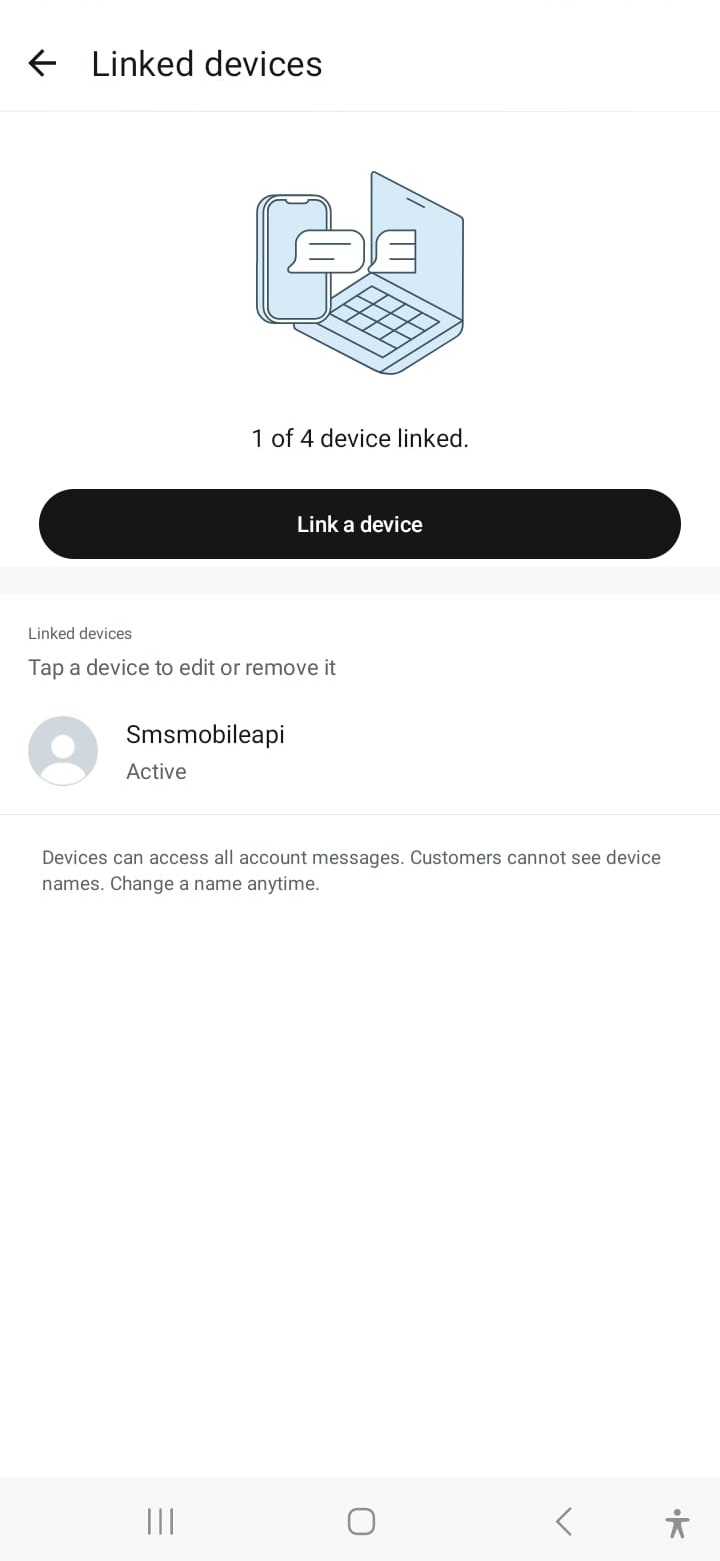
Verbinding succesvol
Zodra u verbinding hebt gemaakt, is uw WhatsApp-account gekoppeld en kunt u naadloos berichten versturen via de SMSMobileAPI.Wanneer de communicatie is bevestigd, kunt u onze API gebruiken om WhatsApp-berichten rechtstreeks vanuit uw eigen systeem te verzenden met behulp van eenvoudige HTTP-verzoeken. Onze API is compatibel met PHP, webservices, WooCommerce, Shopify, Zapier, Python en vele andere platforms. Wij bieden een eenvoudig te gebruiken API-verzoek dat naadloze integratie met uw WhatsApp-account mogelijk maakt.

Officiële mobiele applicatie
De veilige brug tussen uw telefoon, dashboard en API.
SMS- en oproepoperaties gaan door via de officiële SMSMobileAPI-app die op uw aangesloten telefoon is geïnstalleerd. De app koppelt het apparaat veilig met uw account, synchroniseert geautoriseerde evenementen en koppelt het mobiele netwerk aan het dashboard en REST API.
1Mobiele appVergelijkt de telefoon en de SIM
2Versleutelde verwijzingAuthenticeert en beschermt gegevens tijdens de doorvoer
3Dashboard & APIControleert workflows en activiteit
- Ondertekende releases verspreid via de officiële Google Play en Apple App Store lijsten
- Google en Apple platform review, ondertekening en distributie controles
- Veilige apparaat koppeling, HTTPS transport en geauthentiseerde API toegang
- Alleen de rechten die nodig zijn voor de mobiele functies die u aanroept


