

Sådan linker du WhatsApp til SMS Mobile API
Følg denne trin-for-trin guide for sikkert og nemt at linke din WhatsApp-konto til SMS Mobile API. Denne proces er gratis og sikrer, at dine beskeder problemfrit kan sendes og administreres gennem API'en. Med blot et par tryk forbinder du din WhatsApp-konto og låser op for kraften i automatiseret kommunikation.Hvert trin er illustreret nedenfor for at hjælpe dig med at fuldføre processen uden besvær.
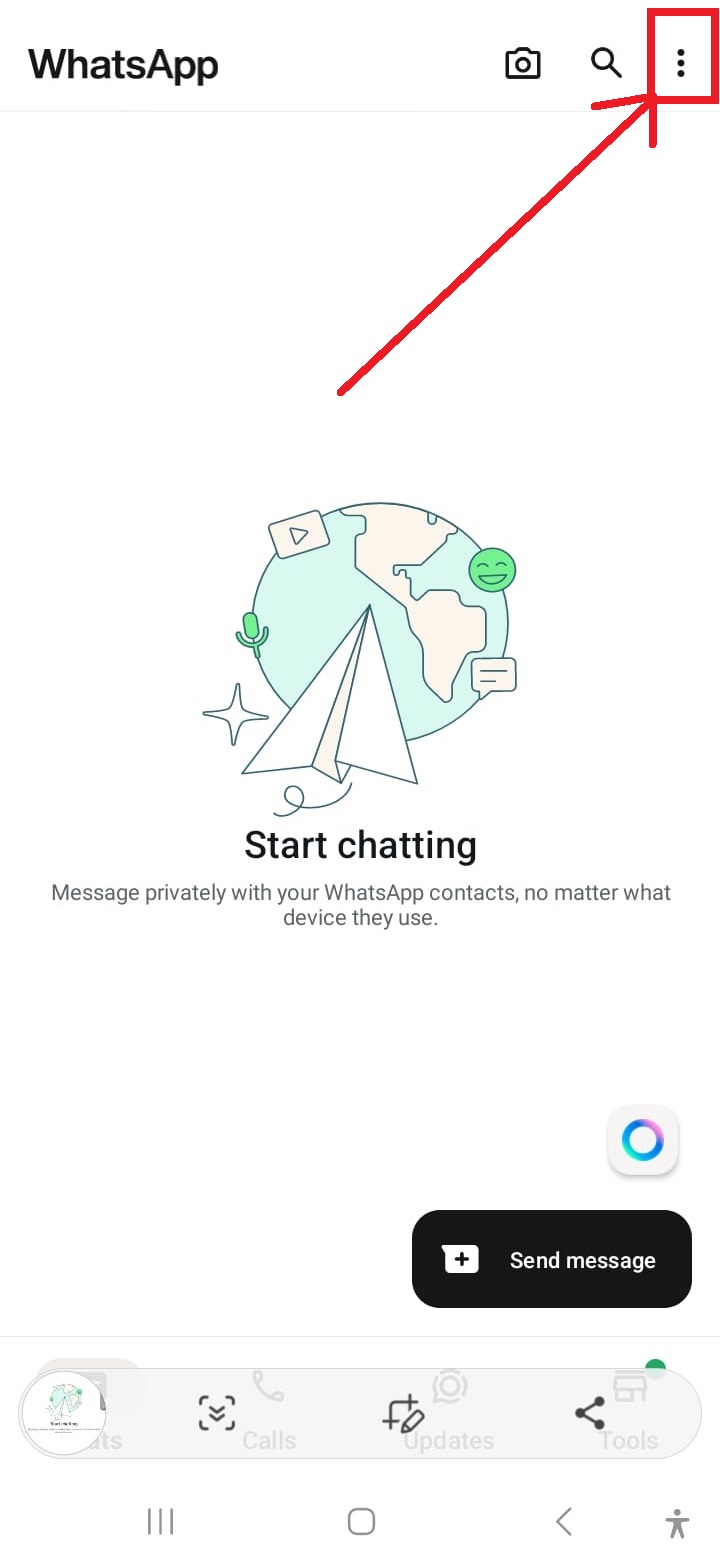
Åbn WhatsApp-indstillinger
Tryk på de tre prikker i øverste højre hjørne af WhatsApp-grænsefladen for at få adgang til indstillingsmenuen.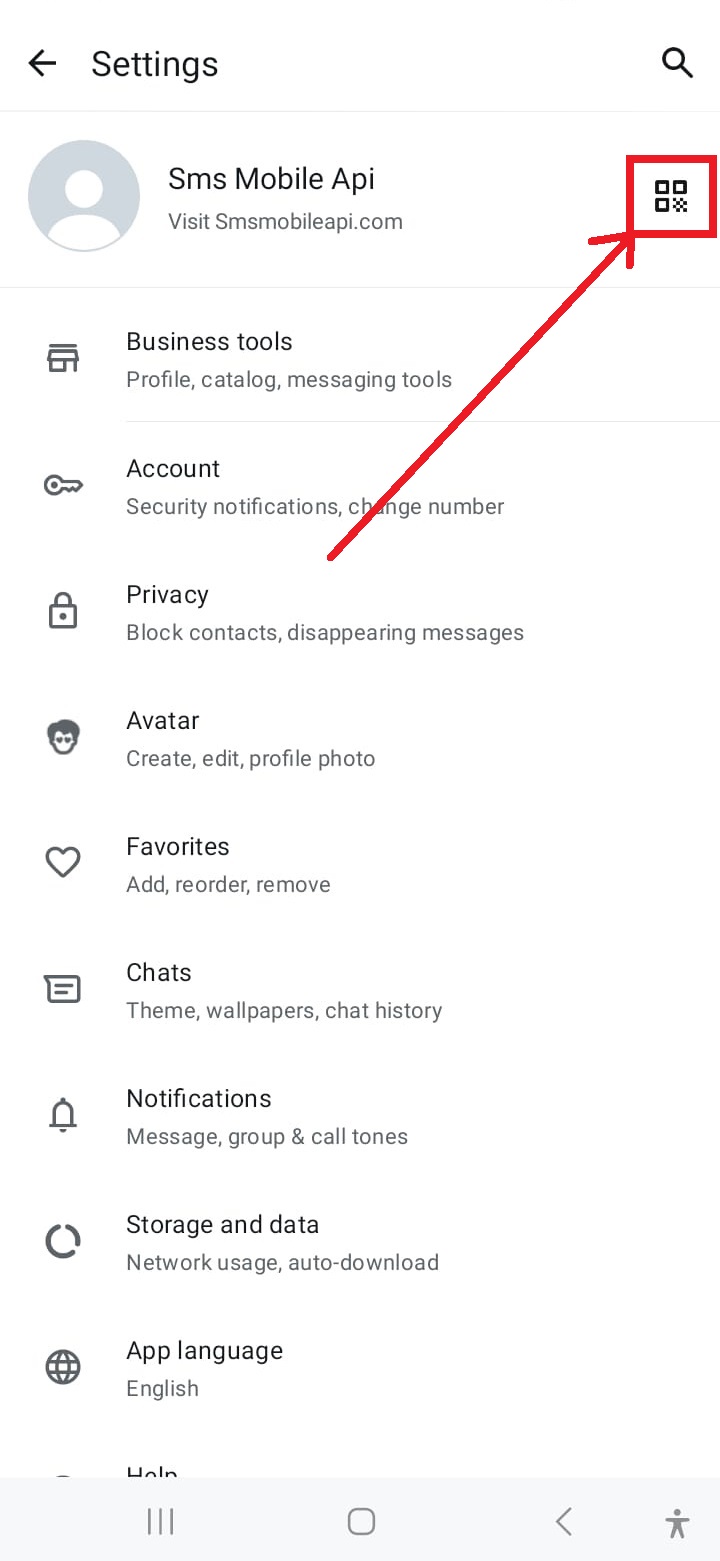
Få adgang til QR-kodescanner
Tryk på QR-kodeikonet i øverste højre hjørne af indstillingsskærmen for at starte sammenkædningsprocessen.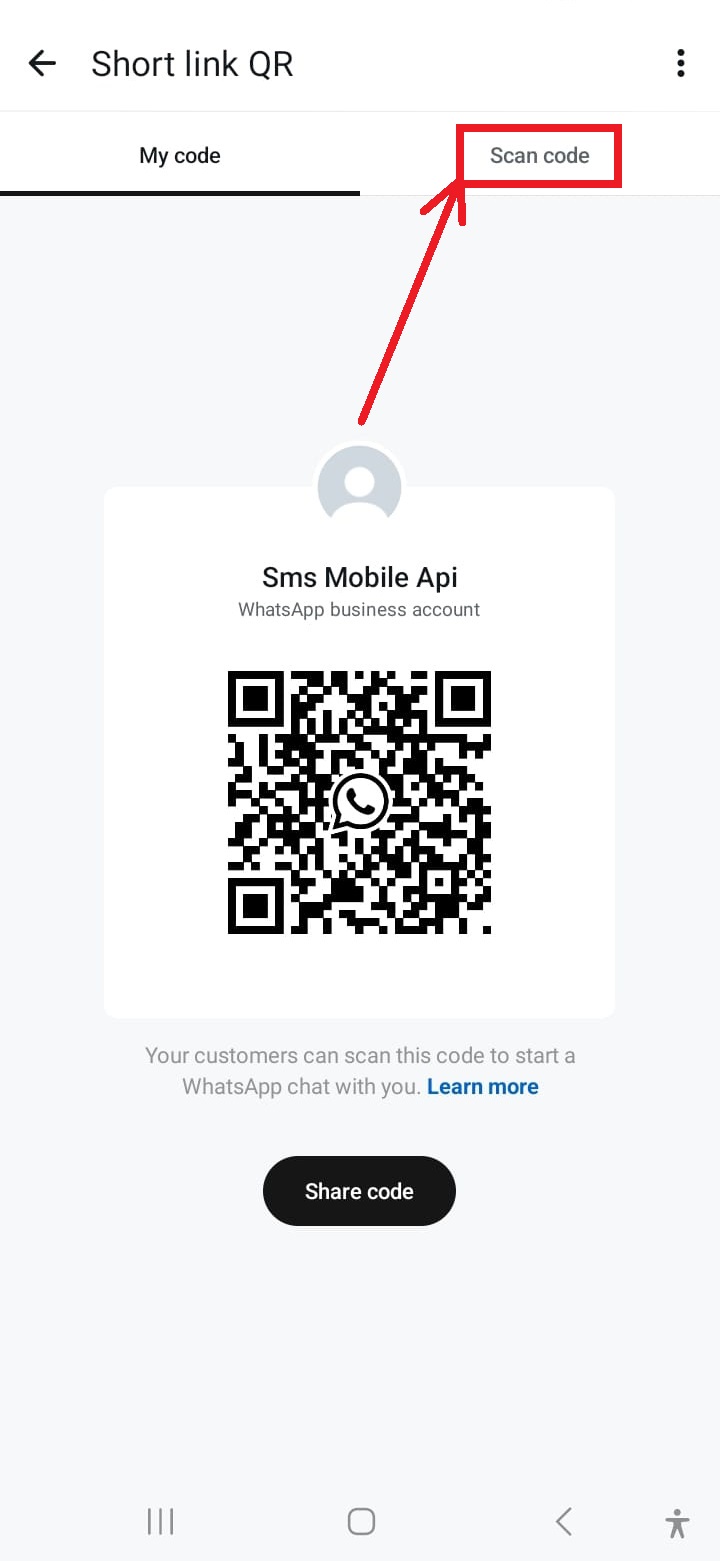
Aktiver kameraet til scanning
Tryk på "Scan QR-kode" i menuen for at aktivere din telefons kamera til scanning.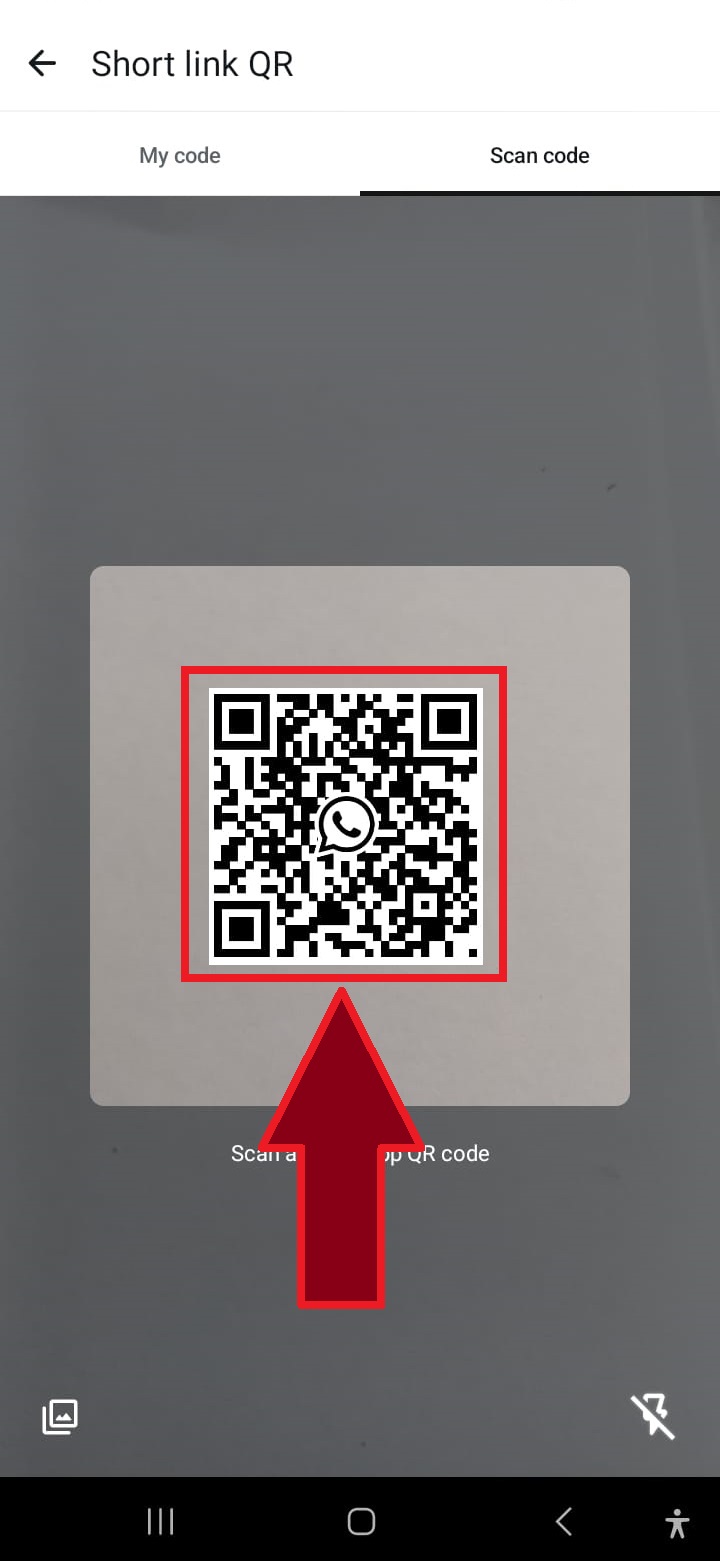
Scan QR-koden
Ret din telefons kamera mod QR-koden, der vises på webstedet, for at forbinde WhatsApp til SMSMobileAPI.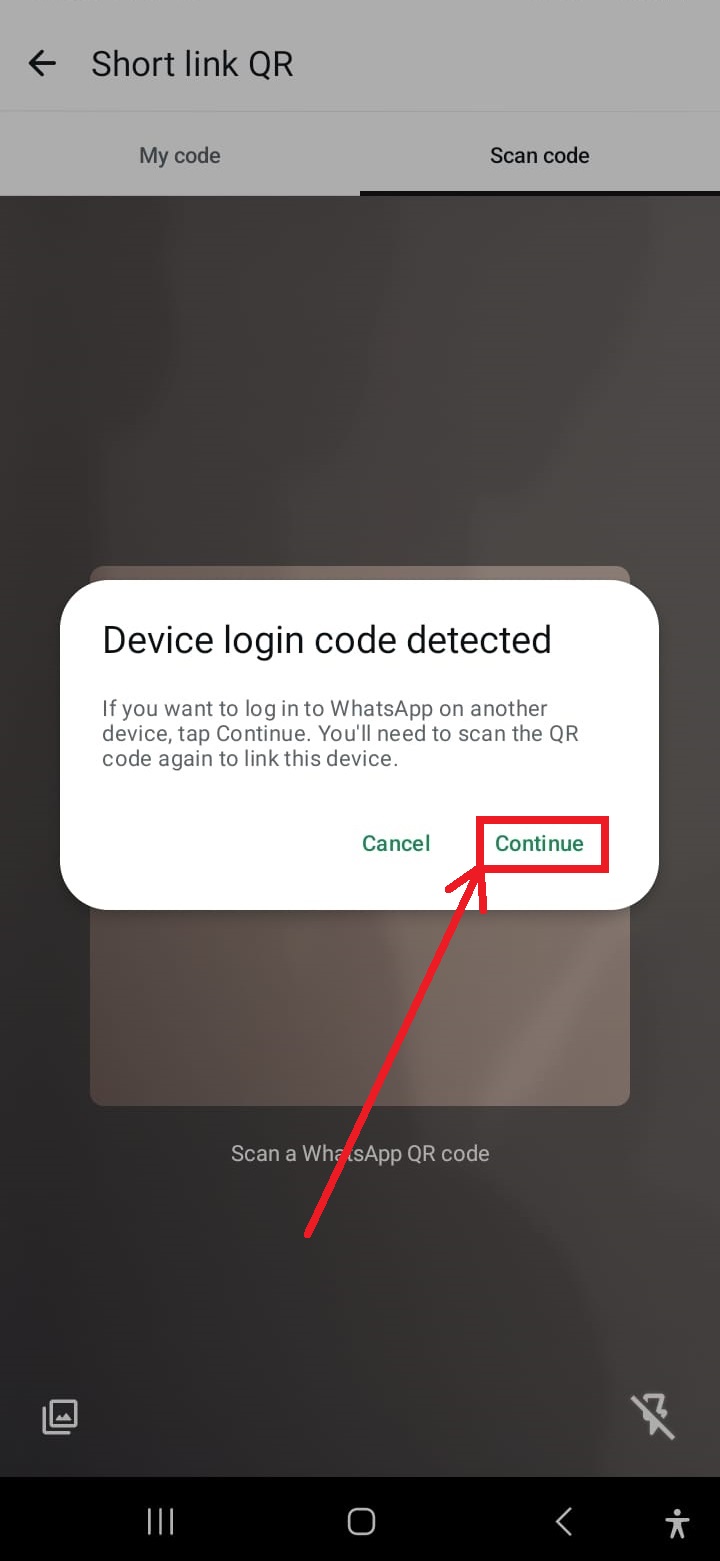
Klik på "Fortsæt", hvis du bliver bedt om det
Hvis du bliver bedt om at genstarte handlingen, skal du trykke på "Fortsæt" for at fortsætte med QR-kodescanningen.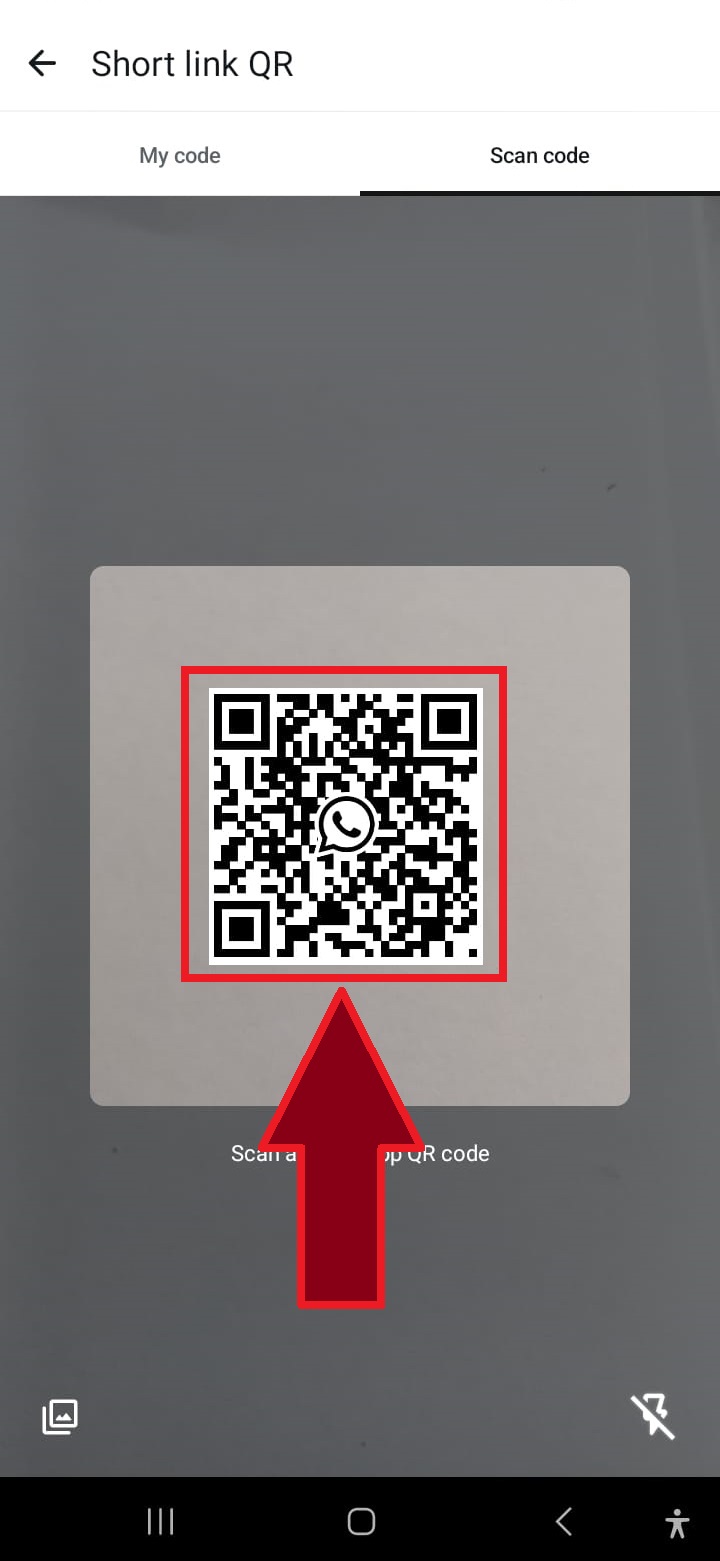
Scan QR-koden igen, hvis det er nødvendigt
I nogle tilfælde kan det være nødvendigt med en anden QR-kodescanning for at fuldføre processen. Gentag blot scanningen.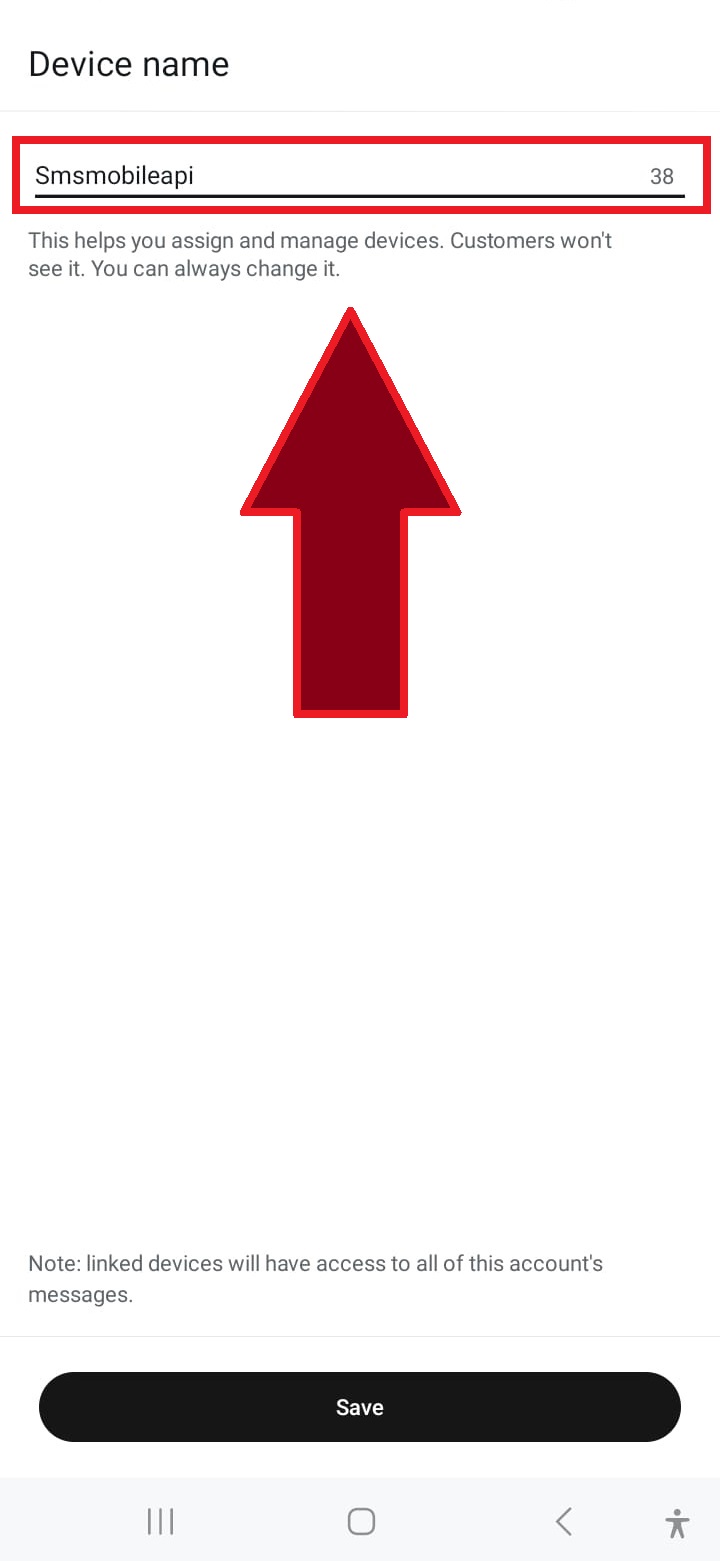
Navngiv forbindelsen
Indtast et navn for forbindelsen, såsom "SMSMobileAPI", eller vælg et brugerdefineret navn for at identificere den.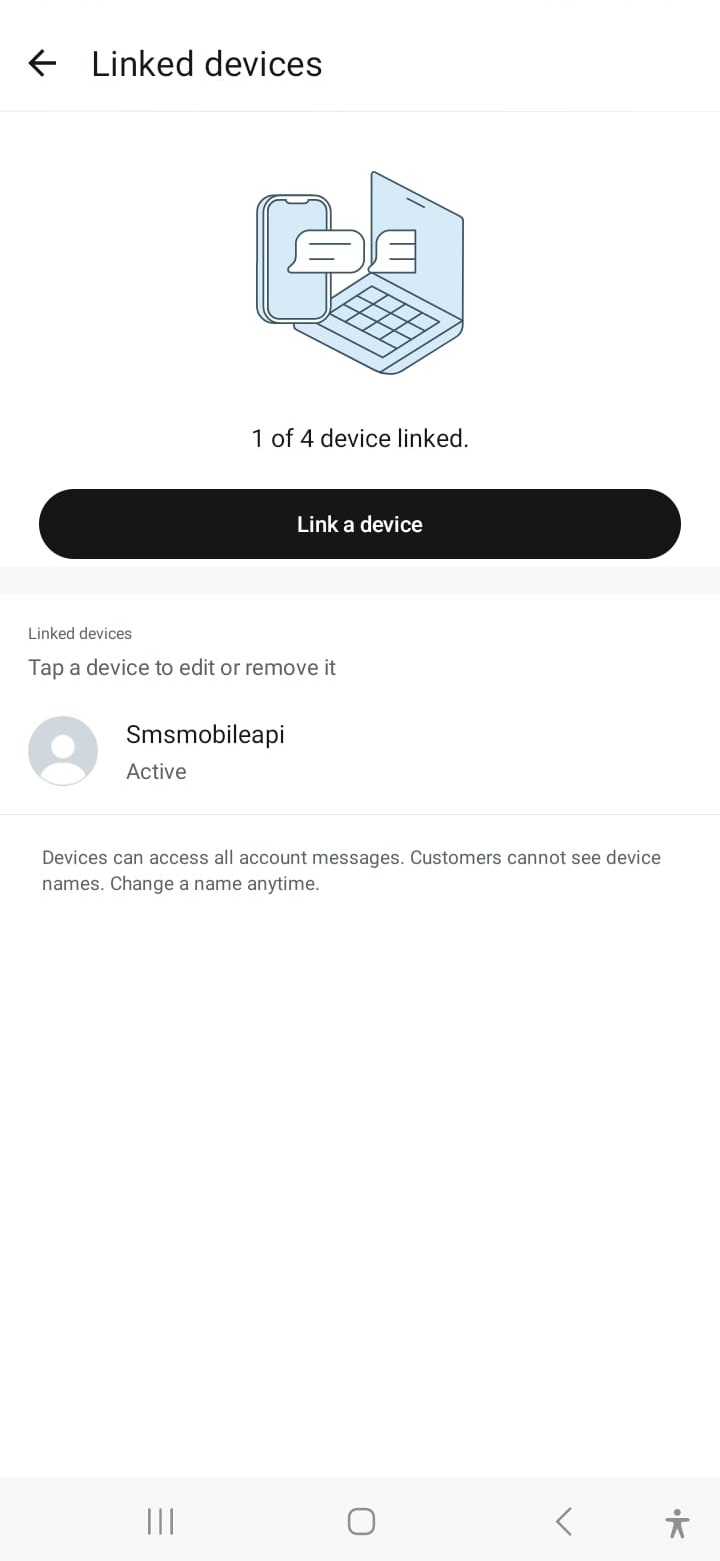
Forbindelsen lykkedes
Når du er tilsluttet, er din WhatsApp-konto forbundet, hvilket giver dig mulighed for at sende beskeder via SMSMobileAPI problemfrit.Når kommunikationen er bekræftet, kan du bruge vores API til at sende WhatsApp-beskeder direkte fra dit eget system ved hjælp af simple HTTP-anmodninger. Vores API er kompatibel med PHP, webtjenester, WooCommerce, Shopify, Zapier, Python og mange andre platforme. Vi leverer en brugervenlig API-anmodning, der tillader problemfri integration med din WhatsApp-konto.

Officiel mobilapplikation
Den sikre bro mellem telefonen, instrumentbrættet og API.
SMS og opkald operationer passere gennem den officielle SMSMobileAPI app installeret på din tilsluttede telefon. App sikkert parrer enheden med din konto, synkroniserer godkendte begivenheder og forbinder mobilnetværket til instrumentbrættet og REST API.
1Mobil appParerer telefonen og dens SIM
2Krypteret linkAutentificerer og beskytter data i transit
3Dashboard & # API #Styrer arbejdsgange og aktivitet
- Signerede udgivelser distribueret gennem de officielle Google Play og Apple App Store lister
- Google og Apple platform gennemgang, signaturer og distribution kontrol
- Sikker parring af enheden, HTTPS transport og autentificeret API adgang
- Kun de tilladelser, der kræves for de mobile funktioner, du aktiverer


