生产准备流动基础设施ZXXX-11-ZS ZXX-8-Z ^ ZXX-6-Z & iOS → 有文件记录的结束至结束探索平台
石窟画ZQQQ8Z- 第一位建筑安全设备配对交付可见度多设备控制已版本文件
SMSMobileAPI/产品

产品

实时聊天短信

Chat / Conversation — View & Send SMS from the Web What you get 🧵 Conversation View Left: received • Right: sent. Everything in time order. 📤 Send from the Web Type and send; your phone dispatches the SMS. 🔄 Auto-refresh New messages appea…

连接安全短信网关和云基础设施的移动电话
移动短信基础设施
Chat / Conversation — View & Send SMS from the Web

您能得到什么

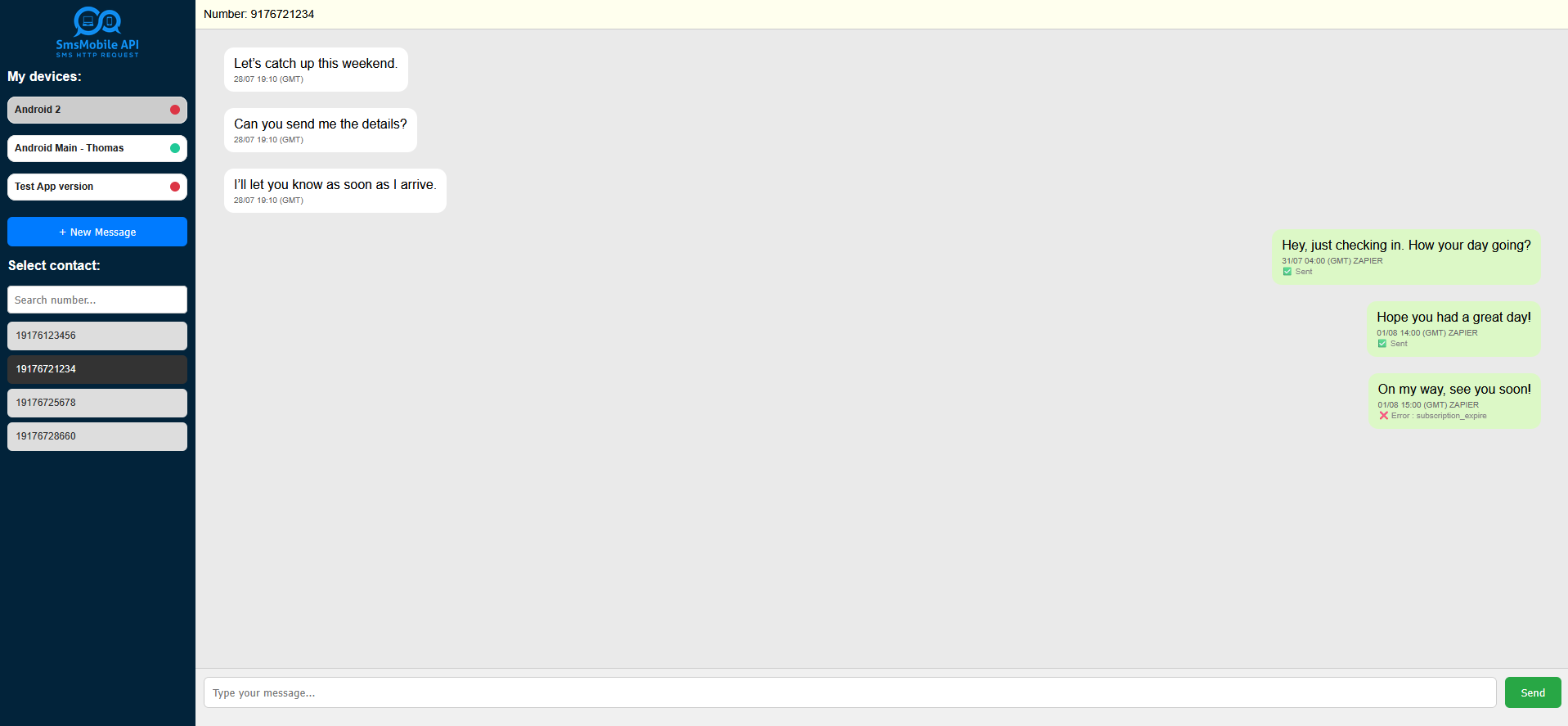
🧵 对话视图

左图:已收到 • 右图:已发送。所有信息均按时间顺序排列。

📤 从网络发送

输入并发送;您的手机将发送短信。

🔄 自动刷新

新消息会自动出现在线程中。

📱 多手机

连接多部手机,一键切换。

快速预览

消息由您连接的手机发送。回复会返回到同一对话中。

⚙️工作原理

1连接你的手机

在您的手机上安装并登录 SMSMobileAPI 应用。它会将您的设备链接到您的仪表板。

2打开聊天实时短信

在左侧面板中选择一个数字。我们会自动规范格式(+、00、前导零),以便正确地对消息进行分组。

3正常聊天

从网络发送;您的手机会发送短信。收到的回复会立即显示在同一会话中。


如何访问实时聊天短信

入门快捷又简单:

  1. 登录您的SMSMobileAPI 仪表板.
  2. 点击大“实时聊天短信”主菜单中可用的按钮。
  3. 聊天打开后,您可以复制安全链接从浏览器的地址栏中将其保存到桌面或书签,以便随时访问。

提示:将安全链接加入书签可以让您直接跳转到对话视图,而无需浏览仪表板。

📌 用例

我们的对话视图不仅仅用于聊天 - 您可以按照以下方法使其为您的企业或团队服务:

📱 集中管理多部手机

如果您使用多部手机,您可以在一个仪表板中查看所有收到和发出的短信。

👥 团队信息中心

将来自技术团队、销售和其他部门的消息集中到一处,以便更快地跟进。

🔍 监控传入流量

实时关注收到的短信——非常适合支持台或紧急警报。

🛠 移动车队管理

通过一个控制面板管理和跟踪您公司的移动设备和短信活动。

隐私优先

您的消息来自你的电话号码。仪表板可让您查看、搜索和回复;您的手机仍然是记录的发送者。

您可以随时断开任何设备的连接。

要求

  • 激活 SMSMobileAPI 帐户 + API 密钥
  • SMSMobileAPI 应用程序已连接到您的手机
  • 手机上的网络访问,用于发送/接收

常问问题

信息是从我自己的电话号码发来的吗?
是的。网页界面会触发您的手机发送短信,因此收件人会看到您的真实号码。
我可以管理多部手机吗?
是的。连接多个设备并在左侧面板中切换号码。
如果数字以不同的格式出现会怎样?
我们对格式进行规范化(例如 +1、001、0……),以便将来自/发送给同一联系人的所有消息分组。
有自动刷新吗?
是的。对话会自动更新;您也可以手动刷新。

The secure SMSMobileAPI mobile app connecting a phone to the web dashboard and REST API for SMS and call operations
Encrypted mobile-to-platform connection

Official mobile application

The secure bridge between your phone, dashboard and API.

SMS and call operations pass through the official SMSMobileAPI app installed on your connected phone. The app securely pairs the device with your account, synchronizes authorized events and links the mobile network to the dashboard and REST API.

1Mobile appPairs the phone and its SIM 2Encrypted linkAuthenticates and protects data in transit 3Dashboard & APIControls workflows and activity
  • Signed releases distributed through the official Google Play and Apple App Store listings
  • Google and Apple platform review, signing and distribution controls
  • Secure device pairing, HTTPS transport and authenticated API access
  • Only the permissions required for the mobile features you enable
Get the official SMSMobileAPI app on Google Play Download the official SMSMobileAPI app on the Apple App Store
Capabilities depend on the permissions and background access allowed by Android or iOS.