

Ne elde edersiniz
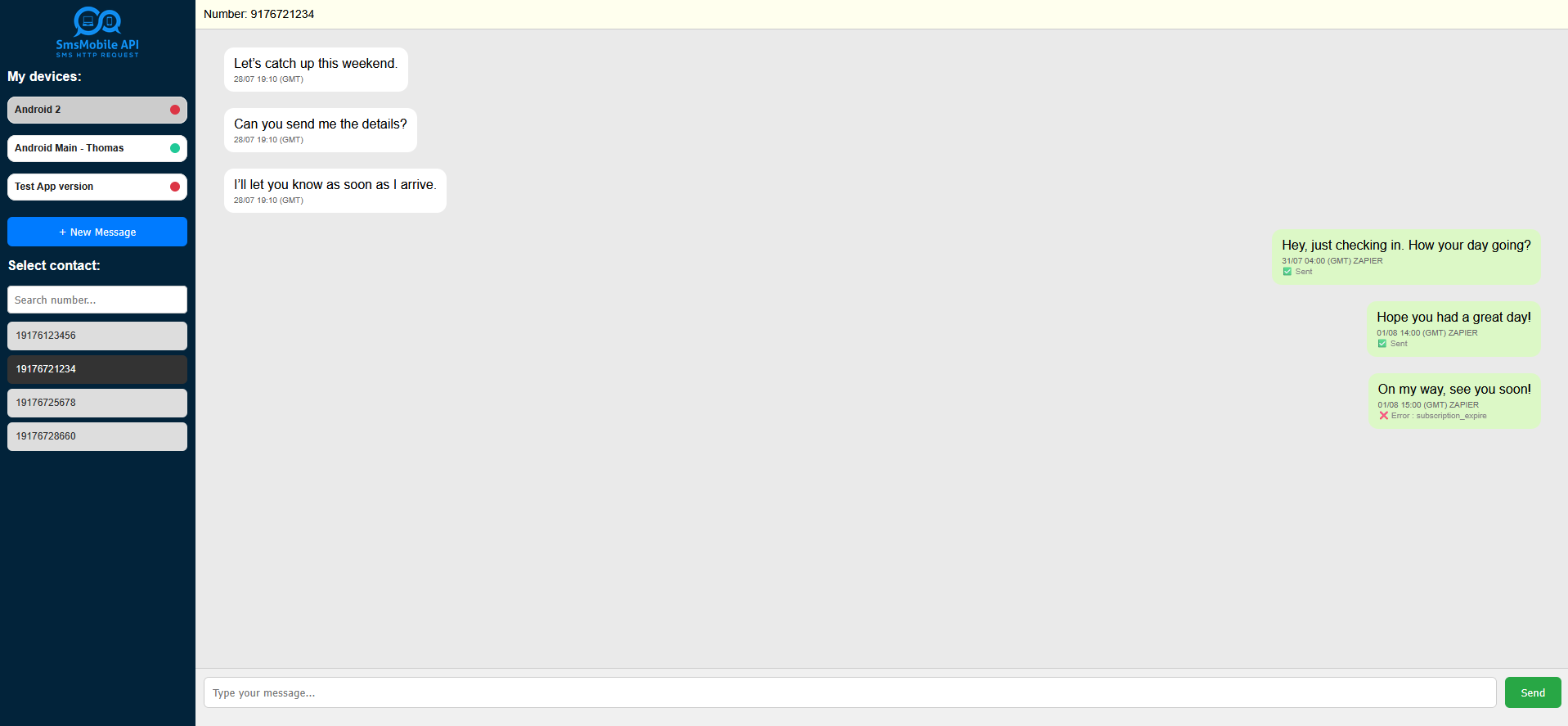
Talk View
Sol: aldı • Doğru: gönderildi. Zaman düzenindeki her şey.
the Web'den Gönder
Tip ve gönderi; telefonunuz SMS'i gönderir.
Auto-refresh
Yeni mesajlar, iplikte otomatik olarak görünür.
phone Multi-phone
Birden fazla telefona bağlanın ve bir tık içinde değiştirin.
Hızlı önizleme
Mesajlar bağlantılı telefon tarafından gönderilir. Aynı sohbette arazi geri dönerler.
⚙️Nasıl çalışır
1Telefonunuzu (s) bağlayın
Telefonunuzda SMSMobileAPI uygulamasına yükleme ve işaret edin. Cihazınızı paniğe bağlar.
2Açık Sohbet Canlı SMS
Sol panelde bir numara seçin. Otomatik normalleştirme biçimleri (+, 00, lider sıfırlar) grup mesajları doğru şekilde.
3normalde Sohbet
Web'den gönderin; telefonunuz SMS gönderir. Gelen cevaplar aynı pozisyonda anında ortaya çıkıyor.
Chat Live SMS Nasıl Erişilir
Başlamak hızlı ve kolay:
- Giriş yapınSMSMobileAPI Pano.
- Büyüklere tıklayın""Chat Live SMS"Ana menüde mevcut düğme.
- Sohbet başladığında, yapabilirsinGüvenli bağlantıyı kopyalayınTarayıcınızın adresi barından ve her zaman anında erişim için masaüstüne veya kitap işaretlerinize tasarruf edin.
İpucu: Güvenli bağlantınızı belirtmek, panodan atmadan doğrudan konuşma görüşinize atlamanıza olanak sağlar.
Use cases
Konuşma görüşümüz sadece sohbet için değil - işte işinizi veya ekibiniz için nasıl çalışabilirsiniz:
Birden çok telefona merkezi
Birkaç mobil kullanıyorsanız, gelen tüm gelen ve giden SMS'leri tek bir panelde görürsünüz.
Team message hub
Teknik ekibinizden, satışlarınız ve diğer bölümlerden gelen gruplar daha hızlı takip için bir yere mesaj verirler.
Monitor gelen trafik
Gerçek zamanlı gelen SMS üzerinde bir göz tutun - destek masası veya acil uyarılar için mükemmel.
Mobile filosu yönetimi
Şirketinizin mobil cihazlarını ve SMS aktivitelerini bir kontrol panelinden yönetin.
Privacy-ilk
Mesajlarınız sizden gönderilirTelefon numaranızPanel, görüntünüzü, aramanızı ve cevabınızı sağlar; telefonunuz kayıt gönderileyicisi kalır.
Herhangi bir zamanda herhangi bir cihazı kesebilirsiniz.
Gereksinimler Gereksinimler Gereksinimler
- Aktif SMSMobileAPI hesabı + API anahtar anahtarı
- SMSMobileAPI uygulama telefonunuzda bağlantılı
- Ağ göndermek için telefona erişim / algılama
FAQ
Mesajlar kendi telefon numaramdan mı geliyor?
Birden fazla telefonu yönetebilir miyim?
Bir sayı farklı formatlarda görünürse?
Bir oto-refresh var mı?



Resmi mobil uygulama
Telefonunuz, kontrol paneliniz ve API arasındaki güvenli köprü.
SMS ve çağrı işlemleri, bağlı telefonunuza yüklenen resmi SMSMobileAPI uygulaması üzerinden geçer. Uygulama, cihazı güvenli bir şekilde hesabınızla eşleştirir, yetkili etkinlikleri senkronize eder ve mobil ağı kontrol paneline ve REST API'ye bağlar.
- Resmi Google Play ve Apple App Store listeleri aracılığıyla dağıtılan imzalı sürümler
- Google ve Apple platform incelemesi, imzalama ve dağıtım kontrolleri
- Güvenli cihaz eşleştirme, HTTPS aktarımı ve kimlik doğrulamalı API erişimi
- Yalnızca etkinleştirdiğiniz mobil özellikler için gerekli izinler


