
SMS per API senden
Senden Sie SMS von API für Softwareentwickler
Senden Sie SMS über ein REST API, während die Nachricht von Ihrem eigenen verbundenen Mobiltelefon und Ihrer Mobiltelefonnummer gesendet wird.
SMSMobileAPI verbindet Ihr eigenes Mobilgerät mit einem professionellen Dashboard und REST API. Die mobile App schafft die sichere Brücke zwischen dem Telefon, dem Dashboard und Ihrer Software, so dass Teams SMS senden, SMS empfangen, Anrufereignisse überprüfen und den Betriebsverlauf zentralisieren können.
- Verwenden Sie Ihre eigene Handynummer und SIM, wo der Workflow es erfordert
- Verbinden Sie ein oder mehrere Telefone mit demselben Konto
- Halten Sie SMS, Anrufereignisse, Protokolle und Gerätestatus im Dashboard sichtbar
- Repräsentieren Sie empfangene SMS, gesendete SMS, eingehende Anrufe, ausgehende Anrufe und verpasste Anrufe auf einer detaillierten periodenbasierten Zeitleiste für mobile Aktivitäten
- Integrieren Sie durch dokumentierte REST-Endpunkte, SDKs, Plugins oder No-Code-Tools
- Behalten Sie Preisfragen, die an die Preisseite gerichtet sind, anstelle von Hardcoding-Beträgen
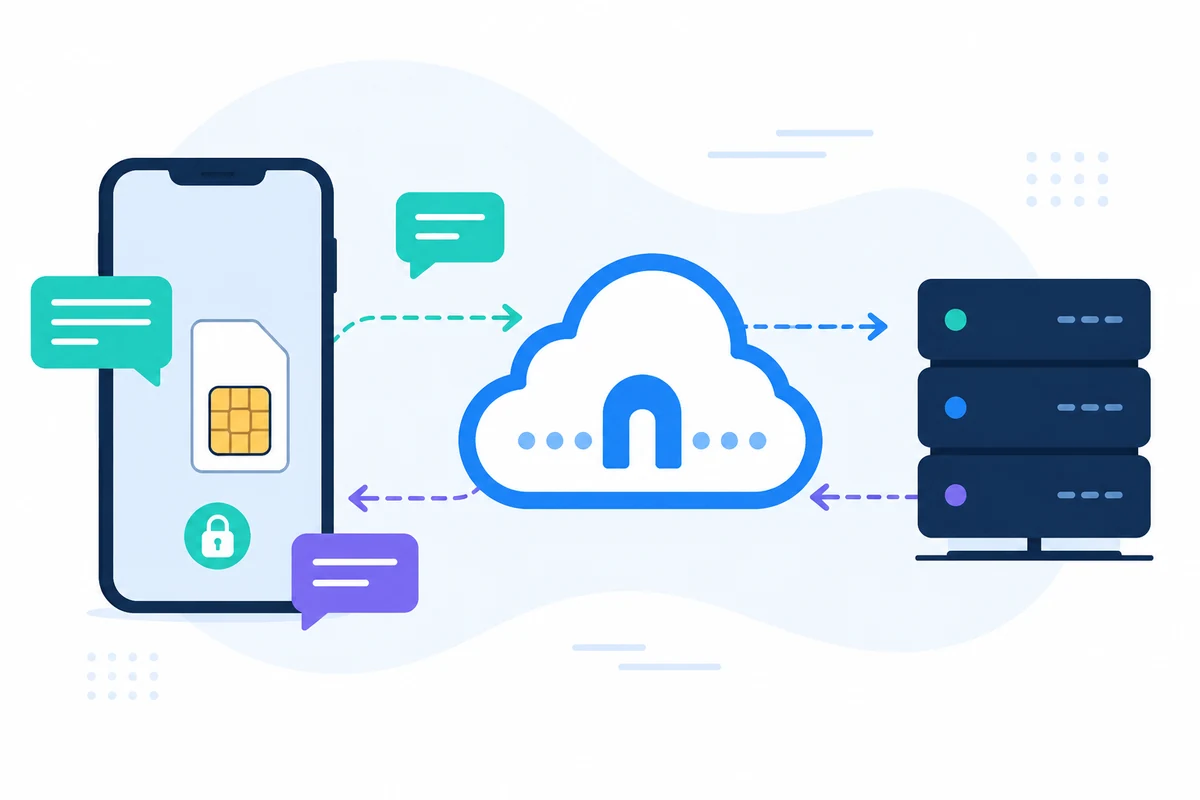
Warum dieser Senden SMS von API Ansatz anders ist
REST
Einfache HTTPS-Anfrage
Verwenden Sie einen dokumentierten Endpunkt und eine JSON-Antwort anstelle von benutzerdefinierten Modembefehlen.

MOBILE LIEFERUNG
Ihr angeschlossenes Telefon sendet die Nachricht
Die API erstellt die Anfrage und die offizielle mobile App übernimmt die mobile Lieferung.
PROTOKOLLE
Verfolgen Sie jeden Request
Überprüfen Sie gesendete Nachrichtenhistorie, Antwortkennungen und Lieferkontext im Dashboard.

INTEGRATIONEN
Verwenden Sie Code, Plugins oder No-Code-Tools
Verbinden Sie das gleiche API mit PHP, Python, Zapier, WooCommerce, Shopify oder Ihrem eigenen Backend.
Beispiel API Anfrage
Der genaue Endpunkt hängt von der Funktion ab, die Sie verwenden. Ein grundlegender Sende-Workflow authentifiziert die Anforderung mit Ihrem API-Schlüssel, dann leitet SMSMobileAPI die Aktion an die angeschlossene mobile App weiter.
curl 'https://api.smsmobileapi.com/sendsms/?recipients=12345678910&message=Your%20code%20is%204218&apikey=YOUR_API_KEY'{"result":{"error":0,"sent":"1","note":"sent by mobile"}}FAQ
Kann ich SMS von meiner eigenen Nummer senden?
Ja. Die Nachricht wird von Ihrem angeschlossenen Handy gesendet, so dass die Absenderidentität an dieses Telefon und SIM gebunden ist.
Welche Antwort sollte mein System speichern?
Speichern Sie die zurückgegebene Kennung und den Status, damit spätere Protokolle und Support-Prüfungen korreliert werden können.
Kann ich vor der Produktion testen?
Ja. Verwenden Sie das API-Testwerkzeug oder die schrittweise erste SMS-Anleitung.
Nächster Schritt
Bauen Sie den Workflow mit Ihrer eigenen vernetzten mobilen Infrastruktur auf.
Beginnen Sie mit der entsprechenden Dokumentation, testen Sie dann mit einem angeschlossenen Mobilgerät, bevor Sie auf eine vollständige Flotte skalieren.

Offizielle mobile Anwendung
Die sichere Brücke zwischen Ihrem Telefon, Dashboard und API.
SMS- und Anrufvorgänge werden über die offizielle SMSMobileAPI-App abgewickelt, die auf Ihrem angeschlossenen Telefon installiert ist. Die App koppelt das Gerät sicher mit Ihrem Konto, synchronisiert autorisierte Ereignisse und verbindet das Mobilfunknetz mit dem Dashboard und REST API.
- Signierte Releases, die über die offiziellen Google Play- und Apple App Store-Listen verteilt werden
- Google und Apple Plattform Überprüfung, Signierung und Verteilungskontrollen
- Sichere Gerätepaarung, HTTPS-Transport und authentifizierter API-Zugang
- Nur die Berechtigungen, die für die von Ihnen aktivierten mobilen Funktionen erforderlich sind


