

如何配置短信移动API的访问权限
为了确保 SMS Mobile API 顺利运行并满足您的需求,请务必验证您的移动设备是否授予通过我们的移动应用程序发送短信所需的访问权限。通过启用这些权限,您将解锁 SMS Mobile API 的全部功能,从而直接从手机无缝发送短信。步骤 1:进入设置
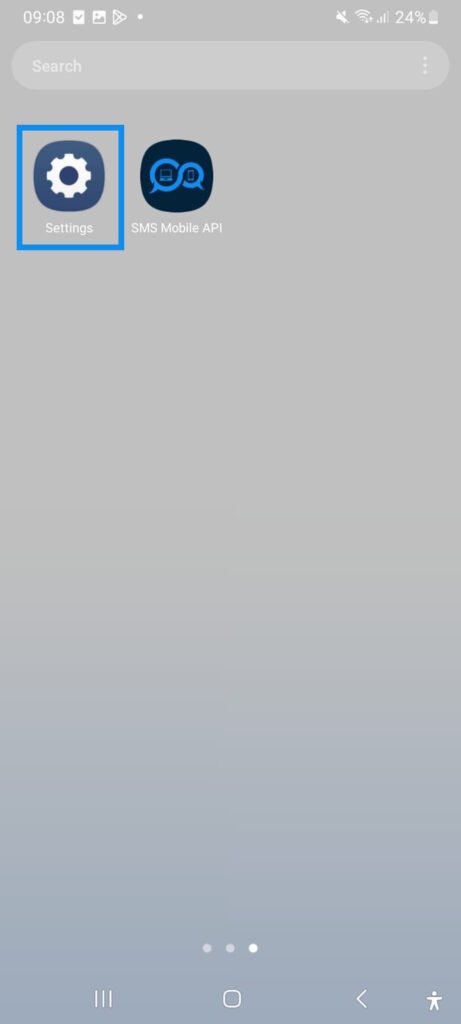
点击 '设置' 开始使用 SMS Mobile API 配置短信访问权限!通过允许 SMS Mobile API 顺利运行所需的权限来确保无缝短信通知。立即开始解锁从您的手机轻松、直接进行短信管理!
与其他服务不同,我们的 SMS Mobile API 应用经过 Google 和 Apple 的全面验证和批准,表明我们对隐私和安全标准的承诺。SMS Mobile API 应用的每个版本都经过 Google 和 Apple 的严格检查,以符合其安全和隐私法规,让您每次都能安心并获得值得信赖的体验。
与其他服务不同,我们的 SMS Mobile API 应用经过 Google 和 Apple 的全面验证和批准,表明我们对隐私和安全标准的承诺。SMS Mobile API 应用的每个版本都经过 Google 和 Apple 的严格检查,以符合其安全和隐私法规,让您每次都能安心并获得值得信赖的体验。
第 2 步:进入应用程序列表
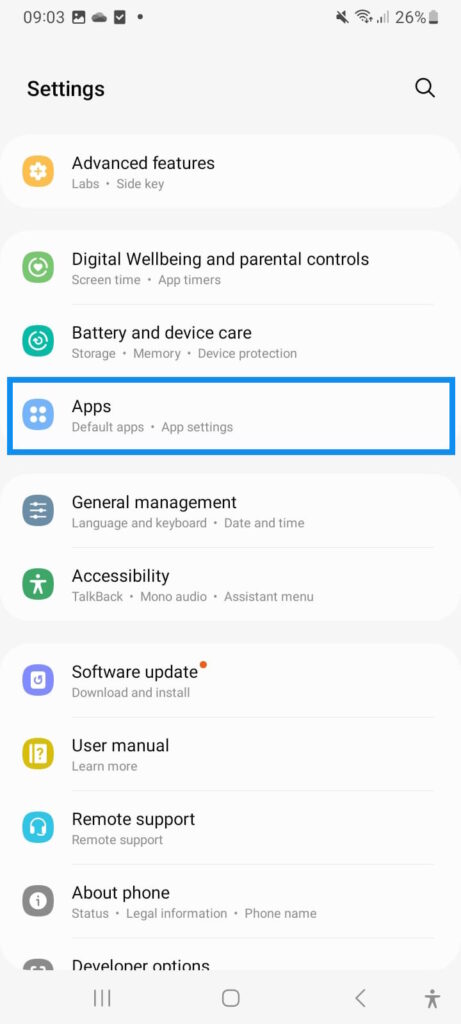
导航至“应用程序' 菜单可轻松搜索并选择 SMS Mobile API 应用程序。此菜单提供了一种快速查找应用程序并设置无缝 SMS 管理基本权限的方法。立即开始确保顺利运行并保持与 SMS Mobile API 的连接!
步骤 3:搜索并打开 SMS 移动 API 应用程序
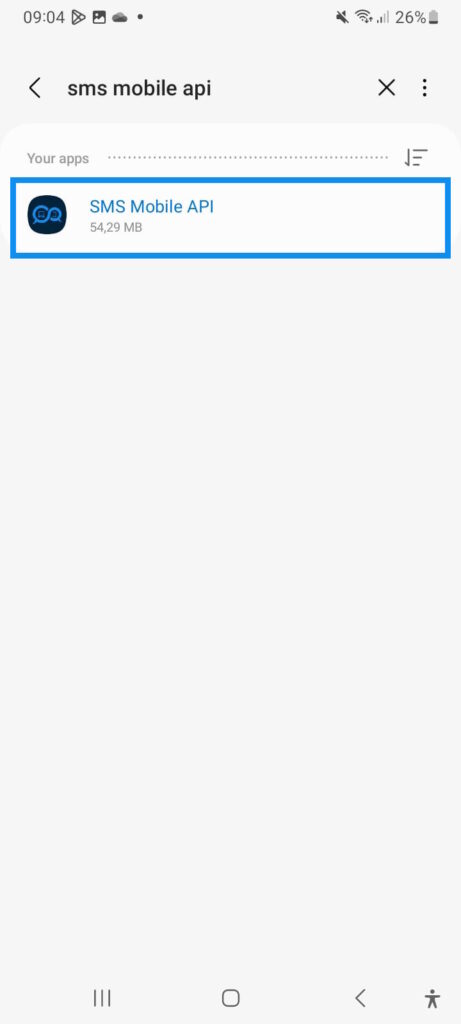
搜索并选择 SMS Mobile API 应用程序,开始简化短信管理。在设备设置中快速找到该应用程序,确保所有权限均已到位,以实现顺畅、高效的短信通信。立即开始使用 SMS Mobile API!
步骤 4:访问短信权限
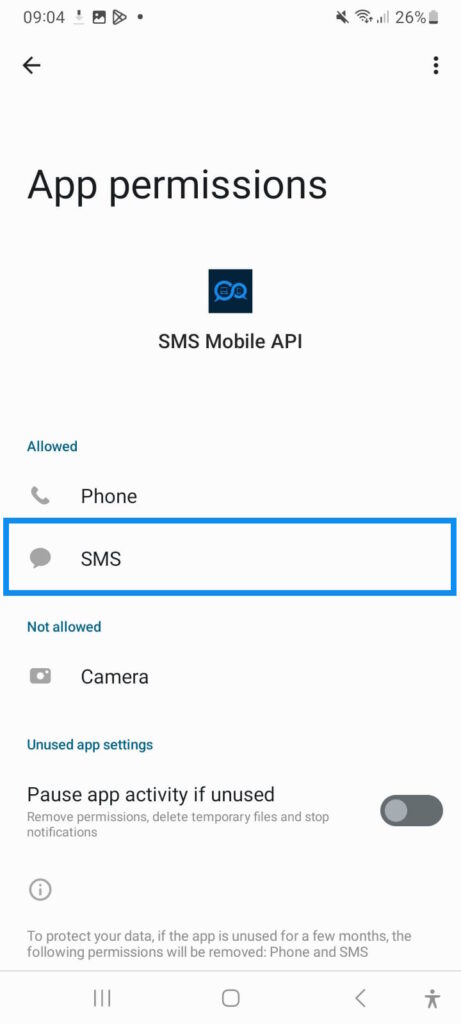
选择“SMS' 选项可访问和配置 SMS 权限设置,实现无缝通信。确保设置正确的权限可使 SMS Mobile API 顺利运行,提供可靠高效的 SMS 管理。从设置中选择“SMS”即可开始!
步骤 5:授予短信权限
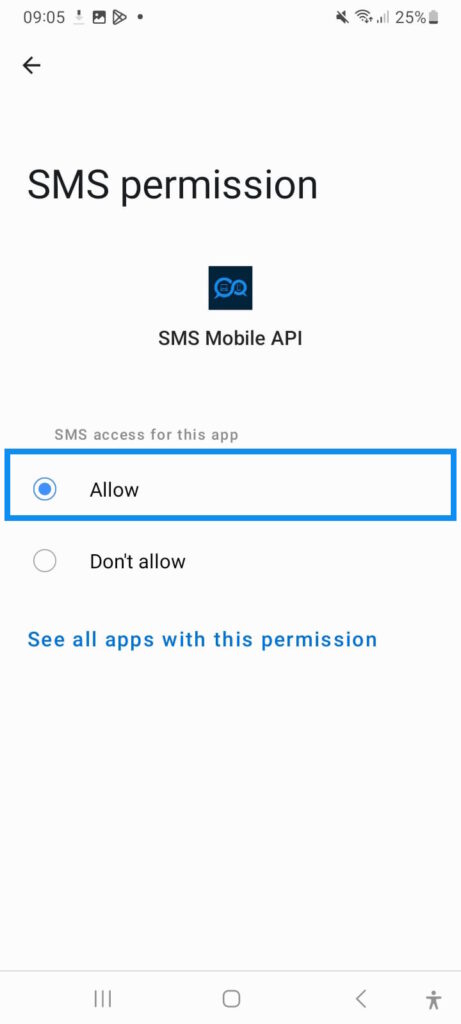
点击 '允许' 授予 SMS Mobile API 权限,以便通过 API 请求进行无缝 SMS 通信。请放心,此权限仅用于管理您通过我们的 API 发送的 SMS - 不涉及其他用途。为了加强我们为您提供专业工具的承诺,SMS Mobile API 是唯一获得 Android 和 Apple 授权发送 SMS 消息的应用程序。立即开始使用 SMS Mobile API 进行安全、高效的 SMS 管理!
第 6 步:授予电话权限
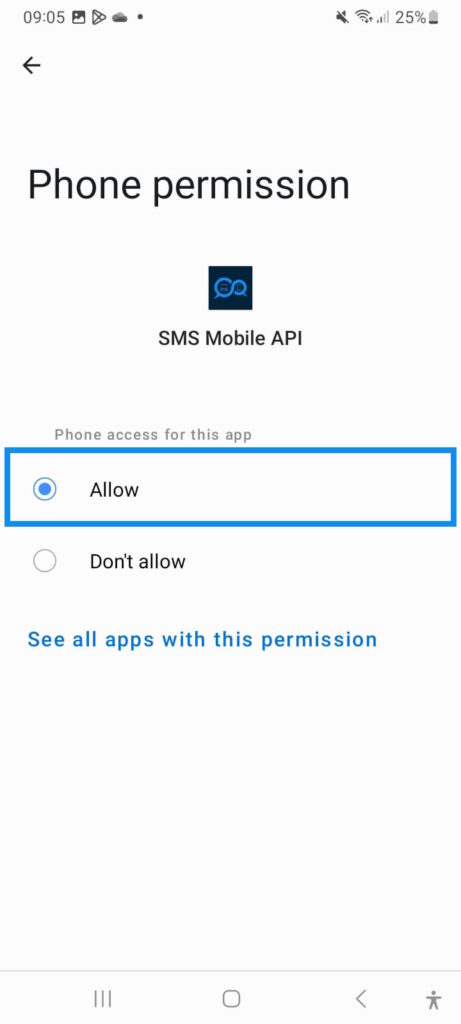
点击 '允许' 也可用于电话访问,以确保 SMS Mobile API 顺利运行。请放心,SMS Mobile API 仅请求有效运行所需的最低权限。您的隐私是首要任务,访问权限严格限制在 SMS 管理的基本功能上。SMS Mobile API 的安全性和最低权限要求让您充满信心地开始使用!
使用SMSMobileAPI意味着选择一个应用程序经过严格的测试和质量检查,确保您获得的不仅仅是一个应用程序,而是一个承诺,可靠性和透明度. 我们在Google Play 商店和苹果App Store. 苹果App Store (美国英语)证明了我们致力于卓越,为您提供不断更新的应用程序,以满足并超越所有平台用户的期望。SMSMobileAPI,你不只是下载一个应用程序;你正在拥抱一个值得信赖的沟通伙伴。 我们的用户友好界面和创新功能旨在增强您的消息传递体验,使其更加高效和令人愉悦。无论是个人使用还是专业使用,SMSMobileAPI满足您所有的沟通需求,提供最高标准的安全和表现.
不要满足于更少的移动应用程序需要。选择SMSMobileAPI在Google Play 商店或苹果App Store. 苹果App Store (美国英语)今天就体验一下认证, 已验证, 和平台认可应用程序可以制作。告别风险未经验证的 APK向世界问好无缝的, 安全的, 和稳定的移动通信和SMSMobileAPI.
下载 SMSMobileAPI从Google Play 商店或苹果App Store. 苹果App Store (美国英语)并提升你的沟通经验今天。
不要满足于更少的移动应用程序需要。选择SMSMobileAPI在Google Play 商店或苹果App Store. 苹果App Store (美国英语)今天就体验一下认证, 已验证, 和平台认可应用程序可以制作。告别风险未经验证的 APK向世界问好无缝的, 安全的, 和稳定的移动通信和SMSMobileAPI.
下载 SMSMobileAPI从Google Play 商店或苹果App Store. 苹果App Store (美国英语)并提升你的沟通经验今天。

官方移动应用程序
电话、仪表板和API之间的安全桥
短信和呼叫业务通过官员SMSMobileAPI应用程序安装在您的连接电话上 。 应用软件安全地将设备与您的账户对齐,同步了授权的事件,并将移动网络连接到仪表板和REST API.
1移动应用程序给手机和它的SIM配对
2加密链接认证和保护过境数据
3发牌机和 API控制工作流程和活动
- 通过Google Play和App Store官方上市发布签名的版本
- Google和苹果平台审查、签署和发行控制
- 安全设备对接、HTTPS运输和认证的API访问
- 仅为您启用的移动特性所需的权限


