
Προγραμματιστής SMS API
SMS API για προγραμματιστές για ομάδες μηχανικών
Κατασκευάστε SMS, έλαβε μήνυμα, κλήση, ειδοποίηση, WhatsApp και ροές εργασίας ηλεκτρονικού ταχυδρομείου με σαφή REST καταληκτικά σημεία και την παραγωγή προσανατολισμένη τεκμηρίωση.
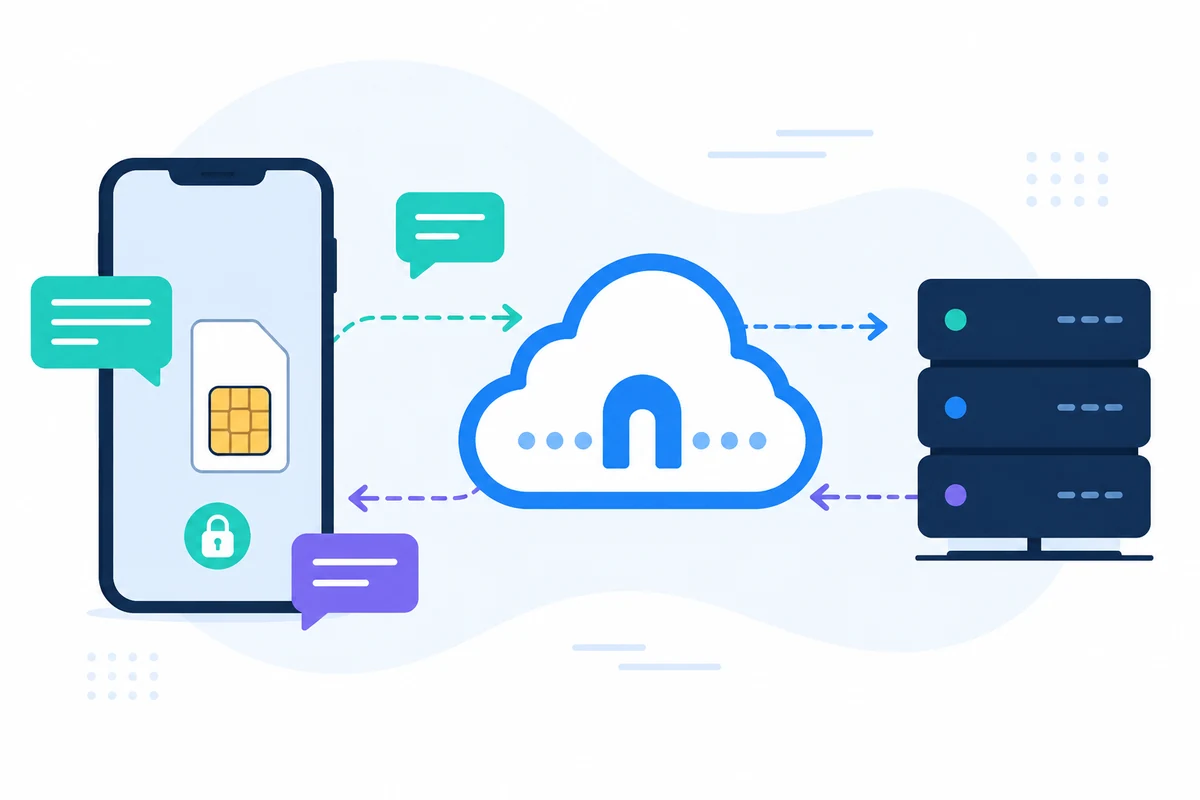
SMSMobileAPI συνδέει τη δική σας κινητή συσκευή με ένα επαγγελματικό ταμπλό και REST API. Η εφαρμογή για κινητά δημιουργεί την ασφαλή γέφυρα μεταξύ του τηλεφώνου, του ταμπλό και του λογισμικού σας, έτσι ώστε οι ομάδες μπορούν να στείλουν SMS, να λάβουν SMS, να επανεξετάσουν τα γεγονότα κλήσεων και να διατηρήσουν την επιχειρησιακή ιστορία συγκεντρωμένη.
- Χρησιμοποιήστε το δικό σας αριθμό κινητού και SIM όπου η ροή εργασίας το απαιτεί
- Σύνδεση ενός ή περισσότερων τηλεφώνων στον ίδιο λογαριασμό
- Διατήρηση SMS, γεγονότα κλήσεων, αρχεία καταγραφής και την κατάσταση της συσκευής ορατή στο ταμπλό
- Εκπρόσωπος έλαβε SMS, έστειλε SMS, εισερχόμενες κλήσεις, εξερχόμενες κλήσεις και αναπάντητες κλήσεις σε ένα λεπτομερές χρονικό διάστημα-βασισμένο σε κινητά δραστηριότητα χρονοδιάγραμμα
- Ενσωμάτωση μέσω τεκμηριωμένων καταληκτικών σημείων REST, SDKs, πρόσθετων ή εργαλείων χωρίς κωδικό
- Διατήρηση των ερωτήσεων τιμολόγησης που απευθύνονται στη σελίδα τιμολόγησης αντί για τα ποσά σκληρής κωδικοποίησης
Γιατί αυτή η προσέγγιση SMS API για προγραμματιστές είναι διαφορετική

ΑΝΑΣΤΑΣΙΑ JSON
Προβλεπόμενες ροές εργασίας HTTP
Τα τελικά σημεία χρησιμοποιούν απλές παραμέτρους και τις απαντήσεις JSON που έχουν σχεδιαστεί για ενσωμάτωση του συστήματος υποστήριξης.

ΓΙΑΤΡΟΊ
Χωριστές κατηγορίες API
SMS, κλήσεις, ειδοποιήσεις, WhatsApp και email έχουν αφιερωμένες σελίδες τεκμηρίωσης.

ΔΟΚΙΜΉ
Επικύρωση πριν από την εγκατάσταση
Χρησιμοποιήστε τις σελίδες δοκιμών και τα αρχεία καταγραφής ταμπλό για να επιβεβαιώσετε το κλειδί API, κινητή συνδεσιμότητα και χειρισμό απόκρισης.

ΠΑΡΑΤΗΡΗΣΙΜΌΤΗΤΑ
Διατήρηση των αρχείων καταγραφής σε σύνδεση με τη δραστηριότητα του λογαριασμού
Τα αναγνωριστικά, οι καταστάσεις και οι καταχωρήσεις ταμπλό κάνουν την υποστήριξη και την αποσφαλμάτωση ευκολότερη.
Παράδειγμα αίτησης API
Το ακριβές τελικό σημείο εξαρτάται από το χαρακτηριστικό που χρησιμοποιείτε. Μια βασική ροή εργασίας αποστολής επικυρώνει το αίτημα με το πλήκτρο API σας, στη συνέχεια SMSMobileAPI κατευθύνει την ενέργεια προς την συνδεδεμένη εφαρμογή κινητής τηλεφωνίας.
curl 'https://api.smsmobileapi.com/sendsms/?recipients=12345678910&message=Developer%20test&apikey=YOUR_API_KEY'{"result":{"error":0,"sent":"1","note":"sent by mobile"}}FAQ
Με ποια API να ξεκινήσω;
Ξεκινήστε με το κόμβο προγραμματιστών, στη συνέχεια επιλέξτε το SMS, κλήση, ειδοποίηση, WhatsApp ή σελίδα τεκμηρίωσης ηλεκτρονικού ταχυδρομείου.
Να εκθέσω το πλήκτρο API στο JavaScript;
Όχι. Κρατήστε το API δίπλα από το διακομιστή κλειδιών και ποτέ δεν τα δημοσιεύετε σε κώδικα browser.
Μπορώ να εξετάσω τα τελικά σημεία από την τεκμηρίωση;
Ναι. Οι σελίδες τεκμηρίωσης υποστηρίζουν τη σύνδεση-κλειδί API και δοκιμές τελικού σημείου.
Επόμενο βήμα
Κατασκευάστε τη ροή εργασίας με τη δική σας συνδεδεμένη κινητή υποδομή.
Ξεκινήστε με τη σχετική τεκμηρίωση, κατόπιν εξετάστε με ένα συνδεδεμένο κινητό πριν κλιμάκωση σε ένα πλήρες στόλο.

Επίσημη εφαρμογή για κινητά
Η ασφαλής γέφυρα μεταξύ του τηλεφώνου σας, ταμπλό και API.
Οι λειτουργίες SMS και κλήσεων περνούν από την επίσημη εφαρμογή SMSMobileAPI που είναι εγκατεστημένη στο συνδεδεμένο τηλέφωνό σας. Η εφαρμογή συνδυάζει με ασφάλεια τη συσκευή με το λογαριασμό σας, συγχρονίζει εξουσιοδοτημένα γεγονότα και συνδέει το δίκτυο κινητής τηλεφωνίας με το ταμπλό και REST API.
- Υπογεγραμμένες εκδόσεις που διανέμονται μέσω των επίσημων καταχωρήσεων Google Play και Apple App Store
- Ανασκόπηση, υπογραφή και έλεγχος της πλατφόρμας Google και Apple
- Ασφαλής ζεύξη συσκευών, μεταφορά HTTPS και αυθεντική πρόσβαση API
- Μόνο οι άδειες που απαιτούνται για τα χαρακτηριστικά του κινητού που ενεργοποιείτε


