In today's fast-paced world, maintaining client relationships and ensuring appointments are kept can be challenging. Service professionals, such as health practitioners, beauty salons, and consultants, often struggle with no-shows and last-minute cancellations. This can lead to lost revenue and decreased client satisfaction. Fortunately, SMSMobileAPI offers a simple solution to automate appointment reminders through your existing mobile number, ensuring that clients receive notifications directly from you.
فهم المشكلة
Many service professionals rely on manual methods to remind clients of upcoming appointments. This could include sending emails, making phone calls, or even sending text messages directly from their personal phones. However, these methods can be time-consuming and often lead to inconsistencies in communication. Clients may miss emails, ignore calls, or not recognize your number when they receive a text, leading to confusion and missed appointments.
Moreover, the lack of automation in these processes can consume valuable time that could be better spent on other critical business tasks. The need for a reliable, automated reminder system that uses your existing mobile number is evident.
Setting Up SMS Reminders with SMSMobileAPI
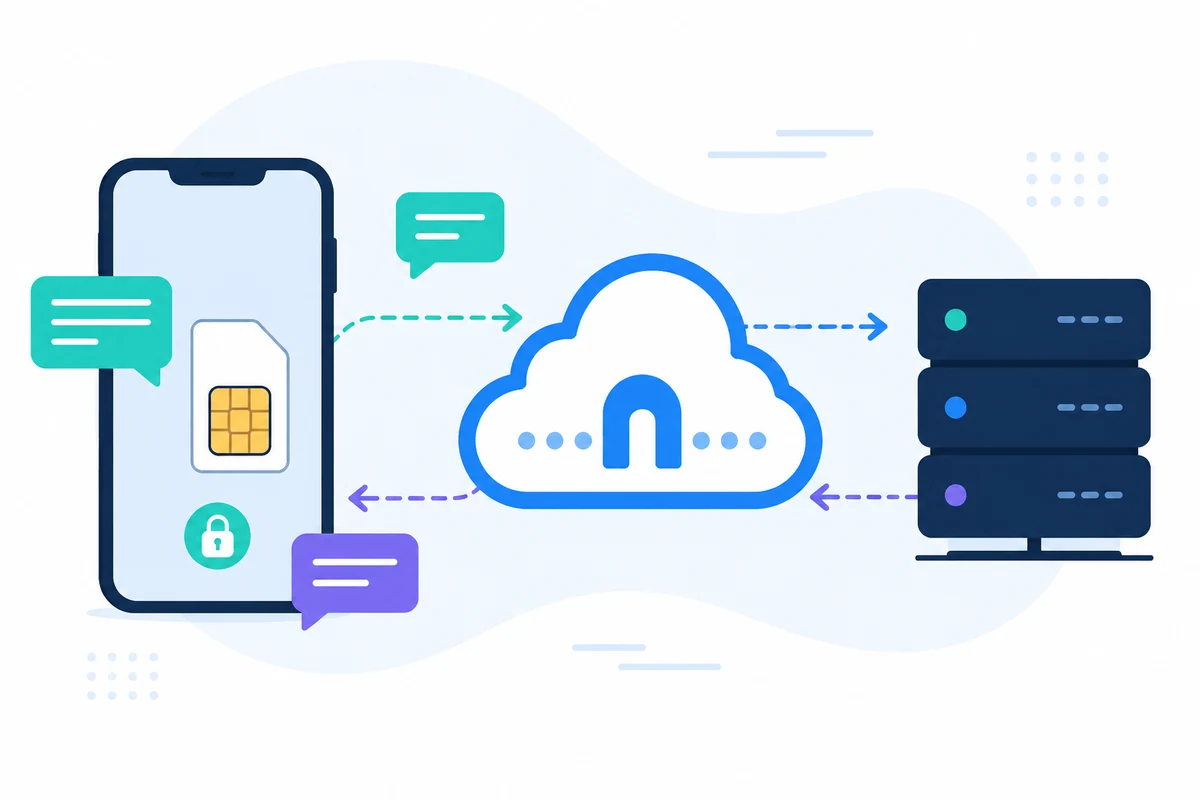
With SMSMobileAPI, you can streamline your appointment reminder process by connecting your existing mobile phone to a dashboard that automates SMS notifications. Here’s how to set it up:
الخطوة 1: ربط جهازك المتنقل
To get started, you first need to connect your Android or iPhone to the SMSMobileAPI platform. This process is straightforward:
- Visit the SMSMobileAPI Start page.
- Follow the instructions to download the mobile app and link your existing mobile number.
- Ensure that your mobile device has a stable internet connection to facilitate communication with the dashboard.
Step 2: Integrate with Google Calendar
Once your mobile is connected, integrate your Google Calendar to manage appointments seamlessly:
- Access the dashboard and navigate to the integrations section.
- Link your Google Calendar account by following the provided prompts.
- Grant necessary permissions to allow SMSMobileAPI to access your calendar events.
الخطوة 3: جدولة رسائل التذكير النصية
With the integration complete, you can now set up automated SMS reminders:
- On your dashboard, select the event for which you want to send a reminder.
- Compose a personalized SMS message using smart keywords that will be replaced with actual event details. For example:
- Specify how many days in advance you want the reminder to be sent (e.g., 1 day, 2 days, etc.).
- Confirm and save your settings.
Hi! Just a quick reminder for your appointment on [event_date] at [event_start]. The meeting will take place at [location].حدود للنظر
While SMSMobileAPI provides an efficient solution for sending reminders, there are some limitations to keep in mind:
- SMS messages are limited by your mobile plan, so ensure you have sufficient credits to send the desired number of reminders.
- Automated messages are sent when events are scheduled, meaning any last-minute changes must be manually updated in the calendar.
- Receiving replies directly to your mobile phone is great for communication, but it requires you to monitor your messages regularly.
How SMSMobileAPI Works for Your Workflow
Once your reminders are set up, the SMSMobileAPI will automatically send messages from your mobile number as scheduled. This means:
- The reminders are professional and recognizable, increasing the likelihood that clients will read them.
- You can receive replies directly on your phone, allowing for quick communication if clients have questions or need to reschedule.
- All data remains secure and private, as SMSMobileAPI does not store your messages externally.
By automating this process, you can save time and reduce the stress of managing appointments, ultimately leading to better client relationships and increased revenue. Whether you're a health professional reminding patients, a consultant notifying clients, or a beauty salon confirming services, SMSMobileAPI is designed to simplify your workflow.
الخطوات التالية
Ready to enhance your appointment management with SMS reminders? Start by connecting your mobile device and integrating your calendar with SMSMobileAPI. Visit our integration pageللبدء اليوم!