Connect Any ERP, Software or System to a Mobile Phone for SMS and Call Data
SMSMobileAPI makes your mobile phone accessible from your ERP (or any software). Your system can send SMS, receive SMS replies, and access missed calls, incoming answered calls, and outgoing calls through the SMSMobileAPI dashboard + API. Once the app is installed on the mobile phone, a complete communication ecosystem becomes available to your business tools.
One Simple Idea: Your System ↔ SMSMobileAPI ↔ Your Mobile Phone
Your ERP / Software / System
ERP, CRM, helpdesk, logistics software, healthcare software, custom PHP/Python app, internal tool, e-commerce platform, automation platform, or any business system.
- Sends SMS from your business workflow
- Receives SMS replies inside your system
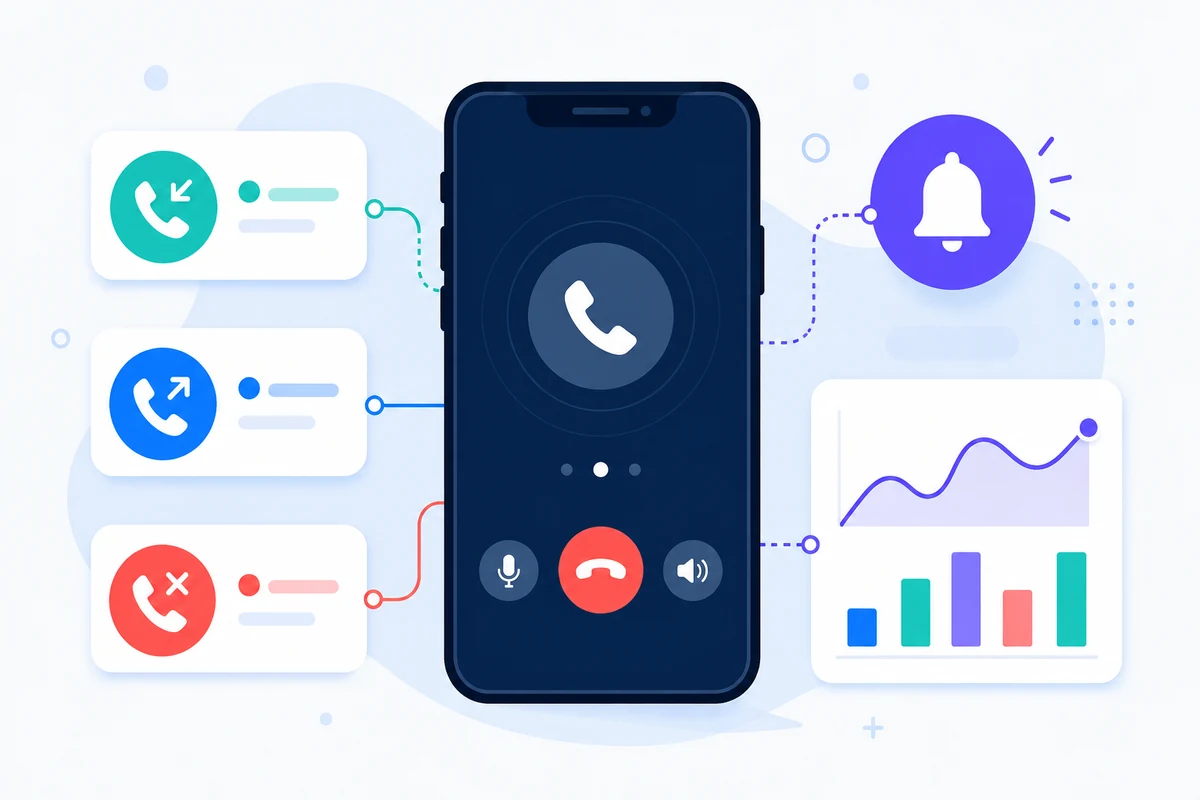
- Reads call events (missed, incoming, outgoing)
- Triggers actions (task, alert, follow-up, report)
SMSMobileAPI Dashboard + API
Central bridge between your software and the mobile phone. It exposes communication data and actions in a structured way.
- SMS sending from your system to mobile workflow
- SMS receiving available via dashboard/API
- Call synchronization for business visibility
- Search, filters, reports and exports (depending on features)
Mobile Phone with SMSMobileAPI App
Once installed and authorized, the app connects the phone to SMSMobileAPI and synchronizes SMS and calls.
- SMS sent / received (with permissions)
- Missed calls synchronization
- Incoming answered calls synchronization
- Outgoing calls synchronization
What This Makes Possible (Easy to Understand, Powerful in Practice)
The goal is simple: connect any system to SMSMobileAPI and therefore to the mobile phone. This gives your software access to real SMS and call activity so you can centralize communication, improve follow-up, and automate actions.
Send SMS directly from your ERP
Trigger SMS messages from orders, invoices, appointments, support tickets, reminders, internal tools, or any custom workflow.
Receive SMS replies in your system
Bring customer replies back into your ERP / CRM to create tasks, update records, or trigger additional communication steps.
Sync missed, incoming and outgoing calls
Convert call activity into usable business events for follow-up, traceability, KPI dashboards, and service quality monitoring.
Create workflows from communication events
Example: missed call → create callback task. SMS reply → update order status. Outgoing call → add note in customer timeline.
How the Integration Works (Technical but Easy)
You do not need to rebuild your ERP. You simply connect your system to SMSMobileAPI using API requests, webhooks, or scheduled synchronization. SMSMobileAPI acts as the bridge to the mobile phone.
Install the app on the mobile phone
The SMSMobileAPI mobile app connects the phone to your SMSMobileAPI account.
Grant permissions
SMS and call synchronization depends on permissions granted by the user on the phone.
Connect your system to SMSMobileAPI
Use HTTP/API, webhooks, cron jobs, or a small connector script (PHP, Python, etc.).
Use SMS + call events in your ERP
Display, filter, automate, report, and centralize communication activity in your business software.
Visual Example: Everything Available from the ERP
The mockup below shows how an ERP can display SMS and call events from SMSMobileAPI in one customer timeline. Replace the placeholder zones with your real screenshots (ERP, dashboard, mobile app).
ERP Communication Timeline (Example)
Show your own ERP screenshot here to demonstrate the integration. This demo simply explains the concept in a very easy way.
Mobile Connection & Synchronization Layer
SMSMobileAPI starts on the mobile phone. Once the app is installed and connected, it becomes the communication bridge between the phone and your business systems. This is what makes it possible to connect any ERP, CRM or custom software to real mobile activity.
Depending on the permissions granted by the user, the app can synchronize SMS activity and call events including missed calls, incoming answered calls, and outgoing calls.
In short: the mobile app is the entry point that connects the phone to the SMSMobileAPI ecosystem.
Centralized Communication Data for Any System
SMSMobileAPI centralizes mobile communication data in one place through the dashboard and API. This allows your ERP or software to access structured information such as SMS logs, call logs, statuses, dates, durations, and searchable communication history.
Instead of keeping calls and SMS isolated on a phone, SMSMobileAPI transforms them into usable business data that can be integrated into customer files, support workflows, sales follow-up, reporting, and automation processes.
One dashboard + one API = one communication layer for all your tools.
How the Full Ecosystem Works in Real Life
The complete flow is simple and powerful: ERP / Software → SMSMobileAPI API → Mobile Phone → SMS & Call Events → Dashboard / API → ERP.
Your system can send SMS, receive SMS replies, and use synchronized call events (missed, incoming, outgoing) to trigger actions such as callback tasks, CRM updates, customer timeline entries, alerts, and reports.
This architecture makes SMSMobileAPI compatible with virtually any system that can use HTTP requests, webhooks, or scheduled synchronization jobs.
You can later replace this text with a video embed if you want, but this content already explains the ecosystem clearly for visitors and SEO.
Example Use Cases for Any ERP or Business Software
Because SMSMobileAPI can connect to virtually any system, the same communication engine can be reused across many industries.
Sales & Leads
Missed call → create callback task. Outgoing call → log follow-up. SMS reply → update lead status.
Support & Helpdesk
Receive SMS replies in tickets and keep a complete customer communication history (SMS + calls).
Logistics & Delivery
Send ETA SMS from the ERP and capture customer responses or missed calls from drivers/clients.
Appointments & Services
Reminders by SMS, confirmations by reply, missed calls tracked to reduce no-shows.
Field Teams
Track outgoing and incoming calls linked to interventions, work orders, or customer accounts.
Management & KPI
Use synchronized call and SMS activity for reports, dashboards, audits, and process optimization.
Connect Any System to SMSMobileAPI — and Therefore to the Mobile Phone
The key value is simple and powerful: once the SMSMobileAPI app is installed on the phone, your ERP / software can access SMS and call capabilities through one ecosystem. Send SMS, receive SMS replies, and synchronize missed/incoming/outgoing calls into your business tools.
Access remains user-controlled and can be managed according to the mobile platform behavior and settings.
💬 Live Chat Available
Our team is here to help you!
Enter your email address
to help us follow up on your request : Please enter a valid email.
Start a chat now
and get the answers you need quickly and easily.

Official mobile application
The secure bridge between your phone, dashboard and API.
SMS and call operations pass through the official SMSMobileAPI app installed on your connected phone. The app securely pairs the device with your account, synchronizes authorized events and links the mobile network to the dashboard and REST API.
- Signed releases distributed through the official Google Play and Apple App Store listings
- Google and Apple platform review, signing and distribution controls
- Secure device pairing, HTTPS transport and authenticated API access
- Only the permissions required for the mobile features you enable