
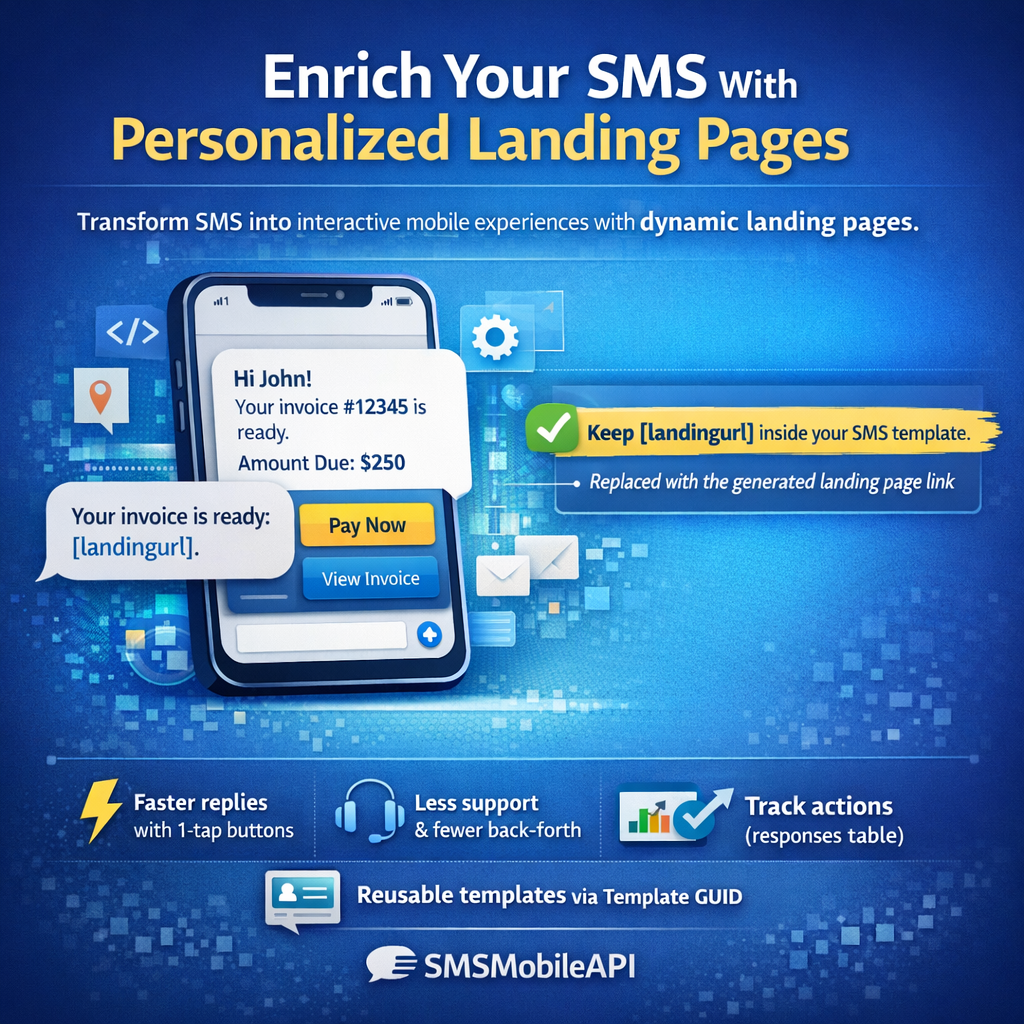
How Rich SMS Works
Why Rich SMS works→
SMSMobileAPI transforms a standard SMS into an Enriched SMS experience by attaching a
Landing Page Template powered by dynamic variables,
action buttons and full response tracking.
Turn simple SMS messages into interactive digital experiences — quickly, reliably, and at scale.
What is an Enriched SMS?
We allows you to send Enriched SMS by linking any SMS to a customizable landing page generated automatically through a
Landing Page Template.
Each message includes a short link that opens a dynamic page containing personalized information, action buttons and interactive elements.
✓ It works on any phone: the SMS contains a link to a mobile landing page (no RCS app required).
Templates in your dashboard
Build once: title, content, design, placeholders, buttons.
Instances per recipient
Each Enriched SMS generates a unique Landing Page Instance with a guid_instance.
This feature gives you the ability to include:
- A Landing Page Template defined in your SMSMobileAPI dashboard
- Dynamic placeholders filled via placeholders_json
- Action buttons that redirect to URLs you specify or trigger backend states
- A structured data model that stores each interaction in the responses table
SMS alone is limited
Plain SMS can’t show structured info, buttons, confirmations, or capture actions reliably.
Templates add structure
Your message becomes a clean landing page: content, details, logo, and action buttons.
Actions = automation
Each button can redirect or store a state (example: confirmed=1) for analytics & automation.
Two ways to send Enriched SMS
Option A — Dashboard form (no code)
Select destination number, choose the template, fill dynamic values, then click Send.
- Select a template
- Enter destination phone number
- Fill placeholders (dynamic values)
- Click “Generate landing + Send SMS”
Option B — API (automation)
Send Enriched SMS by calling the API with the recipient number + Template GUID + placeholders_json.
- Generate landing URL via API
- Insert it into your SMS (replace
[landingurl]) - Send the final SMS via API to the recipient
How the feature works (visual tutorial)
Define title, content, design, placeholders and buttons. Save to get a Template GUID.
Send Template GUID + placeholders_json. SMSMobileAPI returns a short link and a guid_instance.
Insert the short link inside your SMS. Keep [landingurl] in your template for automation.
The page shows personalized content for that guid_instance, plus action buttons.
Each click is tracked with action_key and choice_label.
Every interaction is recorded: guid_instance, template_id, action_key, var_name, var_value, and timestamp.
Real-life examples
Please RSVP here:
[landingurl]
rsvp=1rsvp=0- Create the “Event invitation” template with YES/NO buttons.
- Send SMS from Dashboard or API (with [landingurl]).
- User clicks the link → sees the invitation page.
- User taps YES/NO → your system stores the RSVP instantly.
Tap here:
[landingurl]
confirmed=1your_booking_page- Create the template with CONFIRM + RESCHEDULE.
- Send SMS with dynamic values filled (date/time/service).
- User opens landing page and taps CONFIRM.
- Your backend stores confirmed=1 (or triggers an API call).
- RESCHEDULE redirects to your booking page.
Confirm now:
[landingurl]
details_ok=1support_form- Create template with CONFIRM + REPORT ISSUE.
- Send SMS after signup or before important steps.
- User checks the page, confirms in 1 tap.
- Your system stores details_ok=1 for compliance and traceability.
Details:
[landingurl]
ack=1status_page- Create “Service alert” template.
- When incident is created, your system sends SMS via API.
- User opens the landing page and taps ACKNOWLEDGE.
- ack=1 is stored so you know who saw the alert.
Please confirm reception:
[landingurl]
received=1support_ticket- Create “Delivery confirmation” template.
- Send SMS automatically after delivery.
- User confirms with one tap → your system stores received=1.
- If issue, redirect to support ticket immediately.
Why use Enriched SMS with SMSMobileAPI?
Transform simple SMS into interactive journeys
Replace limited SMS text with a mobile-friendly landing page generated from your template and placeholders_json.
Fully personalized using dynamic placeholders
Each Landing Page Instance is uniquely generated based on your placeholders_json values.
Structured data through the responses table
Every action is stored with guid_instance, template_id and action_key — perfect for automation and analytics.
API-driven & developer friendly
Generate instance, send SMS, collect responses — simple API calls, easy integration.
Classic SMS vs Enriched SMS (with a Landing Page)
| Feature | Standard SMS | Enriched SMS (SMSMobileAPI) |
|---|---|---|
| Content capacity | Text only, limited length | Full mobile landing page from a Landing Page Template |
| Personalization | Minimal | Complete dynamic placeholders_json mapping |
| Interaction | No direct actions | Action buttons stored via action_key and choice_label |
| Tracking | No tracking | Responses table with guid_instance and var_value |
| Automation | Not possible | API-generated Landing Page Instance |
Technical overview for developers
Landing Page Instance structure
- guid_instance
- template_id and template_guid
- placeholders_json
- created_at, expires_at, last_access_at
- phone_number and apikey
- archived flag
Response storage model
- guid_instance
- template_id
- action_key
- var_name and var_value
- choice_label
- created_at
API example (automation)
Start sending Enriched SMS today
With SMSMobileAPI, you can instantly turn any SMS into an Enriched SMS and a complete mobile experience powered by Landing Page Templates, dynamic placeholders and response tracking.
 English
  French
  German
  Spanish
  Portuguese
  Russian
  Finnish
  Japanese
  Chinese
  Vietnamese
  Dutch
Dutch  Greek
Greek  Arabic
  Danish
  Italian
  Ukrainian