
Your existing number
Contacts reply to the number attached to your own SIM.
RECEIVED ON YOUR MOBILE · AVAILABLE TO YOUR TOOLS
Your contact replies to the mobile number they already know. The SMS arrives on your connected phone, then SMSMobileAPI makes the supported message available in your dashboard, API and compatible integrations—with the receiving mobile and useful context preserved.
Your mobile remains the real receiving device. SMSMobileAPI adds visibility, routing and automation around it.
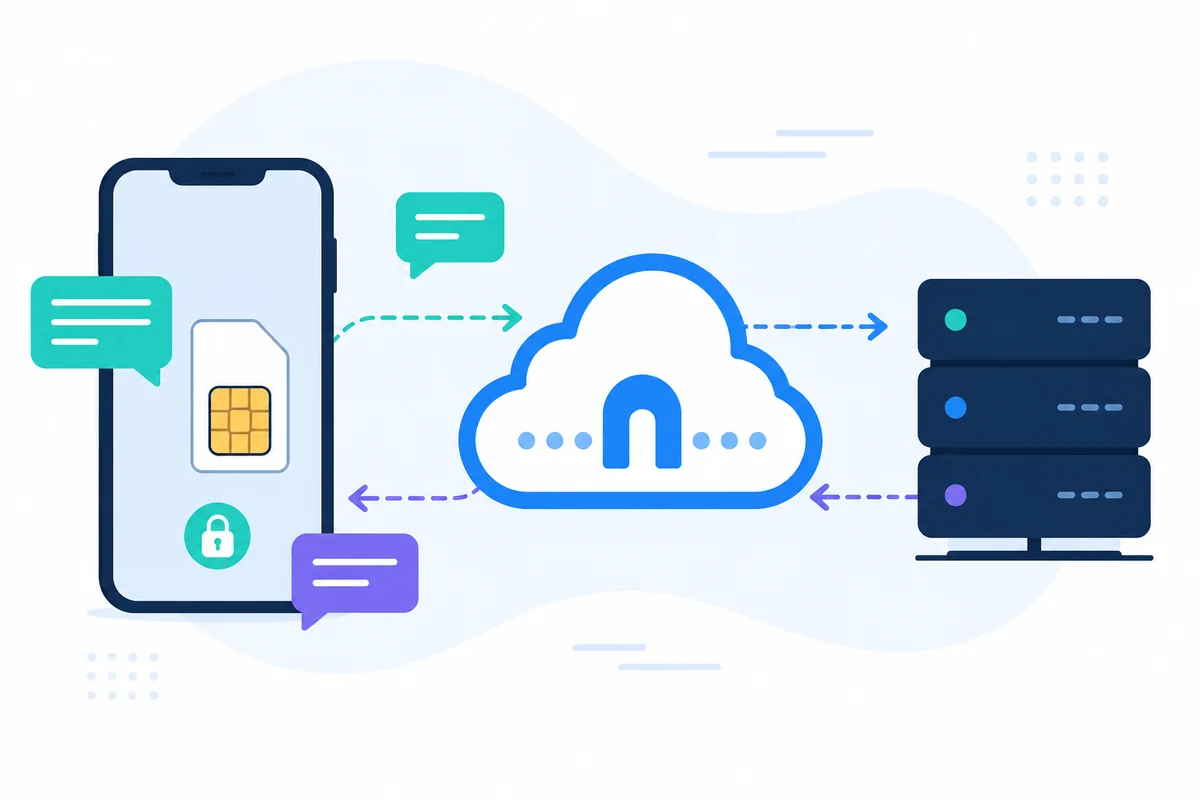
Contacts reply to the number attached to your own SIM.
Messages from supported connected mobiles are centralized in one account.
Read, search, retrieve or route incoming SMS into compatible workflows.
THE INCOMING SMS JOURNEY
The phone receives the ordinary mobile SMS first. The official app and secure account connection then synchronize supported message data so it can be used outside the handset.
When a compatible reply workflow is used, your answer follows the outbound path through the selected connected mobile and its SIM.
CONNECT ONCE, THEN TEST
Download SMSMobileAPI from Google Play or the Apple App Store.
Pair the compatible mobile with your Account ID and Account Licence.
Enable only the mobile permissions and background operation required for received-SMS synchronization.
Send an SMS to the connected number and confirm that it appears in the received log.
YOUR RECEIVED SMS INBOX
The received SMS log gives your team a clear operational view instead of forcing someone to inspect every handset manually.
Can we move the appointment?
Thank you, confirmed.
Please call me back.
FROM MESSAGE TO WORKFLOW
Receiving is only the first step. Depending on your configuration and connected tools, an incoming message can inform a person, start a rule or become part of a customer conversation.
Read and search incoming messages from one or several connected mobiles.
Retrieve received SMS and feed your own application, CRM or support workflow.
Forward useful received-message context to an email address when configured.
Trigger a compatible reply rule when your conditions are met.
Bring supported replies into integrations such as GoHighLevel or Pipedrive when connected.
React to the sender, message, mobile or processing state with a supported automation.
EMAIL REPLY WORKFLOW
An email notification can include the sender, message, receiving mobile and time. In a compatible reply-by-email configuration, the operator answers the email and SMSMobileAPI routes the response through the linked mobile context as an SMS.
REAL USE CASES
Capture confirmations, cancellations and requests received on the appointment number.
Centralize incoming questions and keep the receiving mobile visible to the team.
Attach supported mobile replies to the contact workflow used by your sales or service team.
Bring received SMS from several authorized phones into one controlled account.
TEST BEFORE PRODUCTION
Availability depends on the mobile operating system, app version, permissions, background restrictions, internet connection, mobile coverage and SIM/operator conditions. Android and iPhone do not support identical background operations.
KEEP THE REPLY USEFUL
Connect your compatible phone, run one controlled incoming test and open the received SMS log. From there, choose the dashboard, API or integration workflow that fits your team.

Скажіть нам, з ким ми розмовляємо. Ваші дані залишаються прикріпленими до цієї приватної розмови служби підтримки.